DCM Files Explained: The Digital “Folder” Behind Every Medical Scan
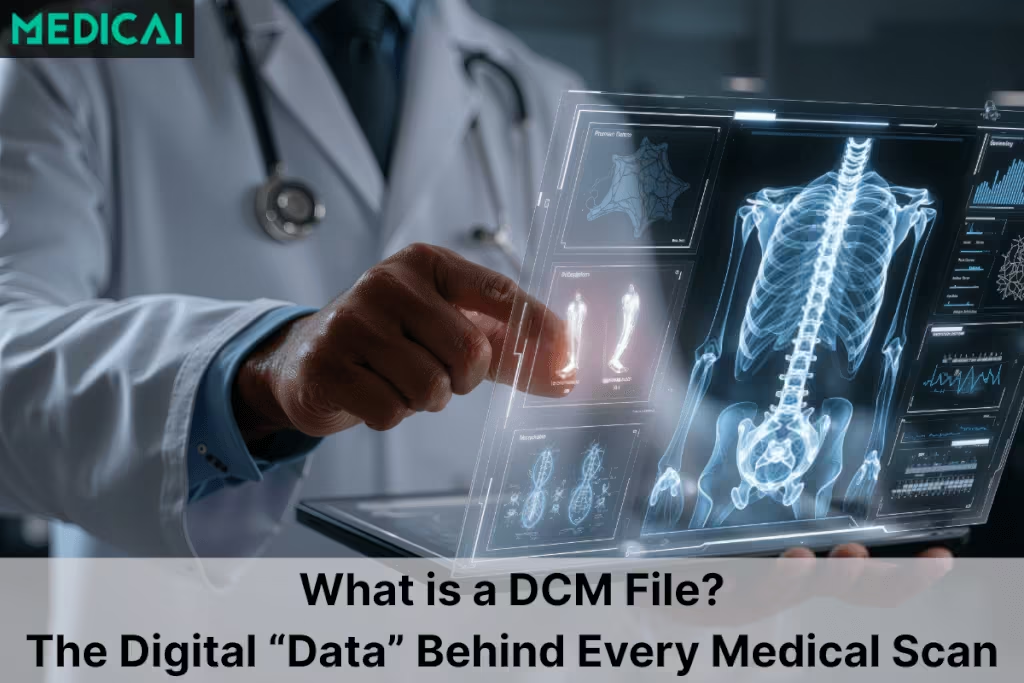
A DCM file is a DICOM medical imaging file that stores pixel data from a scan and patient and study metadata in a single standardized object. The DCM file format enables hospitals and clinics to transfer CT, MRI, X-ray, and ultrasound studies between systems without losing clinical context.
The .dcm extension is ambiguous outside healthcare. The.dcm extension can refer to a DiskCatalogMaker catalog file or a DCM audio module, so this guide focuses on DICOM medical imaging DCM files.
DICOM file naming varies by workflow. DICOM files typically use .dcm on desktops, and DICOM media workflows can require no extension, so a missing “.dcm” suffix does not rule out DICOM.

What is a dcm file?
A dcm file follows the DICOM (Digital Imaging and Communications in Medicine) standard—created out of the ACR–NEMA effort in the 1980s and widely unified under DICOM 3.0 (1993) when TCP/IP networking was added. In practice, when people ask “what is a .dcm file?”, they mean a DICOM image file plus its rich metadata.
The file extension alone does not guarantee a medical DICOM file, so the safest check is DICOM header and metadata parsing.
DCM file naming causes avoidable confusion. A “DCM file” usually means a DICOM Part 10 file stored on disk, and many senders still label DICOM files with .dcm for convenience. DICOM media exchange workflows can store DICOM files without a file extension, and DICOM file identity should rely on the DICOM header and metadata, not the filename.
The two halves of every dcm file
| Component | What It Is | What It Contains | Real-World Example | Why It Matters |
|---|---|---|---|---|
| Image Pixel Data | The actual medical images stored inside the file | MRI slices, CT series, X-ray frames, ultrasound cine loops | A knee MRI showing ligament tears across 150 slices | Shows the anatomy or pathology — the visual “evidence” doctors read |
| Metadata Header (DICOM Tags) | Text-based information describing the patient + scan | Patient info, scanner settings, study date, modality type, physician notes | Patient Name: John Smith, Modality: CT, Date: 2025-01-14, Resolution: 512×512 | Ensures the image is linked to the right patient and clinical context — no mix-ups, no missing data |
Image (pixel) data
This is the actual medical image or frames (e.g., a single X-ray, an MRI slice, or a multi-frame ultrasound cine). Correction worth noting: most CT or MRI studies comprise a series of dcm files—one per slice—rather than a single file containing all slices. Some radiology modalities (e.g., ultrasound, enhanced MR/CT) can use multi-frame DICOM to store multiple frames in a single .dcm file.
Metadata (the “header”)
This is the structured context: patient name/ID, study date, modality, manufacturer, pixel spacing, bit depth, positioning, and even acquisition parameters. It’s what turns pixels into a safe, traceable medical record.
Because the image and the header travel together, a dcm object is interoperable (and auditable) across vendors and sites. In one real-world example, ScienceSoft’s healthcare IT team helped RIVANNA build an ISO 12052-compliant DICOM file generation module that converted ultrasound scans and metadata into DICOM files, with PACS sharing planned in the same workflow.
Inside the DICOM header (a quick look)
DICOM Part 10 file format explains why viewers read DCM files consistently. The DICOM File Meta Information header includes a 128-byte preamble, a 4-byte “DICM” prefix, and file meta elements that identify how to interpret the dataset, and the standard requires this header in every DICOM file that follows the Part 10 format.
Key Part 10 fields that matter in day-to-day troubleshooting include:
- DICM prefix, a quick signature that marks a Part 10 DICOM file.
- Transfer Syntax UID, the encoding and compression rules a viewer must use.
- Media Storage SOP Class UID and SOP Instance UID, the identity of the object inside the file.
| Category | Sample DICOM Tags | What They Store |
|---|---|---|
| Patient Info | (0010,0010) Name(0010,0020) ID | Identifies who the scan belongs to |
| Study Details | (0008,0020) Study Date(0008,1030) Study Description | When and why the study happened |
| Equipment Settings | (0008,0070) Manufacturer(0018,1151) Tube Voltage (kVp) | How the scan was taken |
| Image Specs | (0028,0010) Rows(0028,0011) Columns | Image size + resolution |
DICOM organizes information into data elements with standardized Tags (what the field is) and Values (the content). For example:
- (0010,0010) Patient’s Name → “Jane Smith”
- (0008,0020) Study Date → “2025-03-21”
- (0028,0010)/(0011) Rows/Columns → image dimensions
This tag-value system is why a radiologist can open prior studies from years ago and a different hospital and compare them side-by-side with perfect alignment.
Why DICOM (.dcm) became the universal language
Before DICOM, each vendor used its own format—creating “digital islands.” Sharing images meant custom converters or printed films. DICOM unified:
- a file format (the .dcm file type) and
- a network protocol (so systems can reliably send/receive images).
That’s why a CT done on Vendor A can be read on a workstation from Vendor B, archived in a third-party PACS, and viewed in a browser-based dcm file viewer with no loss of context. Thus, the complexities of different DICOM modalities are resolved.
Modern systems increasingly move .dcm data over the web rather than over legacy DIMSE connections, using DICOMweb, the RESTful transport layer that makes DICOM data accessible over standard HTTP.
How to Open a DCM File (Windows, Mac, Mobile, and Web)
To open a DCM file, you need a DICOM viewer, also called a .dcm file reader. A standard photo viewer will not work, because it cannot read the DICOM header or decode the medical pixel data. The right tool depends on your device and whether you need a quick view or clinical-grade reading.
How to Open a DCM File on Windows
On Windows, install a dedicated DICOM viewer such as RadiAnt, MicroDicom, or Weasis. Open the viewer, choose File, then Open, and select the .dcm file, or select the whole folder when the study is a multi-slice CT or MRI series stored as one file per slice. These viewers read the DICOM header, so patient and study details load alongside the images.
How to Open a DCM File on Mac
On Mac, your options are a browser-based viewer or a macOS application such as Horos or Weasis. Because Mac users historically had fewer installable options than Windows, a free browser-based viewer is often the fastest route. For a full walkthrough of the free, no-install options, see our guide to DICOM viewers for Mac.
How to Open a DCM File on Mobile
On a phone or tablet, a browser-based viewer opens a .dcm file without installing an app, which is ideal for quick views on iOS and Android. For a comparison of apps and mobile viewers, see our guide to the best mobile DICOM viewers for Android and iOS.
How to Open a DCM File in a Browser (No Install)
A browser-based DICOM viewer opens a .dcm file with no software to install, which is ideal for patient CDs, referral sharing, and quick second opinions. The Medicai Online DICOM Viewer is a free browser-based option: upload the file, and it renders in the browser, header and images together. This is the quickest way to open a single .dcm file when you do not need a full workstation.
Opening DCM Files at Scale (PACS)
Hospitals and imaging centers do not open .dcm files one at a time. They use a PACS (Picture Archiving and Communication System) to store, route, and view studies at scale, with audit trails and role-based access. For clinical reading, use a PACS or a regulated workstation rather than a quick-view tool.
How to Convert a DCM File to JPG or PDF (and When Not To)
Converting a .dcm file to JPG, PNG, or PDF is convenient for teaching, presentations, or giving a patient a copy, and most DICOM viewers can export a secondary image in those formats. For the full step-by-step process and the free tools that do it, see our guide to converting DICOM to JPEG.
The caution matters as much as the how-to: converting a .dcm file strips the DICOM metadata and can reduce diagnostic fidelity, because JPG and PDF do not carry the header, the full bit depth, or the calibration a DICOM viewer relies on. Keep the original .dcm file for any clinical purpose. If the reason you want to convert is to share the study externally, anonymize and share the DICOM file itself rather than converting it to a flattened image, so the recipient keeps the diagnostic quality and clinical context.
Why DCM files power AI (and safer diagnosis)
The bigger story is that dcm files fuel modern radiology and AI. Algorithms learn from both pixels and context—age, modality, protocol—so models trained on DICOM outperform those trained on bare images.
In daily practice, a PACS or an online dcm file viewer can prefetch priors, auto-window images, and surface key header fields—speeding up confident, reproducible reads.
FAQs
Why is my DCM big?
Diagnostic images use higher bit depth, lossless compression, and (sometimes) multi-frame content.
What’s a DCM file?
A DICOM image + metadata in one interoperable package.
How do you open a DCM file?
Use a .dcm file viewer (desktop or web), such as the Medicai Online DICOM Viewer.
What is DICOMweb?
FAQ answer: DICOMweb is the DICOM web services standard (PS3.18) that exposes DICOM studies over REST APIs, so apps query and retrieve the same content stored in .dcm files without manual file handling.
Can I convert a DCM file to JPEG/PDF?
Yes, but you’ll drop metadata; keep the original for clinical use.
Sample DCM file?
Educational sample dcm file sets exist, but never use real PHI.


Related Articles

Lets get in touch!
Learn more about how Medicai can help you strengthen your practice and improve your patients’ experience. Ready to start your Journey?
Book A Free Demo