Best Cloud PACS Vendors: How to Compare the Market in 2026

Cloud PACS vendors are split into three distinct tiers based on deployment architecture, facility size, and market position. The tier a vendor occupies determines how it scales, how it prices, and how easily an institution can exit the contract. Choosing based on marketing language — every vendor claims to be “cloud-native,” “scalable,” and “secure” — produces the wrong result. Choosing based on architecture type and KLAS-validated user satisfaction yields a decision that holds over a 7- to 10-year contract cycle.
This guide is for imaging centers, clinics, and hospitals evaluating cloud PACS vendors. It focuses on shortlist criteria: deployment model, DICOM viewing, storage, interoperability, patient access, sharing, and pricing structure.
What Is a Cloud-Based PACS System?
A cloud-based PACS (Picture Archiving and Communication System) is a medical imaging platform that stores, manages, and distributes diagnostic images — X-rays, CT scans, MRIs, and ultrasounds — on remote servers rather than on-premise hardware, making studies accessible from any browser or device with an internet connection.
Cloud PACS consists of four components working together:
- Cloud Storage Archive — encrypted remote servers where DICOM imaging data is stored and indexed
- Zero-Footprint Web Viewer — a browser-based viewer that lets radiologists open, manipulate, and annotate studies without installing local software
- Secure Network — HIPAA-compliant SSL encryption and HL7/FHIR protocols that transmit data between imaging devices, the archive, and end users
- Integration Interface — connects to EHR, RIS, and AI tools to unify patient data and automate reporting workflows
The shift from traditional on-premise PACS to cloud removes the need for local server infrastructure, eliminates scheduled hardware refresh cycles, and enables teleradiology by making studies available to radiologists reading from any location. Modern cloud PACS platforms also integrate AI tools directly into the reading workflow, reducing reporting time by up to 50%.
Medicai Cloud PACS is built cloud-native on Microsoft Azure — not a legacy system migrated to a virtual machine — which means it scales elastically with imaging volume, updates without downtime, and connects to any EHR or modality via FHIR APIs without requiring a separate interface engine.

Cloud PACS Vendors: Types and Their Impacts on Workflow
The three architecture types present in the current market are cloud-native (built from the ground up on microservices, no legacy codebase), cloud-enabled (a legacy on-premise system migrated to a cloud host such as Azure or AWS), and hybrid (local edge server for recent studies combined with cloud archive for long-term storage). These are not equivalent. A cloud-enabled system carries the performance ceiling and vendor lock-in risk of its original on-premise architecture, regardless of where the servers physically sit. A cloud-native system scales horizontally without per-client configuration. A hybrid system trades some cloud economics for local read speed—the right trade-off for institutions where radiologist latency is the primary constraint.
KLAS Research publishes annual rankings of PACS vendors by user satisfaction and market momentum. The 2025 rankings are the most current third-party data available for enterprise vendor comparison and are referenced throughout this guide where applicable. Definitive Healthcare installation data — tracking which systems are deployed across US hospitals by install count — provides the market-share dimension that KLAS satisfaction scores do not.
How to choose a cloud PACS vendor: four decision criteria
The four criteria below map to the four most common failure modes in cloud PACS vendor selection. Each criterion has a specific verification step — not a general question to ask a sales team, but a document or data point to request before contract signature.
Architecture type versus your latency requirement
Cloud-native systems scale horizontally and require no on-site hardware. They are the right choice when the primary constraints are cost and scalability. Hybrid systems with local edge servers are the correct choice when radiologist read latency on recent priors is the clinical constraint — remote reads of current-day studies over a pure cloud connection introduce latency that some teleradiology and emergency workflows cannot absorb. Request the vendor’s architecture diagram and ask specifically whether the edge component is optional or required, and what happens to read access during an internet outage.
Data portability terms in the contract, not in the pitch
Cloud-enabled legacy vendors store data in formats tied to their internal database schema. Exiting the contract requires a negotiated extraction. Cloud-native and VNA-first vendors — Medicai, Fujifilm Synapse, Intelerad Ambra — store DICOM data in standard format accessible via DICOM C-MOVE or DICOMweb WADO-RS. The difference between these two scenarios at contract exit is measured in months of engineering time and hundreds of thousands of dollars. Verify data portability by requesting the contract’s data export clause before signing, not after.
KLAS satisfaction score versus install count
High install count indicates market share. A high KLAS satisfaction score indicates user retention and operational quality. These do not always correlate. GE HealthCare has a high install count from legacy Centricity deployments being phased out — a number that reflects historical dominance rather than current satisfaction. Sectra has both a high install count in its segment and the highest KLAS satisfaction score in the category. For a 7-to-10 year contract, the KLAS score is the more predictive metric. Request the vendor’s most recent KLAS report page before the final vendor decision.
Integration standard — FHIR-native versus interface-engine dependent
Cloud PACS systems that connect to EHR, RIS, and AI tools via HL7 FHIR APIs require no interface engine between systems. Systems that use HL7 V2 message exchange require an interface engine — an additional software layer that must be maintained, tested after every upgrade, and replaced when it reaches end of life. The practical cost difference over a 10-year contract is significant: interface engine licenses, maintenance, and upgrade testing add to the total cost of ownership that the subscription fee does not capture. Ask the vendor specifically whether their EHR integration uses FHIR or HL7 V2, and whether the interface engine is included in the subscription price or separately licensed.
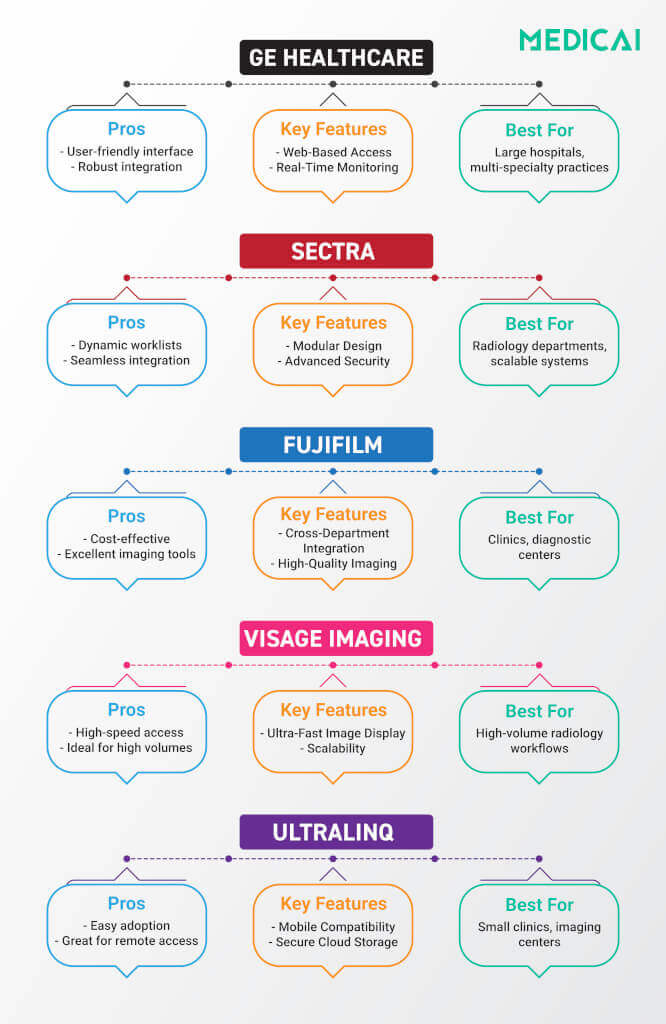
Quick Comparison: The Top 5 Cloud PACS Vendors
| Vendor | The “Entity Persona” | Best For | Key Differentiator | Architecture Note |
| Medicai | The Modern Architect | Distributed Networks & Research | De-Coupled VNA. The only platform built API-first for interoperability, decentralization, and avoiding vendor lock-in. | Cloud-Native: Built on microservices. True elastic scalability without legacy code. |
| Visage Imaging | The Speed Demon | Large Academic Centers & Teleradiology | Server-Side Rendering (Streaming). Opens massive 3D breast/cardiac files instantly over standard internet. | Private Cloud / AWS: Optimized for raw speed, not modularity. |
| Sectra | The Radiologist’s Favorite | High-Volume Hospitals | Usability. Consistently wins “Best in KLAS” for user interface and stable uptime. | Cloud-Enabled: A robust enterprise platform shifted to the cloud (Azure). |
| GE Healthcare (Centricity) | The “All-in-One” Giant | Multi-Hospital Networks | Ecosystem. Deep integration with GE modalities (CT/MRI hardware). “One throat to choke.” | Hybrid Enterprise: Powerful but can feel heavy and slow to update. |
| Fujifilm (Synapse) | The VNA Powerhouse | Enterprise Imaging Strategies | VNA First. Strong focus on centralizing non-radiology data (Pathology, Cardiology). | Cloud-Enabled: Strong server-side rendering updates (Synapse 5+). |
5 Top Cloud PACS Vendors: Features, Benefits, and Insights
Let’s explore the top 5 largest cloud-based PACS system vendors to find what suits your organization best. However, there is no way to ignore the rising star in the cloud PACS market.
Medicai: The Rising Star of the Cloud PACS market
While the giants fight over who has the biggest server farm, Medicai is winning the battle for Interoperability.
Medicai is not a legacy system ported to the cloud; it is Cloud-Native. It uses a decentralized Hybrid Edge Architecture that allows you to connect disparate hospitals, clinics, and research centers without forcing them onto a single rigid database.
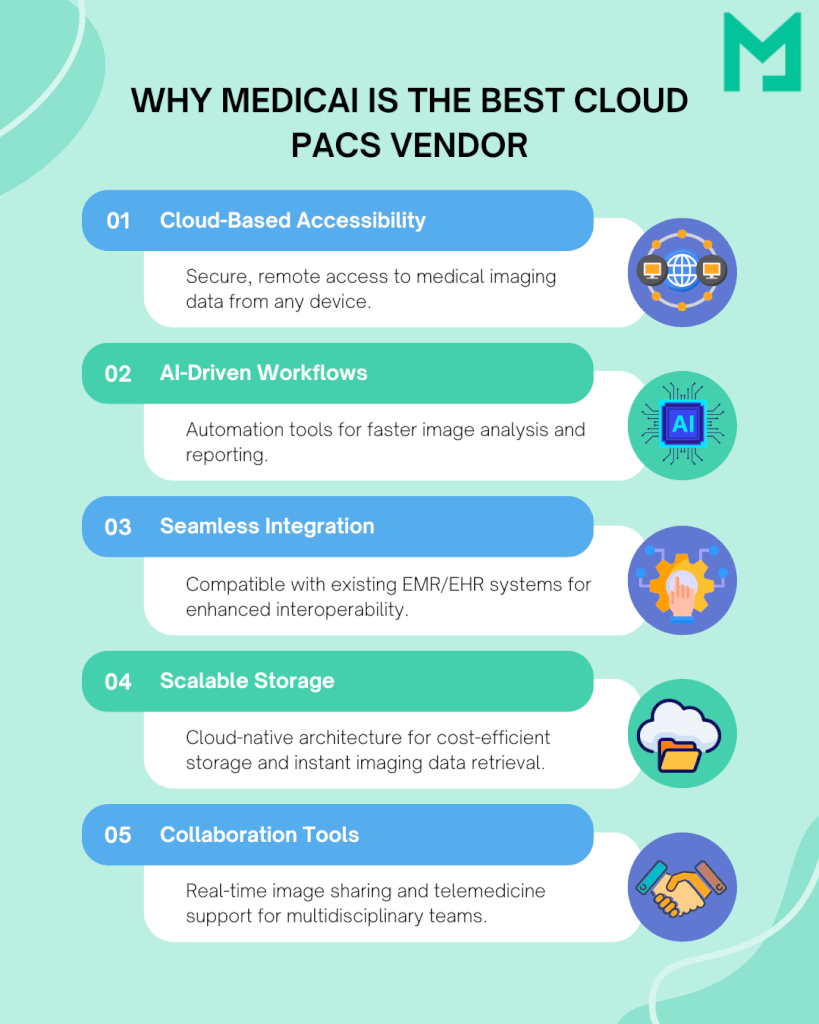

Why Medicai is Different
- The Verdict: The smart choice for Imaging Centers, Distributed Networks, and Research Groups who need the speed of a modern viewer but refuse to be locked into a monolithic, expensive legacy contract.
- De-Coupled Architecture: We separate the Data (VNA) from the App (Viewer). This prevents Vendor Lock-In. You own your data in standard formats.
- API-First (FHIR): Unlike legacy vendors that charge you for every interface, Medicai is built to natively talk to your EHR, AI tools, and patient portals.
- The “Hybrid” Edge: We place small edge servers locally to deliver “Visage-like” speed for recent priors, while providing “Amazon S3” economics for long-term archiving.
GE Healthcare Centricity (The “All-in-One”)
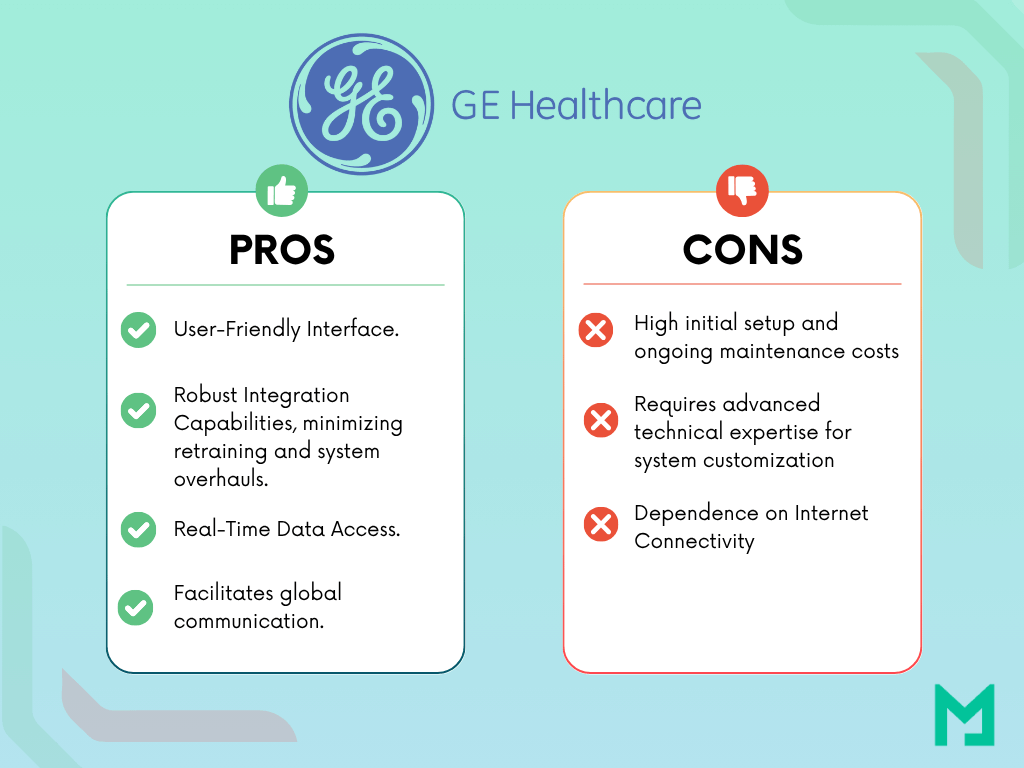
GE represents the massive, integrated “Big Iron” approach. If your hospital buys GE MRI and CT scanners, staying within the GE ecosystem (Centricity PACS) provides tight integration.
Their Universal Viewer is robust and handles the sheer volume of a multi-hospital IDN (Integrated Delivery Network).
- The Trade-off: Agility. Large legacy systems like Centricity have historically been slower to update and innovate than nimble software-first companies. You are buying “Stability,” not “cutting-edge features.”
- The Verdict: The default choice for CIOs who want “One Throat to Choke.” Simplifies procurement if you are already a GE hardware shop.
Pros and Cons List
Sectra (The “Radiologist’s Favorite”)
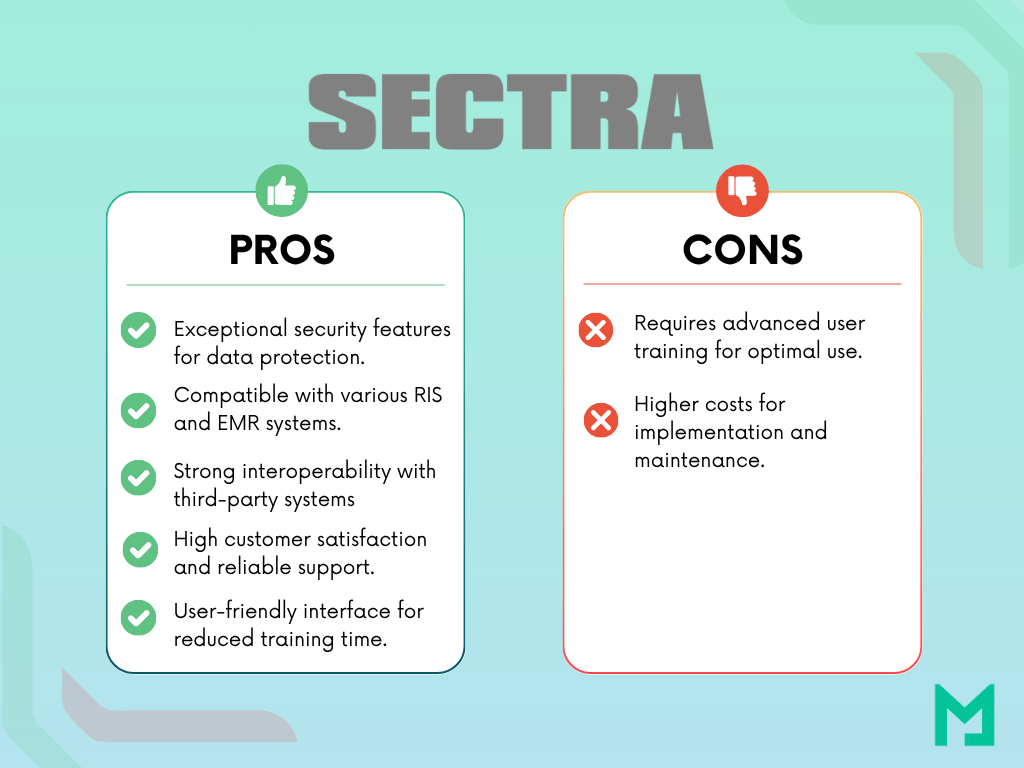
There is a reason Sectra consistently wins the “Best in KLAS” award. They prioritize Software Ergonomics.
Sectra isn’t just about showing images; it’s about the “clicks-to-diagnosis” ratio. Their interface is famous for being intuitive, reliable, and crash-resistant. For high-volume hospitals where radiologists are burning out, Sectra’s stability is a massive selling point.
- The Trade-off: Like Visage, Sectra is an enterprise-heavy solution. It can be overkill (and over-budget) for smaller imaging centers or distributed clinic networks.
- The Verdict: The safe, stable choice for large, acute-care hospitals that prize Uptime and Radiologist Satisfaction above all else.
Pros and Cons List
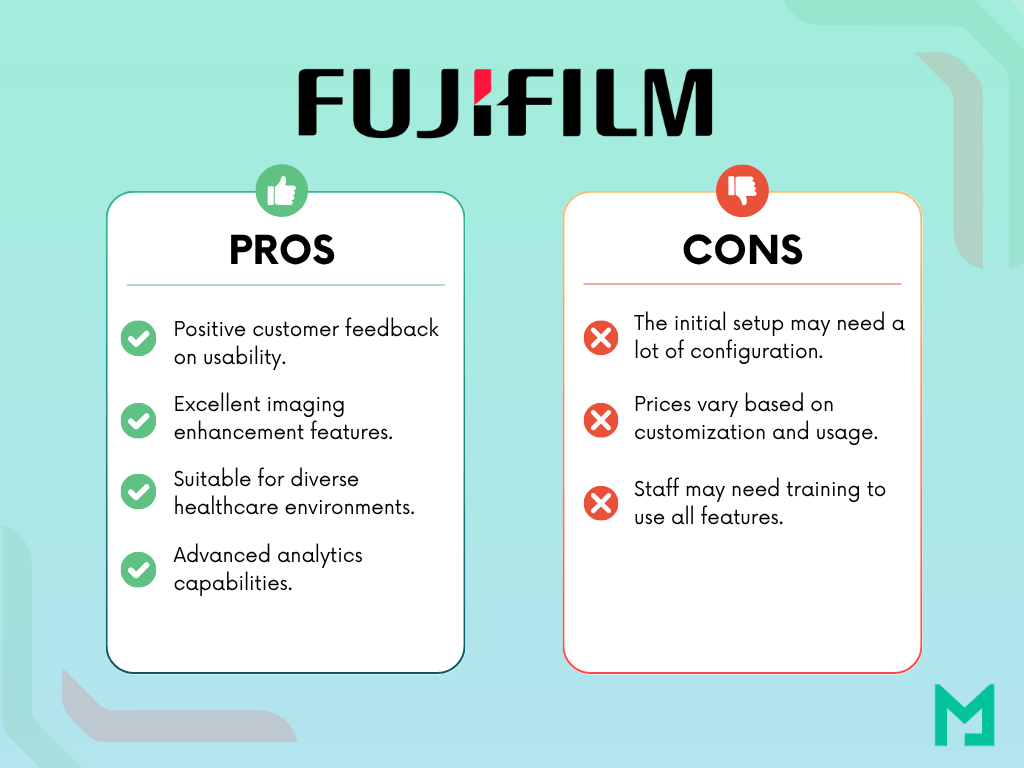
Fujifilm Synapse (The “VNA Powerhouse”)
Fujifilm (formerly TeraMedica) understood early that Data Sovereignty matters more than the viewer. They prioritize the VNA (Vendor Neutral Archive).
Their strategy is “Content Management.” Whether it is a JPEG from Dermatology, a slide from Pathology, or a DICOM from Radiology, Synapse wants to store it all.
- The Trade-off: Historically, their viewer interface was considered clunky compared to Sectra/Visage, though recent “Synapse 5” updates with server-side rendering have closed that gap.
- The Verdict: Excellent for organizations pursuing a true Enterprise Imaging strategy where Radiology is just one of many departments contributing to the patient record.
Pros and Cons List
Visage Imaging (The “Speed Demon”)
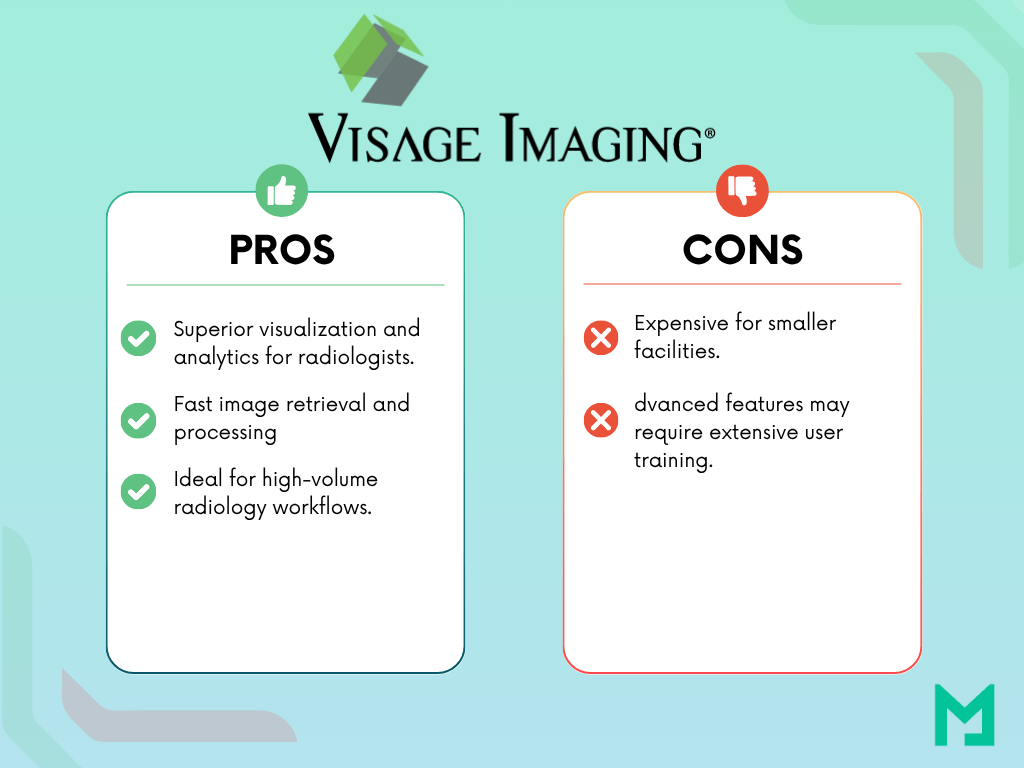
Visage has built its entire reputation on one metric: Speed.
While legacy PACS vendors were trying to optimize image downloads, Visage went all-in on Server-Side Rendering. Their “Visage 7” platform processes massive datasets (like Breast Tomosynthesis) on the server GPU and streams a video feed to the doctor. This means a 600MB file “opens” instantly because it never actually downloads to the device.
- The Trade-off: It is a premium product with a price tag to match. It is often a “closed ecosystem” focused purely on the viewer, sometimes requiring a separate VNA for long-term archiving.
- The Verdict: If your primary pain point is “Latency” and you have the budget, Visage is the gold standard for speed.
Pros and Cons List
UltraLinq (The “Specialty Specialist”)
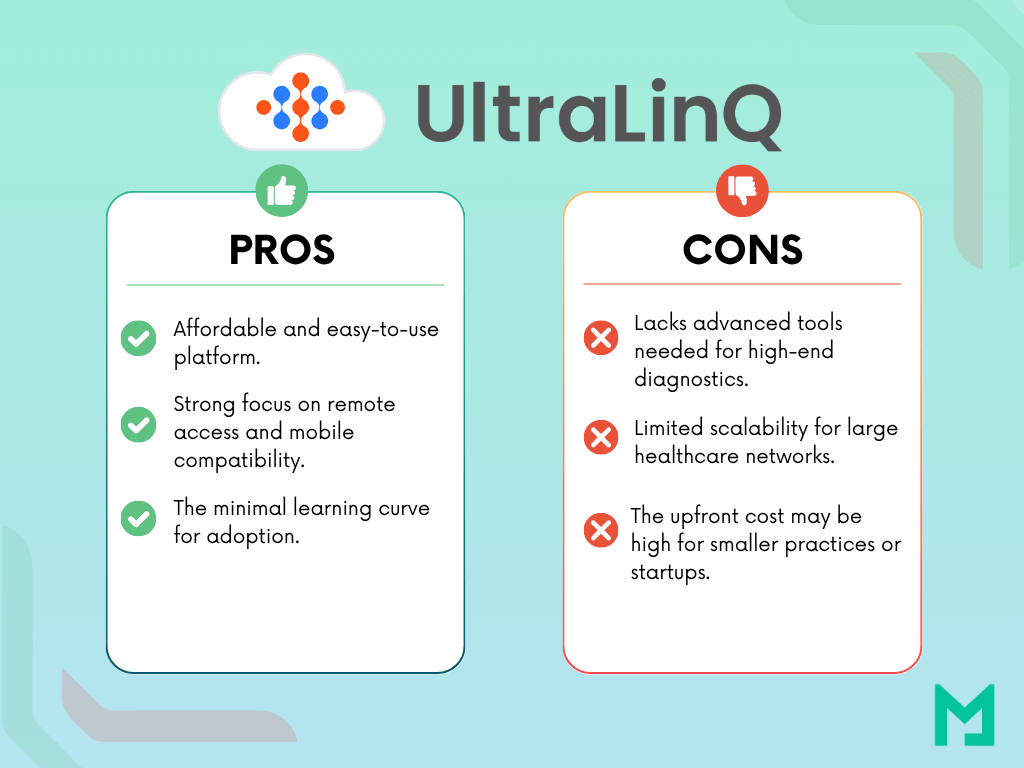
While most PACS vendors fight over the Radiology department, UltraLinq has carved out a massive niche by ignoring it. They focus relentlessly on Cardiology, Vascular, and Ultrasound workflows.
General Radiology PACS often struggle with the unique data requirements of cardiology (like stress echo loops or vascular diagrams). UltraLinq was built to solve this. It is a cloud-native platform that combines image storage with structured reporting tools specifically designed for sonographers and cardiologists, enabling “3-click worksheets” that significantly speed up exam documentation.
- The Trade-off: It is a “Specialty PACS.” It lacks the heavy-duty 3D volumetric tools required for complex Neuro or Orthopedic surgery planning found in Sectra or Visage. It is best used as a standalone solution for specialists, rather than a whole-hospital Enterprise Imaging system.
- The Verdict: The clear winner for Cardiology Practices, Vascular Labs, and Mobile Ultrasound Services. If your primary modality is Ultrasound or Echo, a general Radiology PACS will feel clunky compared to this.
Pros And Cons List
Cloud PACS Vendors by Tier: Enterprise, Cloud-Native, and Emerging
The table below covers 13 vendors across three tiers. Architecture type, primary use case, and key differentiator are the three attributes that determine fit. KLAS 2025 satisfaction ratings are included where published.
Tier 1 — Enterprise vendors (KLAS-ranked, large-scale deployments)
These five vendors dominate enterprise hospital networks and multi-site health systems. All have KLAS 2025 ratings and significant US install bases per Definitive Healthcare data.
| Vendor | Product | Architecture | Best for | KLAS 2025 position | Key differentiator |
|---|---|---|---|---|---|
| Sectra | Sectra One Cloud | Cloud-enabled (Azure) | High-volume hospitals | Ranked #1 in user satisfaction for over a decade | Consistent uptime and radiologist interface quality — highest user retention in category |
| Agfa HealthCare | Enterprise Imaging | Cloud-enabled | Multi-department enterprise imaging | Significant satisfaction gains in 2025 rankings | Covers radiology, cardiology, and pathology under one archive |
| Fujifilm Healthcare | Synapse PACS | Cloud-enabled with server-side rendering (Synapse 5+) | Enterprise VNA strategies | Strong performer for large and small sites | VNA-first architecture — centralizes non-radiology imaging data alongside DICOM |
| Merative (formerly Merge) | Merge PACS | Cloud-enabled | Multi-hospital networks | High customer retention rate | Deep Epic EHR integration; strong installed base in US academic centers |
| GE HealthCare | True PACS | Hybrid enterprise | Institutions running GE modality hardware | Legacy Centricity being phased out | Hardware-to-software integration advantage for sites with GE CT and MRI fleets |
Tier 2 — Cloud-native and specialized vendors
These vendors are cloud-native or built for specific workflow categories — teleradiology, AI integration, or outpatient imaging centers. None carry the legacy codebase of Tier 1 vendors.
| Vendor | Product | Architecture | Best for | Key differentiator |
|---|---|---|---|---|
| Medicai | Cloud PACS + VNA | Cloud-native, hybrid edge | Distributed networks, imaging centers, research groups | Decoupled VNA architecture — data stored in standard format, independent of viewer vendor; API-first HL7 FHIR integration; hybrid edge server delivers local read speed with cloud archive economics |
| Intelerad | Ambra Cloud PACS | Cloud-native | Medical image exchange, teleradiology | Purpose-built for image sharing across institutions; strong in cross-site and cross-organization workflows |
| Visage Imaging | Visage 7 | Private cloud / AWS | Large academic centers, high-volume teleradiology | Server-side rendering streams large 3D datasets (cardiac, breast tomosynthesis) instantly over standard internet connections |
| Philips Healthcare | HealthSuite Imaging | Cloud (AWS) | Institutions wanting single-vendor cloud agreements | One-vendor, one-agreement model covering cloud archiving and diagnostic reading on AWS infrastructure |
| RamSoft | OmegaAI | Cloud-native | Business intelligence-focused radiology operations | Built-in analytics layer with fast image loading; targets practices that need operational reporting alongside clinical reading |
| PostDICOM | PostDICOM Cloud PACS | Cloud-native SaaS | Small practices, subscription-budget buyers | Accessible entry-level subscription pricing; DICOM viewer included; lowest barrier to cloud PACS adoption in market |
Tier 3 — Emerging and niche vendors
These vendors serve specific use cases or facility types where the enterprise and cloud-native tiers are overbuilt or mispriced.
| Vendor | Product | Niche | Key differentiator |
|---|---|---|---|
| Candelis | ImageGrid Cloud PACS | Interoperability-focused deployments | Emphasis on EHR and RIS integration; strong DICOM conformance for mixed-vendor environments |
| Simplirad | Simplirad Cloud PACS | Rapid-deployment environments | AI-enabled, designed for fast go-live; targets practices that need operational quickly without extended implementation cycles |
| Medstrat | Joints (Google Cloud) | Orthopedic-specific imaging | Orthopedic workflow and measurement tools built into the platform; not a general-purpose PACS |
PACS Vendor fit by Setting and Specialty
Enterprise PACS vendor
Enterprise PACS vendor selection focuses on multi-hospital governance, the scope of enterprise imaging, and long-term platform momentum.
Top 5 enterprise PACS vendors: Sectra, Visage Imaging, Fujifilm Synapse, Philips, and Merge by Merative.
Hospital radiology PACS vendors
Hospital radiology PACS vendors selection depends on high-volume diagnostic reads, uptime, and radiologist workflow stability.
Top 5 hospital radiology PACS vendors: Sectra PACS, Fujifilm Synapse, Merge by Merative, Change Healthcare Radiology Solutions, GE Healthcare Centricity PACS.
Teleradiology PACS vendors
Teleradiology PACS vendors selection centers on zero-footprint access, predictable latency behavior, and fast study streaming over standard internet.
Teleradiology PACS vendors top 5 players: Visage Imaging, Medicai, Intelerad (IntelePACS and Ambra Cloud PACS), RamSoft OmegaAI, PaxeraHealth.
Cardiovascular PACS vendor
Cardiovascular PACS vendor selection focuses on cine-loop handling, echo, and catheterization workflow depth, and structured reporting within cardiology.
Cardiovascular PACS vendor top 5 players: GE HealthCare Centricity Cardio Enterprise, Philips IntelliSpace Cardiovascular, Fujifilm Synapse Cardiology PACS, INFINITT Cardiology Suite, UltraLinq.
Oncology PACS vendors
Oncology PACS vendors selection relies on radiotherapy imaging workflow, oncology data orchestration, and tight integration with enterprise archives.
Oncology PACS vendors top 5 players: RaySearc RayCare PACS, MIM Software, Mirada Medical, Varian ARIA, Elekta MOSAIQ.
Critical Concept: Cloud-Native vs. Cloud-Enabled
Before you sign a contract, ask the vendor one question: “Is this Cloud-Native or Cloud-Enabled?”
Cloud-Native (The Future): This is software built like Netflix—using microservices. It scales elastically (you pay only for what you use), updates automatically with zero downtime, and is inherently more secure. Medicai is Cloud-Native.
Cloud-Enabled (The Trap): This is just old on-premise software installed on a virtual machine in AWS. It still requires downtime for upgrades, it doesn’t auto-scale, and you pay for server space you don’t use. (Most legacy vendors fall here.)
Common Challenges in Cloud PACS Adoption
While cloud PACS offers transformative benefits, its adoption comes with challenges.
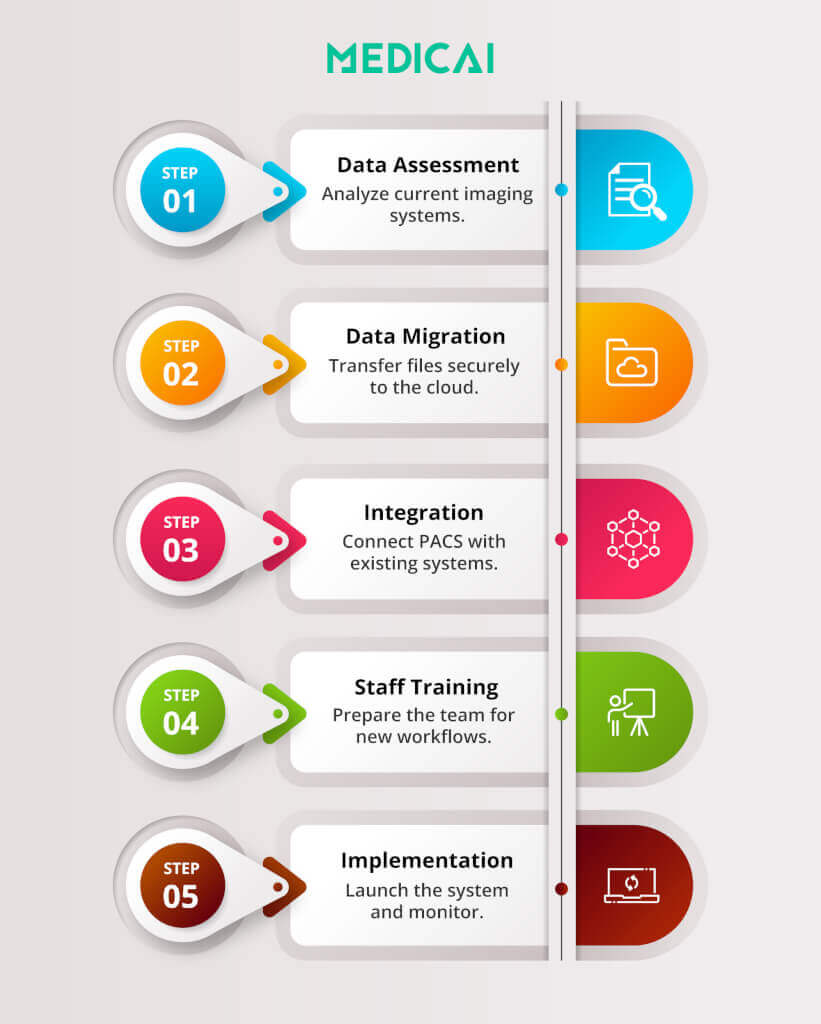
Data Migration
Switching from legacy systems to a cloud-based PACS can be challenging. It often involves large data transfers and issues with format compatibility, and any mistakes made during this transition could jeopardize the integrity of the data.
Medicai simplifies data migration with advanced automation tools that securely extract, convert, and validate data.
Training Needs
Staff training is crucial for using new technologies. If teams do not receive proper training, they may struggle with the platform. This can lead to mistakes and resistance to change.
We provide a variety of engaging tutorials, interactive webinars, and personalized live support to ensure you have all the tools you need for success.
Connectivity Issues
Cloud PACS relies on stable internet connections, which can pose challenges in areas with limited bandwidth. Disruptions may make it harder to access data and could impact patient care.
Our platform works well even when internet connections are slow. We use intelligent caching and adaptive streaming to provide smooth access to imaging data regardless of connectivity issues.
Compliance Risks
Adhering to regulations like HIPAA and GDPR is vital, as failure to do so can lead to legal issues and a loss of patient trust.
Medicai focuses on keeping things safe and following the rules by using encryption throughout, controlling access to information, and conducting regular audits.
Emerging trends that change cloud PACS vendor choice
Cloud-native vs cloud-enabled trend
The cloud-native vs. cloud-enabled trend separates microservices SaaS from VM-lifted legacy deployments, and that gap drives upgrade cadence, cost behavior, and downtime risk.
Server-side rendering trend
The server-side rendering trend pushes “viewer speed over bandwidth” by processing large 3D models on the server and streaming interaction to the endpoint.
API-first interoperability trend
API-first interoperability trend raises HL7 FHIR from “nice-to-have” to procurement requirement for EHR, RIS, AI, and portals.
VNA-first and decoupled data trend
VNA-first and decoupled data trend reduces vendor lock-in by separating archive ownership from the viewing application layer.
Hybrid edge caching trend
The hybrid edge caching trend shifts recent priors closer to clinicians for speed while keeping long-term storage economics in object storage patterns.
Security hardening trend
The security hardening trend moves beyond encryption toward immutable backups and resilience patterns that assume ransomware events will occur.
AI-in-the-workflow trend
AI-in-the-workflow trend drives demand for AI results to land inside the PACS workflow, not in a separate dashboard.
Take Aways
Selecting the right PACS system vendor is crucial for improving diagnostic speed, clinical collaboration, and data security.
The best cloud PACS systems—like Medicai, Sectra, GE Healthcare, Fujifilm, Visage Imaging, and UltraLinq—combine scalability, security, and interoperability to meet modern imaging demands.
By adopting cloud-based PACS systems, healthcare providers can streamline imaging workflows, enhance patient care, and ensure long-term compliance—all while reducing infrastructure costs.
Medicai stands out as a modern, AI-driven, and patient-centric cloud PACS solution that aligns perfectly with the future of medical imaging.


Related Articles



Lets get in touch!
Learn more about how Medicai can help you strengthen your practice and improve your patients’ experience. Ready to start your Journey?
Book A Free Demo