PACS for Urgent Care: Setup, Integrations, Best Practices

In urgent care, every minute matters. Patients want answers now, not after a CD burns or a courier arrives.
That’s where PACS comes in.
A modern Picture Archiving and Communication System puts every X-ray, CT, and ultrasound in one secure place. Images appear seconds after the scan. The result is shorter waits, clearer communication, and fewer repeat scans.
Discover why PACS fits urgent care, how it speeds decisions, and what to look for when choosing a solution.

Pain Points in Urgent Care Imaging
Even with capable scanners, imaging can grind to a halt if the workflow around them is clunky. These bottlenecks slow diagnoses, frustrate patients, and drain staff time.
Delays from Physical Transfers
CDs and USB drives enable techs to export and label images for providers while patients wait. However, discs can be misplaced or scratched, leading to re-exports or re-scans.
Off-hours coverage can delay access to images, requiring courier or staff intervention. Version confusion from unsynchronized updates results in longer diagnosis times, crowded waiting rooms, and unnecessary repeat visits.
Fragmented On-Site Capabilities
Urgent care sites often grow haphazardly, resulting in separate workstations for X-ray, ultrasound, and back office viewers. This fragmentation leads to high training costs, increased clicks per task, and potential errors, such as missed priors or misapplied protocols.
It also hinders cross-modality reviews, essential for cases like swollen ankle assessments. Besides, hardware limitations and per-seat licenses restrict who can read and where.
Integration Gaps with EHR/RIS
Poor integration of imaging with EHR/RIS causes data silos, resulting in rekeyed information, mismatched MRNs, and disrupted workflows. This hampers decision support and slows down billing, which is critical in urgent care.
What Is PACS and Why Urgent Care Needs It
In urgent care settings, every minute saved on image review can translate to faster diagnoses and happier patients. PACS delivers that speed by centralizing and streamlining how scans are stored, accessed, and shared.
At its core, PACS (Picture Archiving and Communication System) digitizes medical images, X-rays, CTs, MRIs, and stores them on a networked server rather than on film or discs. But modern PACS goes further:
- It embeds collaboration tools so clinicians can annotate studies
- Pull up earlier exams side by side
- Invite remote specialists into the review process with a simple link.
As soon as an image is acquired, it uploads to the PACS cloud, triggering automatic notifications for on-call radiologists or consulting physicians. This eliminates paper trails, cuts courier delays, and lets care teams make decisions based on the very latest data.
Why Urgent Care Needs PACS
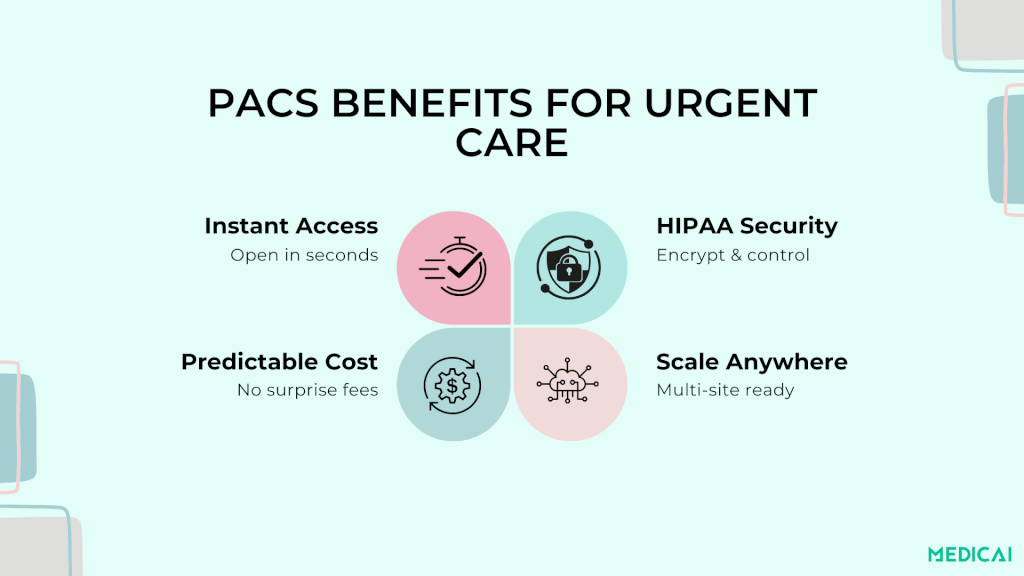
Urgent care centers handle unpredictable patient volumes and various acute cases. In urgent care, PACS enhances the imaging process by quickly uploading scans to a centralized hub accessible on any device, speeding up imaging and reducing errors in busy clinics.
Here are the everyday wins your team will notice.
- Faster decisions: Images appear right after the scan, so clinicians can confirm fractures, rule out pneumonia, and start treatment without delay.
- Shorter patient waits: No CDs or manual transfers. Patients move from imaging to treatment in fewer steps, which improves satisfaction and throughput.
- Clearer communication: Techs, providers, and remote readers see the same study, comments, and previous images. Fewer phone calls. Fewer misunderstandings.
- Access to priors: Past studies load beside today’s images. Changes are easier to spot, helping avoid unnecessary re-scans.
- Remote reads when needed: On-call radiologists can read from anywhere with secure access, keeping care moving after hours.
- Cleaner documentation: Measurements and annotated images flow into the report and link back to the chart, supporting accurate coding and follow-up.
- Safer data handling: Role-based access, audit trails, and encryption protect patient privacy while keeping images available when needed.
- Lower staff burden: No burning discs, chasing files, or double entry. Staff focus on patients, not on moving data around.
- Ready for growth: As visit volumes spike or new sites open, PACS scales so all locations share one consistent imaging workflow.
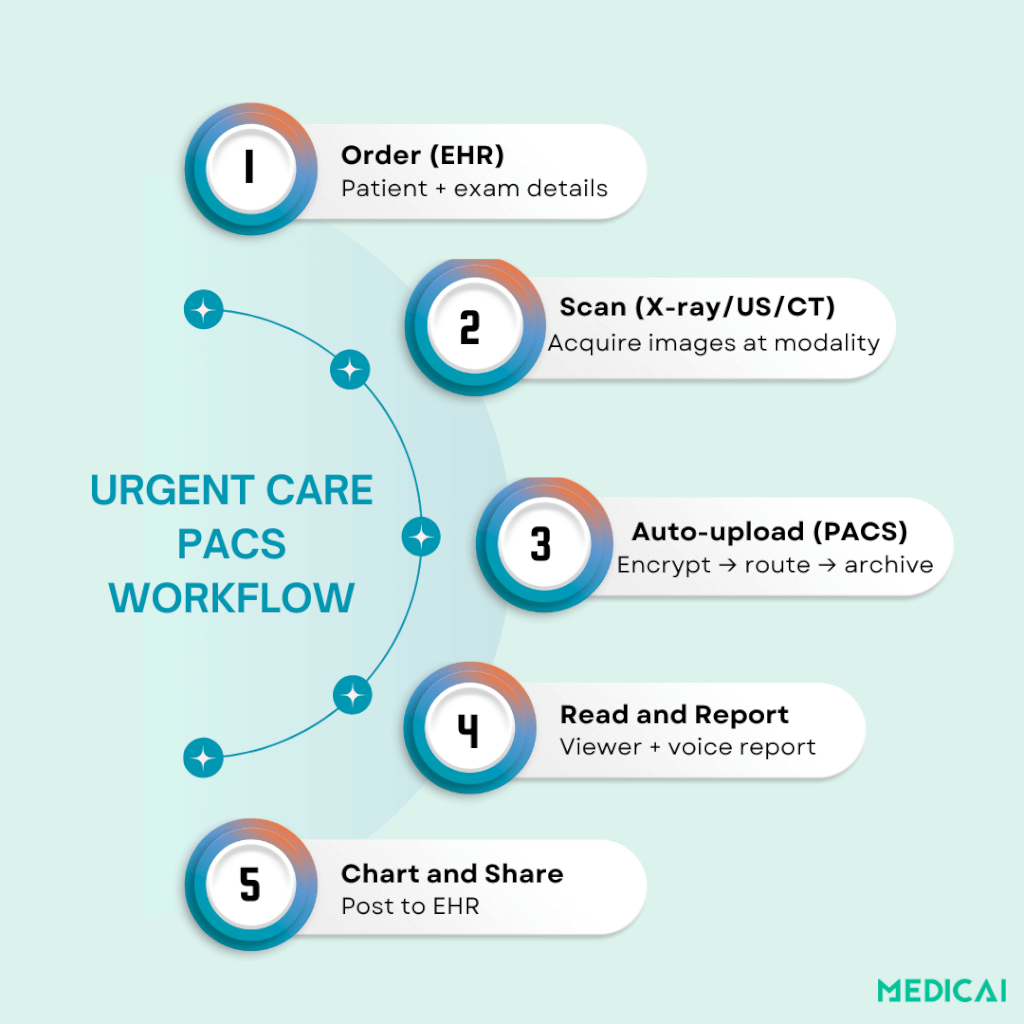
How to Integrate PACS into Urgent Care Workflow
Implementing PACS can streamline your clinic without disruption. Begin by mapping your current processes. Then, combine your PACS components to remove any blockages.
Map the Current Workflow & Goals
Document the end-to-end path:
- order entry
- patient arrival
- Imaging
- Interpretation
- results delivery
- Billing.
Also, note where delays happen (e.g., CD burning, manual uploads, report posting).
Connect Modalities (DICOM) and Test
Give each device a unique AE Title, IP, and Port, then register them in PACS. Enable C-STORE (send images), C-FIND/MOVE/GET (query/retrieve), and test with C-ECHO to confirm connectivity.
Set routing rules by modality, body part, or site, and prefetch priors by MRN to ensure comparisons are ready before the clinician opens the study.
Integrate with EHR/RIS
Wire orders and results using HL7 or FHIR launch/context links so demographics, accession numbers, and encounter IDs flow automatically. Map your codes and ensure reports post back to the correct chart with image hyperlinks.
Aim for single sign-on so clinicians jump from the patient chart to the viewer in one click.
Configure Viewing & Reporting
Standardize hanging protocols and default window/level presets per exam type. Enable role-based access with MFA for techs, PAs, physicians, and remote readers. Implement structured report templates, voice dictation, critical-result alerts, and auto-fax/Direct messaging for referring providers.
Medicai’s cloud viewer offers zero-install access, side-by-side priors, and link-based consults to enhance decision-making.
Data Migration & Retention
Plan how to import legacy studies: use bulk DICOM uploads from local archives, upload through a gateway, or transfer using a vendor-neutral archive (VNA). Check the data with checksums and verify anonymization when necessary.
Store exam data by type and method. Place older studies in slower storage and keep recent ones in faster storage for easy access.
Training, Go-Live & Monitoring
Deliver role-specific training (front desk, techs, clinicians, admins) using your real workflows. Run a soft launch after hours, then a phased go-live with hypercare the first week.
Monitor queues, error logs, and turnaround dashboards; set alerts for failed sends, slow studies, and report posting delays.
Review KPIs monthly and tune routing, templates, and protocols to hit your throughput and satisfaction targets.

Choosing the Right PACS Solution For Urgent Care
Selecting a PACS impacts patient flow, staff workload, and costs.
Cloud vs. On-Premises
Cloud PACS runs on the vendor’s servers, and you use it over the internet. It starts fast, needs no new hardware, and works on any device. The vendor handles backups and updates. For most urgent care centers, this means lower upfront cost and fewer IT headaches.
On-premises PACS runs on servers in your building. It can help if you have strict data rules or a weak internet connection. However, it requires a significant upfront investment, ongoing hardware upgrades, and an IT staff.
A hybrid setup can combine a small local cache for recent studies with cloud storage for the rest.
Essential Features for Urgent Care
Look for a viewer that opens in a web browser and launches from the EHR with one click. Check that you can view previous studies side by side, take quick measurements, and add notes easily. Voice dictation and templates help you finish reports faster.
Security must be strong:
- Encryption
- role-based access
- multi-factor login
- audit logs.
Ensure seamless integration with your EHR for automatic orders, patient details, and reports. For multiple clinics, confirm proper study routing between sites, even on slower connections. Mobile access for on-call reads is a bonus.
Optional AI tools like quick flags for fractures or pneumothorax can save minutes when time matters.
Medicai’s cloud viewer offers quick chart access, link-based consults, and smart prefetching for ready priors when opening a study.
Vendor Support & SLAs
Request clear uptime promises, quick response times, and a dedicated project lead for training and migration. Ensure you can export your images and reports if switching vendors. Know the costs and timeframe.
Check security certifications and how quickly they patch systems. Finally, ask for simple, transparent pricing with no surprise fees for storage growth or extra users.
Conclusion
Urgent care wins when imaging is fast, simple, and reliable. PACS brings every study into one place, cuts wait times, and gives clinicians instant answers.
If you’re ready to replace CDs, patchwork viewers, and slow handoffs, start with a cloud PACS built for urgent care. Medicai helps you launch quickly, integrate with your EHR, and scale across sites.
Remember, in healthcare, faster images mean better patient care.


Related Articles



Lets get in touch!
Learn more about how Medicai can help you strengthen your practice and improve your patients’ experience. Ready to start your Journey?
Book A Free Demo