22 Best Online DICOM Viewers for Seamless Workflow & Diagnostics
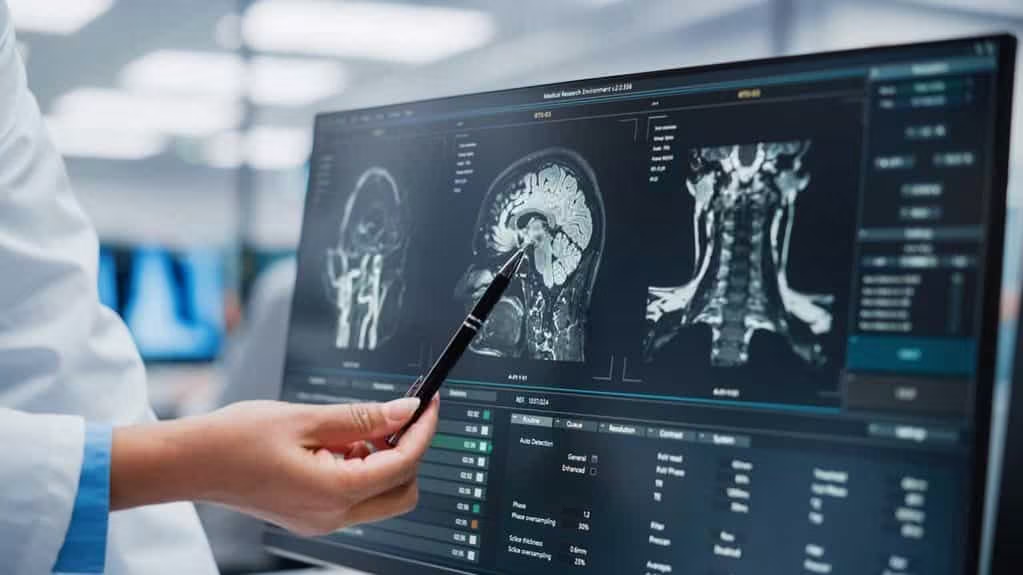
Online DICOM viewers have become indispensable tools for healthcare professionals worldwide. These powerful tools provide secure, on-demand access to patient images, eliminating costly, cumbersome installations and making them the best online DICOM viewer solution available.
Whether you need the best free DICOM viewer for personal study or an advanced platform for clinical use, this list covers the best DICOM viewer software for every major platform, including Windows, Mac, and Android.

What is a DICOM Viewer?
A DICOM Viewer is the software interface that allows healthcare professionals to display and analyze medical images stored in a PACS (Picture Archiving and Communication System).
However, unlike a standard photo viewer (which simply opens a JPEG), a DICOM viewer is a clinical tool designed to parse two distinct layers of data contained within the .dcm file format:
- Pixel Data: The high-resolution visual information (e.g., the MRI slices or X-ray).
- Metadata Tags: The embedded patient information, such as Name, ID, Radiation Dose, and Acquisition Date.
Types of Viewers: Thick Client vs. Zero-Footprint
For modern healthcare IT, the distinction between viewer types is critical:
- Legacy “Thick Client” Viewers: Software that must be physically installed on a specific workstation. These are fast but limit the doctor to one location.
- Zero-Footprint (HTML5) Viewers: The modern standard. These run entirely in a web browser using Server-Side Rendering. They require no installation, allowing radiologists to perform diagnostic viewing on laptops, tablets, or home computers without compromising security.
Clinical Capabilities
A true diagnostic viewer offers more than just “zoom.” It includes advanced manipulation tools required for medical decision-making, such as:
- MIP (Maximum Intensity Projection): Visualizing blood vessels in angiography.
- Window/Leveling: Adjusting brightness and contrast to highlight bone vs. soft tissue.
- MPR (Multi-Planar Reconstruction): Reconstructing 2D CT slices into coronal or sagittal views.
How to Choose the Best Online DICOM Viewer: A Technical Checklist
Selecting an Online DICOM Viewer is not just about convenience; it is a decision that impacts diagnostic accuracy and legal compliance. When evaluating vendors, move beyond “ease of use” and audit the platform against these four critical technical attributes.
When comparing vendors to choose the best DICOM viewer, use the checklist below:
| Feature Category | Basic Viewer (Low Authority) | Enterprise Viewer (High Authority) |
| Certification | None / Research Only | FDA 510(k) / CE Class IIa |
| Technology | Flash / Java / Plugin | HTML5 / Zero-Footprint |
| Security | SSL Encryption | SOC 2 Type II / HIPAA BAA |
| Tools | Zoom / Pan / Invert | MPR / MIP / 3D Volumetric |
Let’s break down the checklist and discuss in detail.
Regulatory Certification (The Non-Negotiable)
The most important question is: Is this viewer cleared for clinical use?
- Diagnostic Use: If you are using the viewer to make medical decisions, the software must carry FDA 510(k) clearance (USA) or CE Class IIa certification (Europe). Without this, you are exposing your practice to significant liability.
- Non-Diagnostic: Viewers without these certifications are strictly for research, education, or patient reference.
Rendering Architecture (Speed & Latency)
How the viewer handles massive files determines your workflow speed.
- Avoid Client-Side Rendering: Legacy viewers force you to download the full file to your browser before opening it. This causes high latency with large datasets, such as Breast Tomosynthesis.
- Choose Server-Side Rendering: A modern Zero-Footprint Viewer processes data in the cloud and streams a secure video feed. This allows instant access to gigabyte-sized studies on any device without waiting for downloads.
Advanced Visualization Tools
A clinical-grade viewer must offer more than simple zoom and pan. Look for advanced volumetric capabilities required for specialty imaging:
- MPR (Multi-Planar Reconstruction): The ability to instantly reconstruct 2D slices into Coronal, Sagittal, and Axial views.
- MIP (Maximum Intensity Projection): Essential for visualizing blood vessels in angiography.
- Fusion: Overlaying PET metabolic data onto CT anatomical data for oncology.
Compliance & Data Privacy
Uploading medical data to the web requires strict adherence to HIPAA and GDPR.
Audit Trails: Ensure the system logs every view and share to maintain a secure Chain of Custody.
Anonymization: Does the tool allow Client-Side Anonymization (stripping PHI before upload)? This is critical for researchers and educators.
Top-Rated Professional and Cloud-Based DICOM Viewers (Best overall, Online)
1. Medicai Online DICOM Viewer for your Medical Images

Rating (5/5) from Capterra
Medicaiâs DICOM application emerges as a standout choice in the best online DICOM viewer solutions, uniquely integrated with a secure, compliant cloud infrastructure for image data management. It facilitates efficient data handling and analysis of medical images, offering a user-friendly interface with advanced software functionalities.
Medicai’s viewer enables detailed examination across various medical image formats. It features advanced image processing, allowing users to quickly adjust brightness and contrast and apply filters.
Additionally, Medicai connects to a Cloud PACS, providing a software platform for secure global sharing and storage of medical images. This technology eliminates the need for physical storage, enables faster retrieval of images and files, and supports remote collaboration, proving invaluable for telemedicine and cross-facility consultations.
Medical professionals, no matter if they are doctors or medical students, can test it below:Â


2. Osirix DICOM viewer (Mac-focused)

Rating (4.1/5) from Capterra:
OsiriX MD offers a cloud-based imaging solution for Mac users. It lets you view and analyze images with ease. You can look at images in 2D, 3D, or even 4D, and move through them smoothly. Osirix DICOM Viewer is quick because it uses multithreading. It also works well with PACS through the DICOM standard. Main features are marking images, using multiple screens, and having a photo library. Unfortunately, there is no Osirix for Windows currently.

3. MedDream by Softneta

Rating (4.4/5) from Capterra
MedDream DICOM Viewer, compatible with various PACS and cloud systems, offers quick, secure access to medical images and videos across devices. This web-based viewer requires no installation and emphasizes user privacy by processing data on-device. With FDA clearance for diagnostic use, MedDream supports a broad spectrum of imaging features, including 3D visualization and ECG analysis. Its integration flexibility makes it suitable for any medical setup, offering a practical solution for healthcare professionals.

4. Imaios DICOM VIEWER

Rating (4.7/5) from Apple
Imaios IDV Free DICOM Image Viewer is a user-friendly, web-based tool for viewing DICOM images without installations or uploads, ensuring data confidentiality. Features include drag-and-drop functionality, image adjustments, and basic measurements.
5. PostDICOM

Rating (4/5) from Trusted Business Reviews:
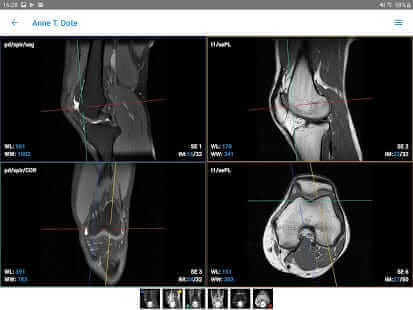
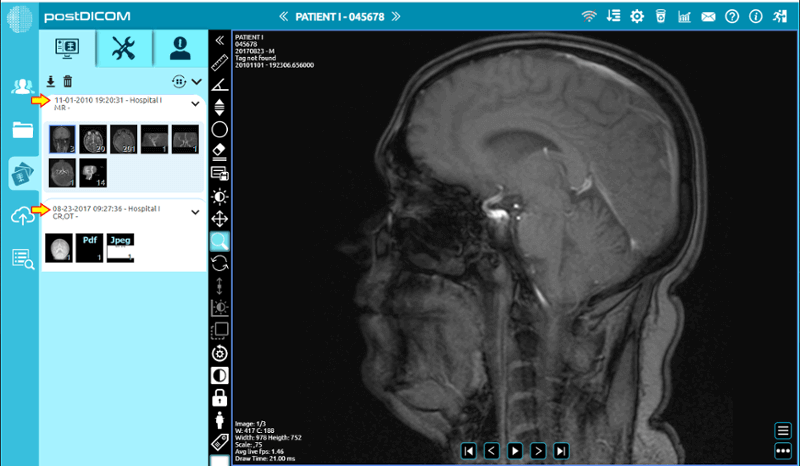
PostDICOM stands out with its cloud-based PACS, accessible from various devices. Compatible across multiple operating systems, it supports advanced image manipulation like 3D reconstruction. Its unique cloud PACS is ideal for researchers, offering seamless image processing and analysis. PostDICOM’s free version includes many premium features, and its technical support enhances its user experience.
Best Free DICOM Viewer for Windows Users (Free, Windows, PC)
1. RadiAnt DICOM Viewer

Rating (4.4/5) from Softpedia
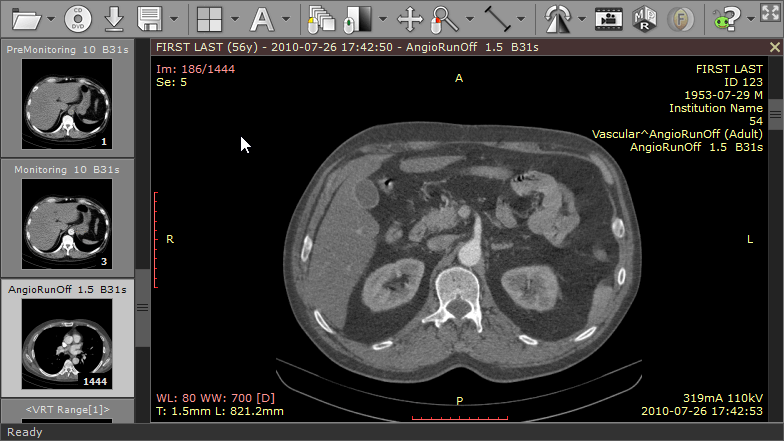
RadiAnt viewer shines as a straightforward, swift DICOM image viewer compatible with Windows. Ideal for education and research, it’s considered by many to be the best free DICOM viewer for Windows for its speed and features.
2. MicroDicom DICOM viewer

Rating (3.5/5) from Softpedia
MicroDicom viewer falls in the category of free dicom viewers and allows both viewing and processing of DICOM images. It supports structured reports and basic image functions but lacks advanced features like MPR. Its portability, being available as a zip file for Windows, enhances its versatility.

3. MiViewer

Rating (4.8/5) from Softpedia
A straightforward Windows-based viewer, MiViewer supports all DICOM file types but lacks advanced features and PACS integration found in its paid version.

4. Sante DICOMdir Viewer Pro:

Rating (3.3/5) from Softpedia
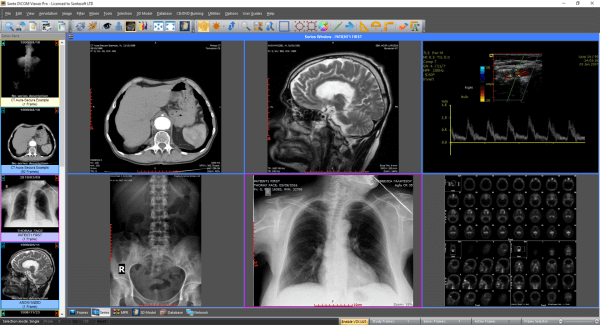
Sante Dicom Viewer is Robust and user-friendly. This application functions as a mini-PACS server. The Santesoft DICOM Viewer offers batch anonymizing and converting capabilities. The free version lasts 45 days, followed by a reasonable lifetime license fee.
Best Free DICOM Viewer for Mac Users (Best DICOM viewer for Mac)
1. Horos DICOM

Rating (4.6/5) from Apple:
This is one of the best free DICOM viewer Mac options and is an open-source Mac-based viewer. While limited in its diagnostic application, the Horus software is perfect for learning and research. While Horos App does not provide free PACS integration, yet cloud storage is available. While limited in its diagnostic application, the Horus software is perfect for learning and research. The Horos instruments feature enhances toolsets for detailed image analysis, making it a versatile choice for professionals and students alike.
2. Osirix DICOM viewer (Mac-focused)
Rating (4.1/5) from Capterra:
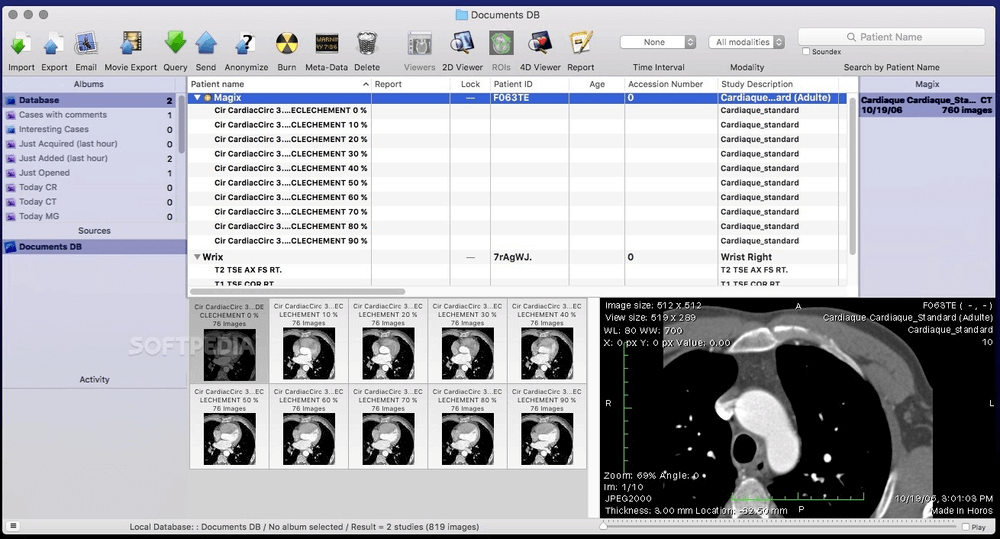
OsiriX MD offers a cloud-based imaging solution for Mac users. It lets you view and analyze images with ease. You can look at images in 2D, 3D, or even 4D, and move through them smoothly. Osirix DICOM Viewer is quick because it uses multithreading. It also works well with PACS through the DICOM standard. Main features are marking images, using multiple screens, and having a photo library. Unfortunately, there is no Osirix for Windows currently.
3. 3DICOM Viewer

Rating (5/5) from Capterra
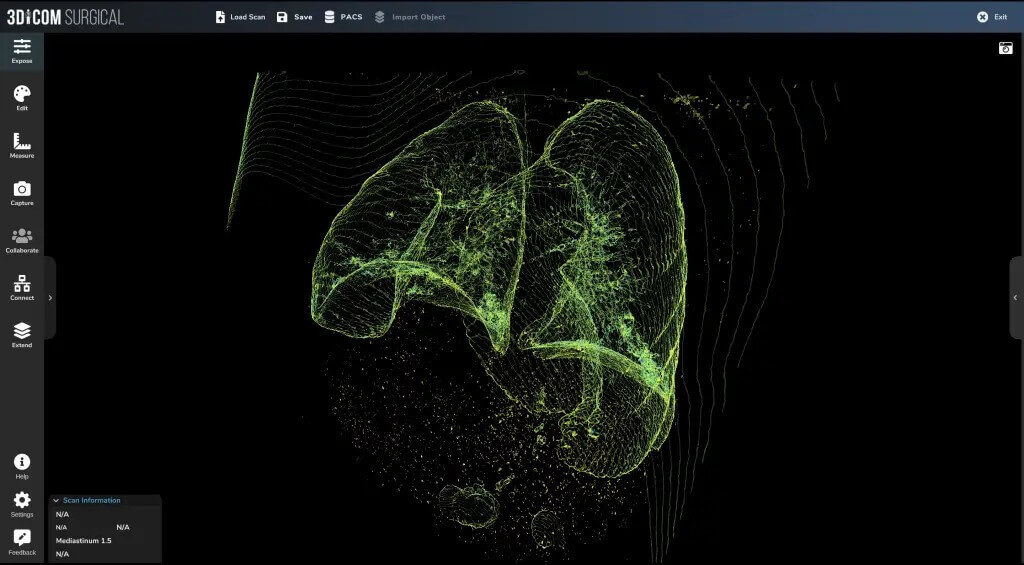
Singular Health’s 3Dicom software, a versatile 3D DICOM viewer for Windows and Mac, transforms 2D medical images into 3D models in under 90 secondsâon your device for enhanced privacy. Designed with healthcare professionals in mind, it offers comprehensive analysis tools like multi-planar reconstruction, maintaining a consistent user experience across platforms.
Top Open Source and Web-Based DICOM Viewers (Online, Open Source, Linux)
1. OHIF

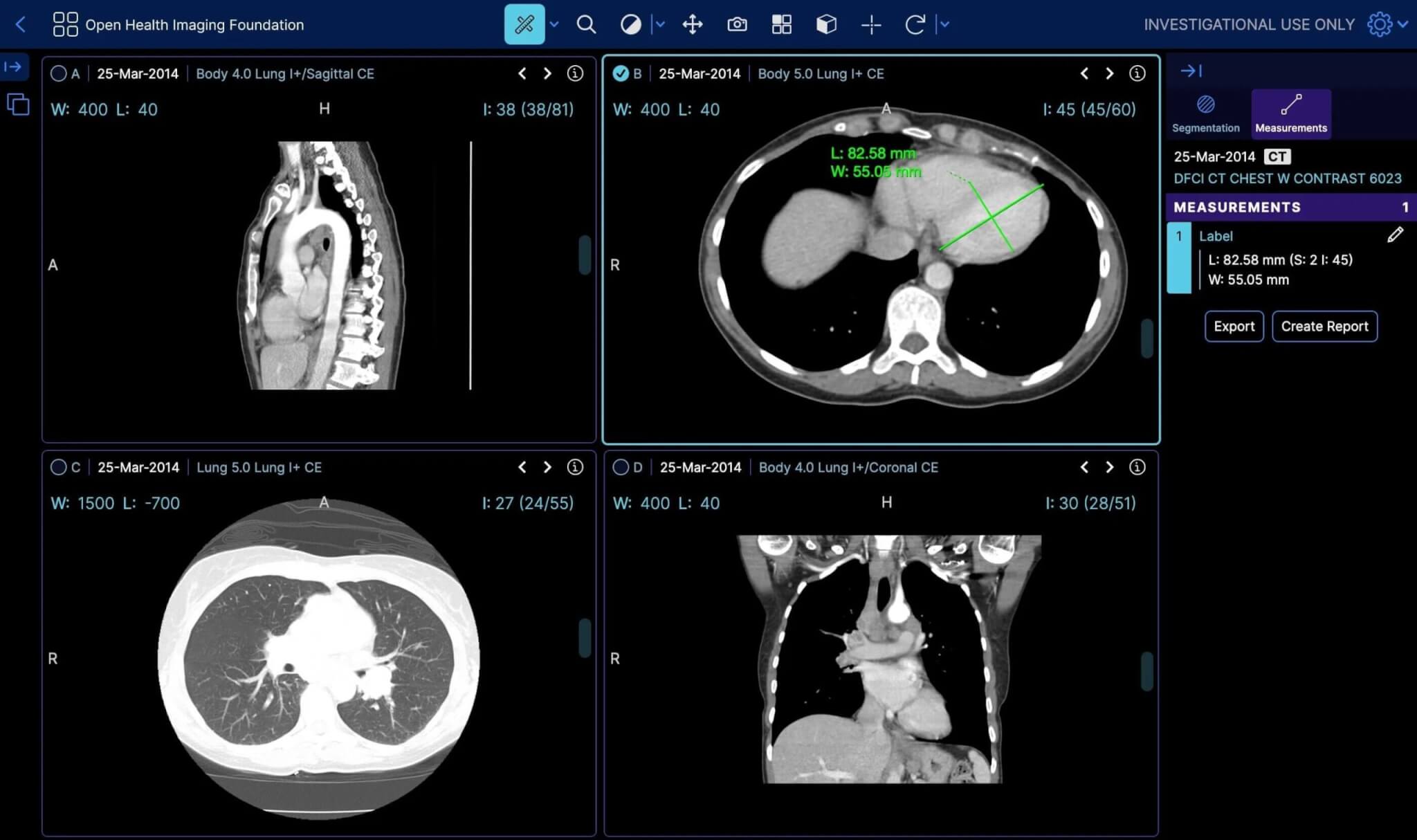
The OHIF viewer offers a high-performance, web-based app designed for radiology workflows, enhancing user experience with its customizable and extensible framework. It’s a performance-focused tool supporting advanced visualizations like multi-modal image fusion and multi-planar reformatting. Experience fast processing with GPU-accelerated rendering and multi-threaded decoding. Access cases instantly from any modern browser, thanks to its web application nature and user-centered design prioritizing usability. As a free, open-source platform, OHIF thrives on community collaboration, offering reusable React components for tailored workflows. You can check the ohif github page here. It supports creating custom workflows through a plugin framework and ensures seamless integration with image archives via standard APIs like DICOMWeb and OpenID Connect.a wider range of medical needs.
2. DICOM Web Viewer

Rating (4.2/5) from Google
Dicomweb viewer offers basic image manipulation and is accessible from any internet-enabled device. It requires some technical know-how but provides ample support through videos and guides.

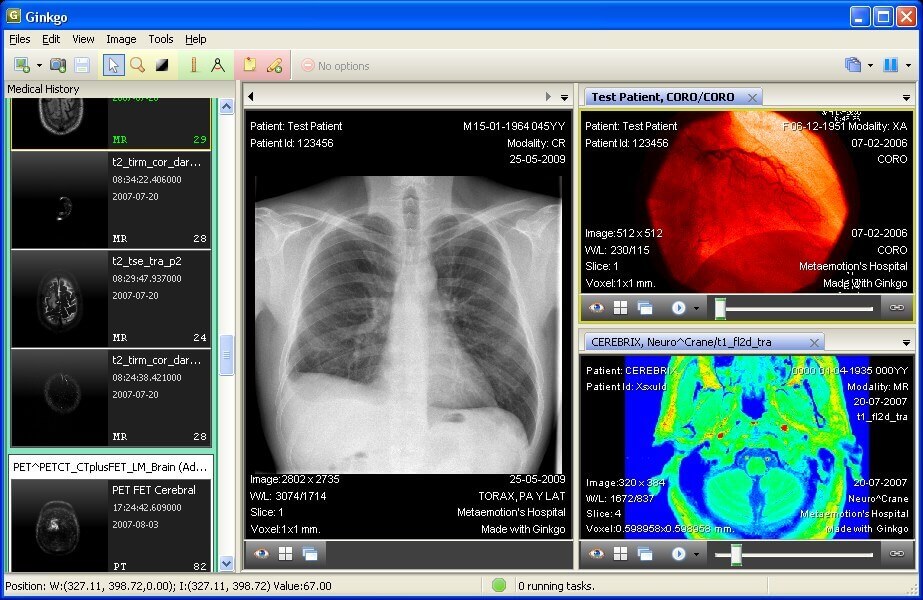
3. Gingko CADx

Rating (4/5) from Softpedia
Gingko CADx is compatible with multiple operating systems and supports standard DICOM tools. Its Pro version includes more advanced features, catering to a wider range of medical needs. The Gingko app deserves special mention for its compatibility with Windows, Mac OS X, and Linux.
Mobile & Specialty DICOM Viewers (Android, iPad, Specialty Use)
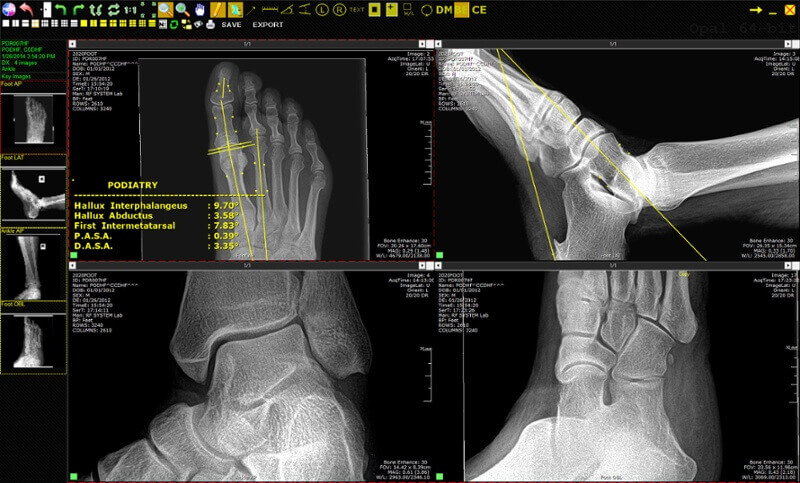
1. Opal Viewer Lite

Opal-RAD Software transforms x-ray imaging with its efficient Opal viewer download, offering a user-friendly interface and powerful imaging tools. This scalable PACS solution, perfect for Opal viewer for Mac and other systems, enhances digital image management and archiving. With worldwide access, customizable views, and multi-monitor support, including 4k, it streamlines workflows at an affordable cost. The web-based platform and mobile version ensure easy access to patient studies and advanced imaging features, making it an indispensable tool for medical professionals seeking efficiency and high-quality imaging solutions.
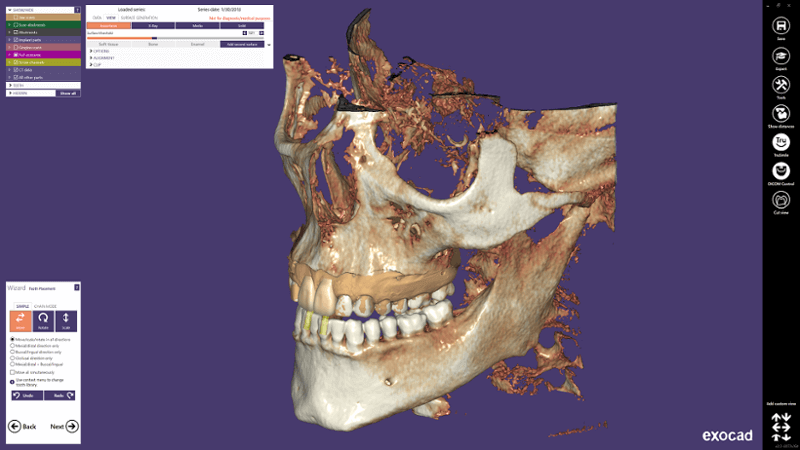
2. Exocad Viewer

Rating (4.9/5) from Softpedia
Exocad Dental CAD platform features an optional DICOM Viewer*, enabling the visualization of voxel CT data during dental restoration design. Experience rapid processing of large CBCT files, thanks to advanced data handling algorithms and fast graphics rendering. This DICOM Viewer sets the standard for quick DICOM loading and viewing. *Note: The DICOM Viewer is intended for design purposes, not for diagnostic/medical use.
3. DICOM Web Viewer
Rating (4.2/5) from Google
Dicomweb viewer offers basic image manipulation and is accessible from any internet-enabled device. It requires some technical know-how but provides ample support through videos and guides.
General DICOM Viewers
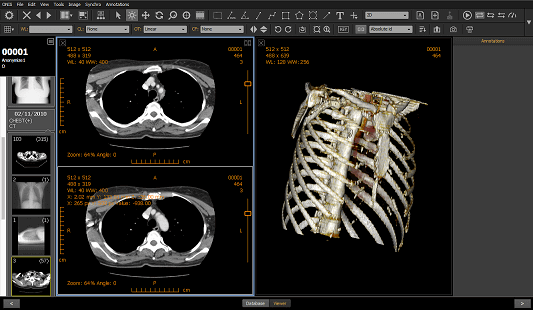
1. Onis Viewer

Rating (4.2/5) from Softpedia
The Onis 2.5 free edition from is aimed at non-professionals, offers advanced features like MPR and MIP. It’s limited to a small patient database but allows exporting images and annotations. Alternatively Onis Solutions launched Onis 3 which is available for purchase.
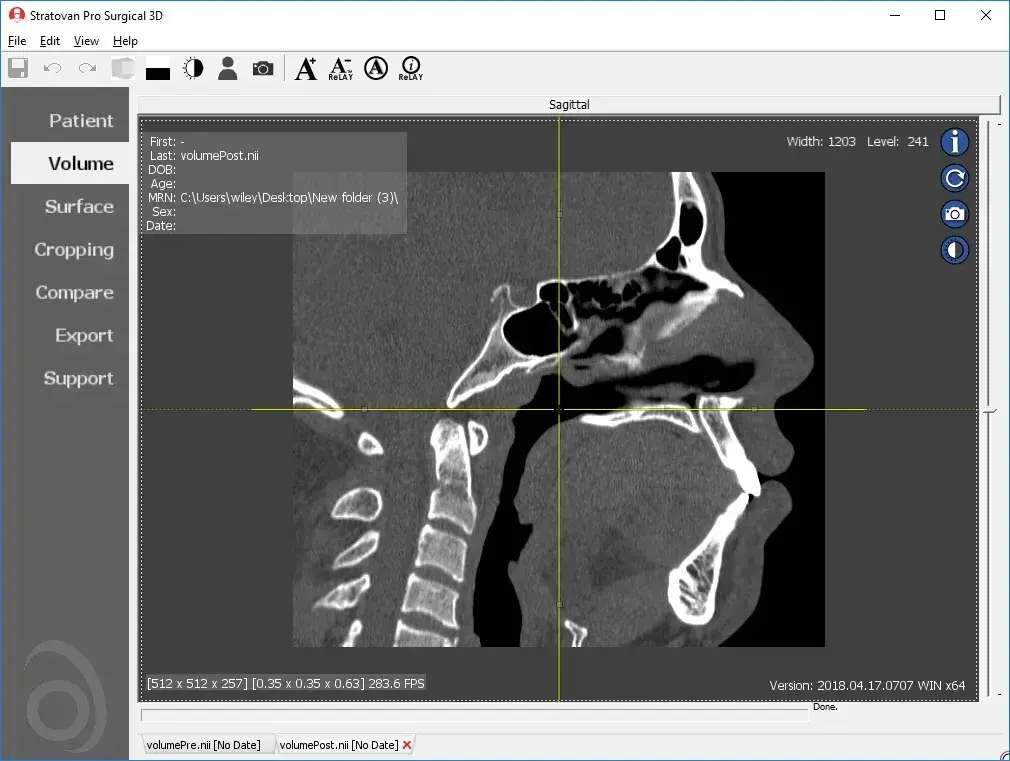
2. Pro Surgical 3D

Rating (5/5) on Facebook:
Pro Surgical 3D by Stratovan, targeted at surgeons, excels in surgical planning with high-quality 3D reconstruction. Its ability to anonymize patient details makes it suitable for research and presentations. Although it demands significant disk space and a modern Windows OS, its integrated support and access to a comprehensive image library make it a valuable tool.
3. 3 DimViewer

Rating (5/5) from SourceForge
Ideal for beginners, 3Dim Viewer is a lightweight application supporting multiple operating systems. 3 Dim Dicom viewer offers multiplanar views and volume rendering but lacks image editing and exporting capabilities. The 3D DICOM viewer capability stands out, allowing detailed visualization and analysis of complex anatomical structures in three dimensions, enhancing diagnostic accuracy and educational value.

4. Escape EMV

Rating (3.3/5) from Softpedia
A lightweight application, Escape EMV is suitable for basic DICOM image viewing. Escapetech offers anonymizing and exporting features but is limited in advanced functionality. Escape EMV is multilingual and offers a free trial with a license fee for commercial use.
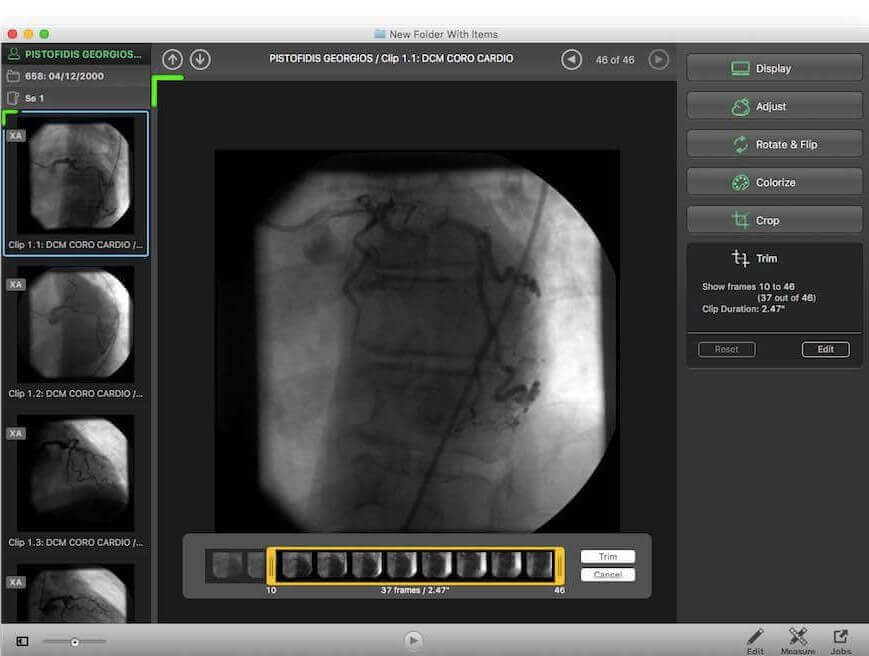
5. JiveX DICOM Viewer

Rating (4/5) from Softpedia
JiveX is mainly for educational and research activities. It supports various medical data types but lacks advanced image manipulation in its free version. It’s perfect for improving workflow in a learning environment.
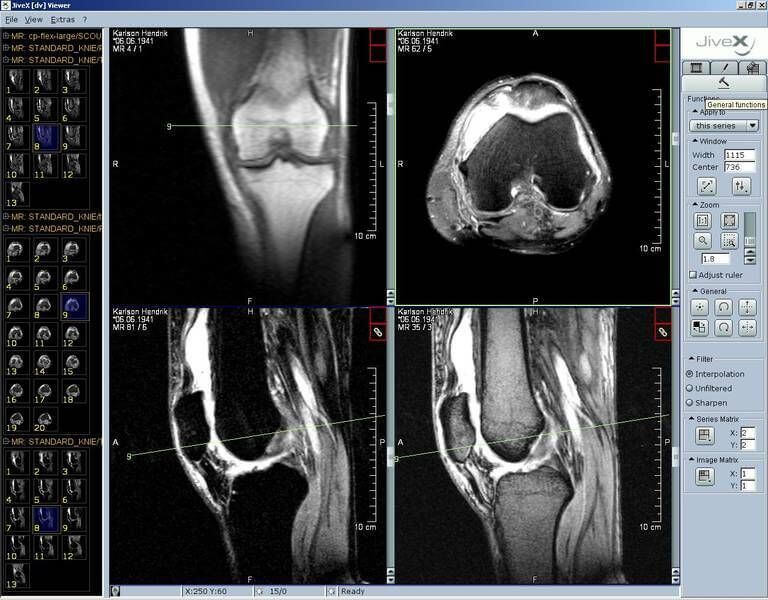
6. IQ-View PRO

Rating (4.2/5) from Informer Technologies
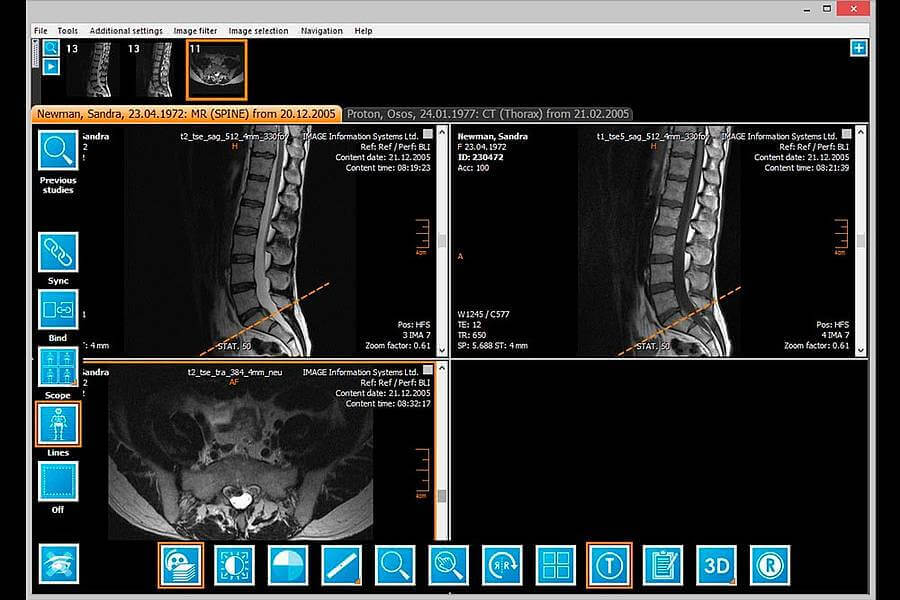
iQ-VIEW/PRO stands out for its simplicity and comprehensive features, making it ideal for physicians reading medical images. It boasts easy access to imaging tools and customizable toolbars for efficiency. Users can import images from various sources or export them for sharing, including via email or on portable media. Additionally, iQVIEW includes a basic reporting module for creating and managing reports. Its Study Browser organizes data neatly, and the software automatically loads relevant previous studies for comparison. Video iQ VIEW integrates smoothly with RIS, EMR, or HIS systems, offering add-ons for 3D processing, dictation, stitching, and image capture from multiple sources.
FAQ
What is the best free DICOM viewer?
For a truly seamless, collaborative, and secure solution, consider a comprehensive platform like Medicai. Medicai goes beyond a basic viewer by integrating with a compliant Cloud PACS, ensuring you receive all advanced viewing features alongside global access, secure data storage, and streamlined collaborative workflow, eliminating the inefficiencies of managing standalone files.
Generally, the best free viewer depends on your platform:
- For a cross-platform solution, Weasis is an excellent open-source viewer designed for web and standalone use.
- For Mac users, Horos is the top-rated open-source option, offering advanced features such as 3D reconstruction and PACS connectivity.
- For Windows users, RadiAnt DICOM Viewer is highly popular for its exceptional speed and fluid performance, providing quick, efficient image review.
What is a DICOM viewer?
A DICOM Viewer is standalone software or part of a larger system that opens medical images in the DICOM format.
Is there a free DICOM viewer?
There are many free DICOM viewers, but they are usually limited in functionality. In most cases, for a seamless radiology workflow, the DICOM viewer should be integrated with other components, such as a PACS. Medicai is one of the few complete solutions, highly scalable, and configurable in minutes in any environment.
How do I open a DICOM file?
You open a DICOM file by navigating to it and selecting a DICOM Viewing app if one is not already set as the default for this file type.
Which app shows DICOM files?
You can use a DICOM browser to view DICOM files and their metadata (some also display thumbnails, which can be a helpful feature). To view the files’ content, you need to open them with the viewer.

Related Articles



Lets get in touch!
Learn more about how Medicai can help you strengthen your practice and improve your patients’ experience. Ready to start your Journey?
Book A Free Demo