DICOM Web Viewer: Smarter Imaging Anywhere
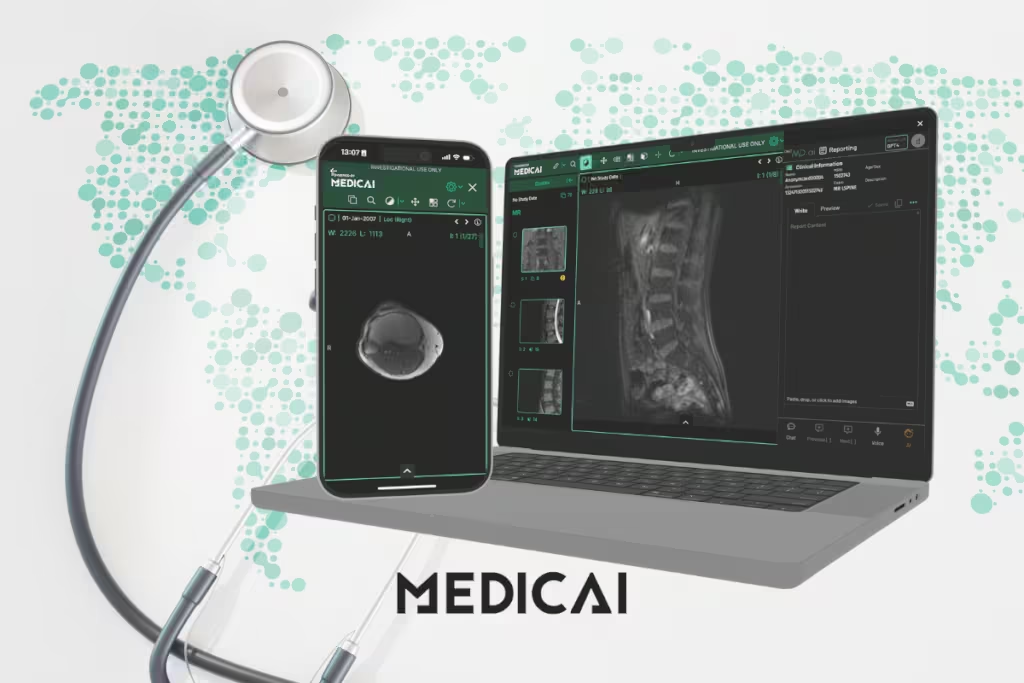
Imagine opening a CT scan or MRI directly in your browser—no installations, no delays, just instant access wherever you are.
That’s the power of a DICOM web viewer, today’s medical imaging.
A DICOM web viewer is a browser-based tool that lets healthcare teams view, share, and analyze medical images securely online. It removes the limits of traditional desktop software, making imaging faster, more collaborative, and easier to scale across hospitals, clinics, or research environments.
Let’s discover what makes DICOM web viewers essential, their key features, pros and cons, and the best free options available in 2025.

What is a DICOM Web Viewer?
A DICOM Web Viewer is a browser-based application that lets users open, view, and interact with images without installing heavy desktop software. Instead of requiring dedicated workstations, radiologists can access imaging studies directly through a secure web browser, whether on a hospital desktop or a home laptop.
The DICOM standard is the universal format for storing and sharing medical images. It standardizes images and metadata, including patient details, across devices, ensuring consistency and reducing errors in radiology workflows.
For radiologists, this shift means greater accessibility and mobility. They can review studies, collaborate with peers, and provide second opinions remotely with the same confidence as in a reading room.
Web viewers use DICOMweb APIs (such as WADO, QIDO, and STOW), making it easier to connect imaging data with PACS, EHRs, or custom healthcare applications.
DICOMweb APIs inside a DICOM web viewer
DICOM web viewer workflows run on DICOMweb, the DICOM Standard for web-based medical imaging. DICOMweb uses REST services over HTTP, so a DICOM web viewer can search, fetch, and store studies in the same browser session.
A DICOM web viewer usually relies on three DICOMweb services.
- QIDO-RS, search service, study, series, and instance discovery by metadata like modality, date range, accession, or patient ID.
- WADO-RS, retrieve service, pixel data, and metadata retrieval for a study, series, or instance, streamed to the browser for viewing.
- STOW-RS, store service, DICOM instance upload back to a server, common in capture, import, and certain AI or research workflows.
A DICOM web viewer typically connects to a DICOMweb-enabled PACS, VNA, or imaging gateway, so clinicians can open priors, share a study link, and collaborate without moving files around. DICOMweb focuses on web services, security controls live in other DICOM security guidance, so a DICOM web viewer still needs explicit access control and auditing.
Traditional vs Web-Based DICOM Viewers
Traditional DICOM viewers required heavy desktop installations, local hardware, and limited access, slowing collaboration and scalability. Web-based viewers, by contrast, run directly in browsers, enabling anytime, anywhere access, seamless sharing, automatic updates, and open-standard integration.
This shift modernizes imaging workflows with greater flexibility, speed, and interoperability across healthcare systems.
| Feature | Traditional Viewer | Web-Based Viewer |
| Access | Requires workstation installation | Accessible via any web browser |
| Mobility | Limited to hospital/clinic | Anywhere, anytime, any device |
| Collaboration | Slow (CDs, secure transfers) | Instant, real-time sharing |
| Updates | Manual, time-consuming | Automatic via cloud |
| Scalability | Hardware-dependent, limited | Cloud-native, easily scalable |
| Integration | Often proprietary | Open standards (DICOMweb APIs) |
Essential Features of DICOM Web Viewers
A DICOM web viewer is only as valuable as the features it offers in daily clinical use. Below are the essential features of DICOM Viewer that define a reliable, professional-grade viewer.

Multi-modality support
Radiology rarely involves just one type of scan. A modern viewer must support a wide range of modalities, including CT, MRI, PET, and ultrasound.
Multi-modality support ensures radiologists can compare studies side by side, correlate findings, and provide more comprehensive interpretations. It also removes the need to switch between separate platforms.
Advanced visualization
Medical images are more than static snapshots.
Cine loops help radiologists analyze motion, such as cardiac cycles or fetal development. Multiplanar reconstruction (MPR) allows cross-sectional viewing from different angles, while 3D rendering brings complex structures, such as vasculature or tumors, to life.
These tools enhance diagnostic accuracy and help communicate findings more clearly to clinicians and patients.
Measurements, annotations, and reporting
Precise measurement tools are essential for tasks such as tracking tumor growth or assessing organ size. Annotations add clarity, especially when collaborating with colleagues or teaching residents.
Many web viewers provided by platforms like Medicai now support structured reporting features, allowing findings to be directly embedded into standardized templates. It speeds up reporting and reduces errors.
Seamless system integration
Radiologists work within a larger digital ecosystem that includes PACS, RIS, and EHR systems. A viewer must integrate seamlessly with these platforms to streamline workflows.
Features such as single sign-on, direct access from worklists, and automated report uploads assure that images and interpretations flow seamlessly across systems without manual steps.
Security and compliance
Medical imaging deals with sensitive patient information, making security non-negotiable. Compliance with HIPAA in the U.S. and GDPR in the European Union is critical.
Web viewers must include encryption, audit trails, and anonymization features to protect data. Secure cloud storage and controlled access settings also provide peace of mind when images are shared outside the hospital network.
Security controls to verify in a DICOM web viewer
DICOM web viewer security lives or dies on concrete controls, not on a “HIPAA and GDPR compliant” sentence. A DICOM web viewer needs transport security, identity controls, access scoping, and audit evidence that a compliance team can verify.
A simple checklist for a DICOM web viewer review.
- TLS in transit; HTTPS enforced; TLS 1.2 or later; modern cipher support.
- Encryption at rest, managed keys, documented rotation process.
- Authentication, SSO support via SAML or OIDC, MFA for privileged roles.
- Authorization, role-based access control, least-privilege defaults, study-level and project-level sharing rules.
- Audit trails, user identity, patient or study reference, timestamp, action type, exportable logs, syslog-forwarding support in enterprise deployments.
- De-identification, DICOM tag anonymization, and pixel de-identification options for use in teaching or research.
- Secure sharing, expiring links, access revocation, and watermarking options for external sharing workflows.
- Session controls, idle timeout, device access policy, and admin controls for account lifecycle.
One vendor-question set keeps this practical.
- Audit log retention period, default and configurable.
- External sharing policy, link expiry, and access revocation behavior.
- DICOMweb endpoint protection, auth model, rate limiting, and brute-force defense.
Pros & Cons of Web-Based Viewers
Shifting from traditional desktop viewers to web-based platforms introduces clear strengths and challenges. A side-by-side view helps weigh the trade-offs effectively.
Pros
- Device independence: Accessible from any browser on desktops, laptops, tablets, or mobile devices without heavy installations.
- Remote access: Enables secure viewing of studies from anywhere, reducing reporting delays and supporting tele-radiology.
- Improved collaboration: Real-time sharing of images with colleagues or external specialists without CDs or file transfers.
- Reduced IT overhead: Automatic updates, centralized management, and cloud hosting cut down maintenance costs and workload.
- Flexibility in workflows: Supports modern healthcare demands, enabling seamless integration for clinicians, researchers, and IT teams.
Cons
- Browser performance limits: Large datasets and high-resolution 3D rendering can be demanding, especially on older hardware.
- Internet dependency: Requires stable connectivity; bandwidth issues or outages can disrupt workflows.
- Security concerns: Despite HIPAA and GDPR compliance, transmitting sensitive imaging data over the internet carries risks without strong encryption and access controls.
- Feature gaps: Some advanced tools available in desktop viewers may not yet be fully replicated in web-based solutions.
DICOM web viewer use cases that justify the switch
DICOM web viewer value shows up fastest in workflows that involve distance, multiple stakeholders, or frequent sharing. A DICOM web viewer reduces time spent exporting, importing, and re-explaining context.
Common DICOM web viewer use cases.
- Teleradiology reads, secure access to worklists and priors outside the reading room.
- Tumor board review, one shared view for radiology, oncology, surgery, and pathology, fewer screenshots in slide decks.
- Second opinions and referrals, controlled sharing without burning CDs or shipping drives.
- Multi-site imaging networks, standardized viewer experience across hospitals and outpatient centers.
- Teaching and training, de-identified cases accessed in a browser for residents and fellows.
- Research cohorts, controlled access to imaging datasets, plus metadata search for cohort building.
A DICOM web viewer becomes a workflow tool when it supports priors, annotations, and share links in the same session, not just “open a file in a tab”.
5 Best Free DICOM Web Viewers
Several free DICOM web viewers have become powerful enough to support clinical, research, and educational needs.
Medicai
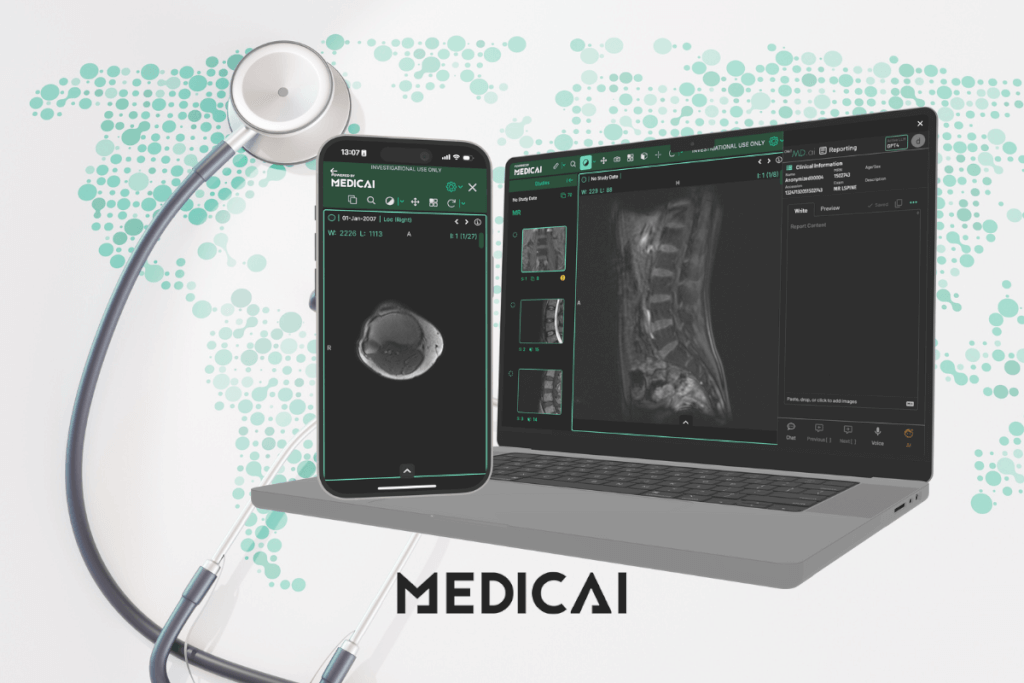
Medicai is a secure, cloud-native platform that combines image access, collaboration, and AI-powered tools. Designed to fit modern healthcare workflows, it offers speed, flexibility, and compliance out of the box.
Features
- Cloud-native DICOM viewer with integrated PACS
- Real-time collaboration and secure sharing
- HIPAA- and GDPR-compliant encryption
- AI-powered tools for faster analysis and reporting
- Browser-based with multi-modality support (CT, MRI, PET, US)
Best For
Clinics, hospitals, and tele-radiology groups need a secure, cloud-first solution with scalability.
Pros
- Accessible from any device with a browser
- Built-in AI support reduces manual workload
- Smooth integration with PACS, RIS, and EHR
- Free tier available, with enterprise upgrades
Cons
- Advanced AI features may require a paid plan
- Requires consistent internet connectivity
OHIF Viewer
OHIF Viewer is one of the most popular open-source options, trusted by researchers and developers worldwide. Its flexibility makes it a favorite for custom imaging solutions and integration projects.
Features
- 100% open-source, built on React and cornerstone.js
- Supports DICOMweb APIs (QIDO, WADO, STOW)
- Modular design for plugins and extensions
- Advanced visualization: MPR, annotations, measurements
- Strong developer documentation
Best For
Research institutions, developers, or hospitals need customizable integration.
Pros
- Fully customizable for unique workflows
- Strong community support and active development
- Lightweight, runs smoothly in modern browsers
Cons
- Requires developer expertise for advanced customization
- Limited official customer support (open-source model)

Weasis
Weasis has a long track record in clinical imaging and is widely used across hospitals and universities. Its modular approach and PACS integration make it reliable for both daily reporting and teaching.
Features
- Cross-platform viewer (desktop + web deployment)
- Strong PACS and hospital workflow integration
- Advanced visualization: MPR, 3D rendering, cine loops
- Structured reporting and annotation support
- Modular architecture for scalability
Best For
Radiology departments, teaching hospitals, and institutions with existing PACS infrastructure.
Pros
- Reliable in clinical environments
- Supports a wide range of imaging modalities
- Flexible deployment (standalone or web-enabled)
Cons
- Interface may feel dated compared to newer tools
- Requires technical setup for web deployment
DWV (DICOM Web Viewer)
DWV is an open-source, zero-footprint DICOM web viewer built with JavaScript and HTML5, so it runs directly in modern browsers. DWV is suitable for teams that want a lightweight web viewer UI or for developers who need a base viewer to embed in a portal.
Features
- Zero-footprint browser viewer, JavaScript, and HTML5 stack.
- Core viewing tools, window level, zoom, pan, basic measurements.
- DICOM tag inspection, useful for QA and debugging workflows.
- Embeddable architecture, good fit for custom portals and research apps.
Best For
Developers, research groups, and lightweight clinical sharing workflows that need a true DICOM web viewer footprint.
Pros
- Fast setup for web deployment.
- Works across devices through the browser.
- Good starting point for custom viewer builds
Cons
- Advanced clinical tooling depends on how you extend and integrate it.
- Enterprise security controls depend on the surrounding platform, not the viewer UI alone.
Horos (Web-Enabled)
Horos has carved out a niche as the most popular free DICOM viewer for Mac users. With strong visualization tools and plugin support, it’s especially loved in academic and research settings.
Features
- Open-source DICOM viewer built for macOS
- Supports 3D rendering, MPR, annotations, and cine
- Extensible with plugins and integrations
- Growing community of academic users and developers
Best For
Educational environments, research projects, and Mac-based workflows.
Pros
- Completely free and open-source
- Robust visualization features
- Active user community contributing add-ons
Cons
- Mac-first, limiting cross-platform compatibility
- Web enablement requires third-party extensions
How to Choose the Right DICOM Viewer
Choosing the right DICOM web viewer requires balancing usability, compliance, and technical capabilities.
- Diagnostic accuracy: The viewer should support advanced visualization tools such as MPR, 3D rendering, and cine loops to ensure accurate interpretation of studies.
- Regulatory compliance: Verify that the platform meets data protection standards, such as HIPAA or GDPR, and, if used for clinical work, holds the appropriate approvals for diagnostic use.
- Workflow integration: Seamless connectivity with PACS, RIS, and EHR systems is essential. Features such as single sign-on, structured reporting, and automated uploads streamline daily tasks.
- Collaboration and sharing: Look for secure sharing options, annotation tools, and multi-user access to support second opinions, team reviews, or educational use.
- Flexibility and scalability: A good viewer should be able to adapt to various environments, ranging from small practices to large hospital networks. Cloud-native or modular solutions typically scale more easily.
- Interoperability: Support for DICOMweb APIs (WADO, QIDO, STOW) ensures the viewer can connect with existing systems and future digital health applications.
- Performance: Evaluate how the viewer handles large datasets, high-resolution images, and multi-modality studies without lag.
- Security features: End-to-end encryption, role-based access, and anonymization tools are critical for protecting patient data.
Always run a pilot project before full deployment. Testing in real workflows provides valuable feedback on usability, performance, and integration, helping you avoid costly mistakes.

Conclusion
DICOM web viewers are reshaping medical imaging by making it more accessible, collaborative, and efficient. From cloud-native platforms to open-source tools, these solutions fit a wide range of needs.
Medicai distinguishes itself through its secure cloud PACS, advanced AI tools, and smooth integration into clinical workflows. It effectively connects accessibility with compliance, ensuring that imaging is both smarter and safer.


Related Articles


Lets get in touch!
Learn more about how Medicai can help you strengthen your practice and improve your patients’ experience. Ready to start your Journey?
Book A Free Demo