Best DICOM Viewers in 2026: Free, Web-Based, and Diagnostic Software Compared
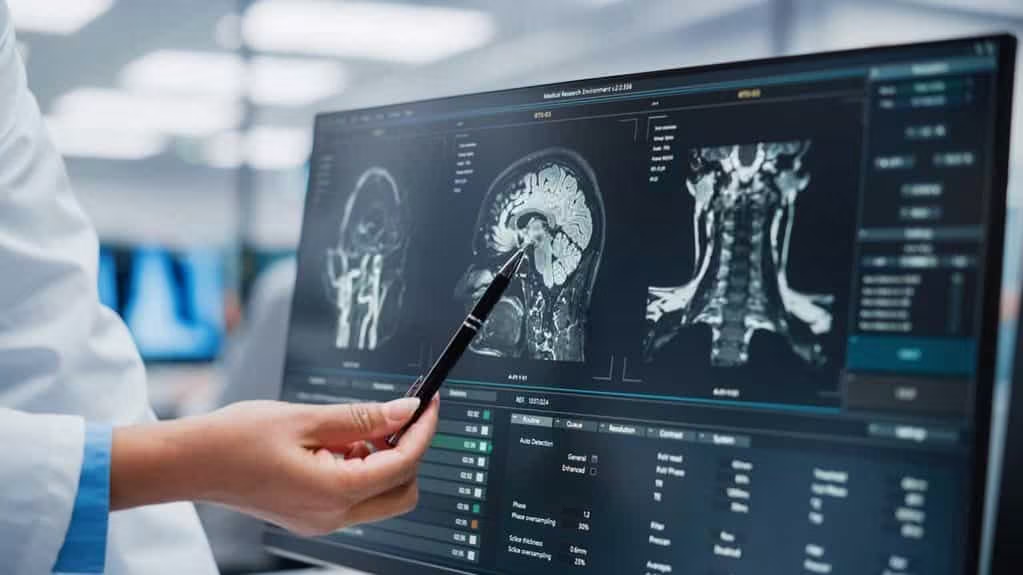
A DICOM viewer is software that opens, displays, and analyzes medical images stored in the DICOM (Digital Imaging and Communications in Medicine) format, the standard used by CT, MRI, X-ray, ultrasound, and other imaging modalities. DICOM viewers fall into a few broad groups: free desktop software for personal, teaching, or research use; web-based viewers that run in a browser with nothing to install; and diagnostic-grade viewers cleared by regulators for reading studies that inform patient care.
This guide compares widely used DICOM viewers in each group, explains what to check before choosing one, and lists which viewers are cleared for diagnostic use.
How we selected these viewers: we grouped viewers by their use (browser-based, Windows, Mac, open-source, mobile and specialty, and general-purpose) and included widely used options in each group, noting regulatory clearance only where it can be verified.
Disclosure: Medicai, which publishes this guide, makes a DICOM viewer and is listed in the first group. We have noted that plainly rather than presenting Medicai as a neutral third-party pick.

DICOM Viewers Compared at a Glance
| Viewer | Platform | Cost | Cleared for diagnosis | Best for |
|---|---|---|---|---|
| Medicai DICOM Viewer | Web browser | Free online version; paid platform | FDA Cleared | Viewing and sharing studies from the cloud |
| MedDream | Web browser | Commercial | Yes (FDA 510(k) cleared) | Web viewing connected to a PACS |
| IMAIOS DICOM Viewer | Web browser | Free | No | Quick, private review in the browser |
| PostDICOM | Web, desktop | Free tier; paid plans | No | Small practices and research |
| RadiAnt | Windows | Commercial, with free evaluation | No | Fast desktop review on Windows |
| MicroDicom | Windows | Free for non-commercial purposes | No | Free, lightweight Windows viewing |
| MiViewer | Windows | Free; paid version available | No | Simple Windows viewing |
| Sante DICOM Viewer | Windows | 45-day trial, then lifetime license | No | Batch anonymizing and conversion |
| Horos | macOS | Free, open source | No | Education and research on Mac |
| OsiriX | macOS | OsiriX Lite free; OsiriX MD paid | OsiriX MD is FDA cleared (K101342) | Advanced Mac reading |
| 3Dicom | Windows, macOS | Commercial | Yes (FDA 510(k) cleared) | 3D models from 2D images |
| OHIF | Web browser | Free, open source | No (framework) | Building custom web viewers |
| Weasis | Windows, macOS, Linux | Free, open source | No | One free viewer across operating systems |
| Ginkgo CADx | Windows, macOS, Linux | Free, open source | No | Basic cross-platform viewing (Note: no longer actively maintained) |
| Opal Viewer Lite | Windows, web, mobile | Free with Opal-RAD PACS | Yes (part of FDA-cleared Opal-RAD PACS) | X-ray viewing with Opal PACS |
| Exocad DICOM Viewer | Windows (in Exocad) | Optional module in Exocad | No (design use only) | Dental restoration design |
| Onis | Windows | Free edition; Onis 3 paid | No | MPR and MIP on a budget |
| Pro Surgical 3D | Windows | Free | Yes (FDA cleared) | 3D surgical planning |
| 3DimViewer | Windows, macOS, Linux | Free, open source | No | Lightweight 3D viewing for beginners |
| Escape EMV | Windows, macOS | Free trial; license for commercial use | No | Basic multilingual viewing |
| JiveX DICOM Viewer | Windows | Free version; paid versions | Free version: no | Teaching and research |
| iQ-VIEW/PRO | Windows | Commercial | Yes (FDA cleared) | Physicians reading with priors and reporting |
What to look for in a DICOM viewer
Choosing a DICOM viewer means matching the software to the workflow, not the brand. A viewer suited to a medical student reviewing teaching cases is the wrong tool for a radiologist reading studies for patient care, and the security acceptable in a research lab may not meet the bar for a clinical setting. These seven criteria separate the viewers that fit your use case from those that do not.
- Regulatory clearance. For diagnostic use in the United States, a viewer needs FDA 510(k) clearance for its intended use. In the European Union, it needs CE marking under the Medical Device Regulation, commonly as a Class IIa device. Viewers without clearance are appropriate for education, research, second-opinion review, and personal use, but not as the primary tool for diagnosis. Check clearance in the FDA 510(k) database or the vendor’s regulatory documentation, not in marketing copy.
- Standards support. No viewer supports all of DICOM. Each vendor lists what its product handles in its DICOM conformance statement, so read it before you buy. Check the object types you use (for example structured reports, segmentations, saved annotations and display settings known as presentation states, enhanced multi-frame CT and MR, and breast tomosynthesis); the compression formats, or transfer syntaxes, it can decode (such as JPEG 2000, JPEG-LS, and High-Throughput JPEG 2000); how it connects to a PACS, through classic DICOM query and retrieve or through DICOMweb services for web viewers; whether it can open patient CDs through their DICOMDIR index; and whether its anonymization follows the DICOM de-identification profiles.
- Platform support. Desktop viewers (Windows, macOS, Linux) require installation, work offline, and usually offer the most advanced tools. Web-based viewers run in a modern browser, require no installation, and support shared or cross-device work. Mobile viewers support quick reviews on the go but rarely match desktop tools.
- Tooling depth. Tools range from basic 2D viewing (window and level, zoom, pan, measurement) to advanced reading tools (multi-planar reconstruction, maximum intensity projection, 3D volume rendering, multi-modality fusion, and AI-assisted measurement or segmentation). Match the depth to the clinical question.
- Display for diagnosis. For primary diagnosis, image quality also depends on the screen. Diagnostic reading uses monitors calibrated to the DICOM Grayscale Standard Display Function, so grayscale images appear consistent across displays.
- Security and compliance. Encryption in transit (HTTPS or TLS) is the minimum for any web viewer. For clinical use, also look for audit logging of every study access, a HIPAA Business Associate Agreement for US deployments, GDPR-aligned data handling for EU deployments, and, where available, an independent security audit such as SOC 2 Type II.
- Pricing model. Free desktop viewers cost nothing to acquire but need IT time to deploy and update. Subscription web viewers usually include updates, security patching, and support. Perpetual-license desktop viewers require an upfront purchase plus maintenance fees. Compare total cost over the viewer’s useful life, not the sticker price.
| Criterion | What it determines | What to require for clinical diagnosis |
|---|---|---|
| Regulatory clearance | Whether the viewer can be used for diagnosis or only for education, research, and personal review | FDA 510(k) clearance (US) or CE marking under the EU MDR, verified in official sources |
| Standards support | Whether the viewer handles your object types, compression formats, PACS connection, patient CDs, and anonymization | Confirmed in the vendor’s DICOM conformance statement for the version you are buying |
| Platform support | Where the viewer runs, who can access it, and whether installation is needed | Desktop, web-based, or mobile, matched to the clinician’s workflow |
| Tooling depth | Whether the viewer can answer the clinical question, from basic 2D review to advanced 3D reconstruction | Window and level, measurement, MPR, MIP, and modality-appropriate advanced tools |
| Display for diagnosis | Whether images look consistent and reliable on the reading screen | Monitors calibrated to the DICOM Grayscale Standard Display Function |
| Security and compliance | Whether the viewer meets the security and contractual requirements of your setting | Encryption in transit, audit logging, HIPAA BAA (US), GDPR-aligned handling (EU), independent security audit where available |
| Pricing model | Total cost of ownership across acquisition, deployment, updates, and support | Matched to usage pattern, with full lifecycle costs accounted for |
FDA-Cleared DICOM Viewers for Diagnostic Use
Most free DICOM viewers are not cleared for diagnostic use. In the United States, viewers used as the primary tool for reading studies need FDA 510(k) clearance, which applies to a specific product and version for a specific intended use. Several viewers in this guide offer a cleared commercial edition alongside a free or limited one; OsiriX, for example, offers OsiriX MD as its diagnostic edition and OsiriX Lite as a free, limited version.
Most free DICOM viewers are not cleared for diagnostic use. In the United States, viewers used as the primary tool for reading studies need FDA 510(k) clearance, which applies to a specific product and version for a specific intended use. Several viewers in this guide offer a cleared commercial edition alongside a free or limited one; OsiriX, for example, offers OsiriX MD as its diagnostic edition and OsiriX Lite as a free, limited version.
FDA-Cleared Viewers in This Guide:
- OsiriX MD (K101342): Cleared as a medical image management and processing system.
- MedDream (K222320): Cleared as a medical image management and processing system.
- 3Dicom MD (K222470): Cleared as a diagnostic and analysis tool for diagnostic images for hospitals, imaging centers, radiologists, and reading practices.
- iQ-SYSTEM PACS / iQ-VIEW (K062488): Cleared as a Picture Archiving and Communication System.
- Opal-RAD / Opal Viewer Lite (K063337): Cleared as a Picture Archiving and Communication System.
Before using any viewer for patient care, check three things: that the clearance covers the product and version you are installing, that its intended use covers your modality (some clearances exclude mammography, for example), and that your display meets the requirements in the vendor’s instructions for use.
Top-Rated Professional and Cloud-Based DICOM Viewers (Best overall, Online)
1. Medicai Online DICOM Viewer for your Medical Images

Rating (5/5) from Capterra
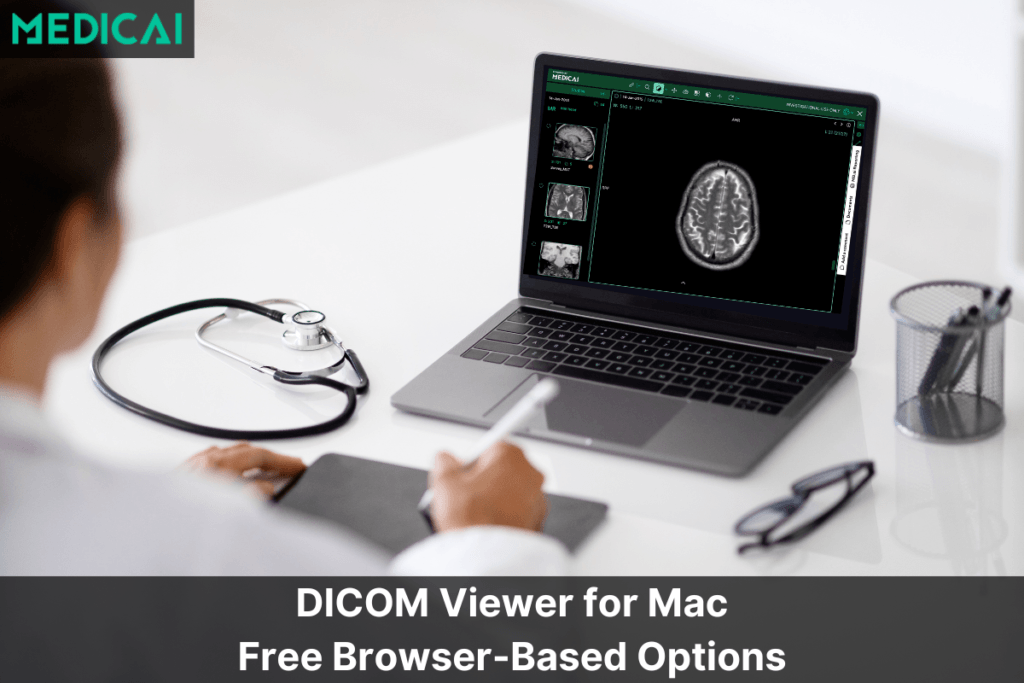
Medicai’s DICOM viewer is a zero-footprint, browser-based viewer connected to Medicai’s cloud PACS, allowing studies to be stored, viewed, and shared in one place. It includes standard viewing tools such as brightness and contrast adjustment and image filters. A free online version lets anyone open DICOM files in a browser without installing software, which suits patient CDs, referral sharing, and second opinions.


2. Osirix DICOM viewer (Mac-focused)

Rating (4.1/5) from Capterra:
OsiriX MD offers a cloud-based imaging solution for Mac users. It lets you view and analyze images with ease. You can look at images in 2D, 3D, or even 4D, and move through them smoothly. Osirix DICOM Viewer is quick because it uses multithreading. It also works well with PACS through the DICOM standard. The main features are image marking, multiple screens, and a photo library. Unfortunately, there is currently no Osirix for Windows.

3. MedDream by Softneta

Rating (4.4/5) from Capterra
MedDream DICOM Viewer, compatible with various PACS and cloud systems, offers quick, secure access to medical images and videos across devices. This web-based viewer requires no installation and emphasizes user privacy by processing data on-device. With FDA clearance for diagnostic use, MedDream supports a broad spectrum of imaging features, including 3D visualization and ECG analysis. Its integration flexibility makes it suitable for any medical setup, offering a practical solution for healthcare professionals.

4. Imaios DICOM VIEWER

Rating (4.7/5) from Apple
Imaios IDV Free DICOM Image Viewer is a user-friendly, web-based tool for viewing DICOM images without installations or uploads, ensuring data confidentiality. Features include drag-and-drop functionality, image adjustments, and basic measurements.
5. PostDICOM

Rating (4/5) from Trusted Business Reviews:
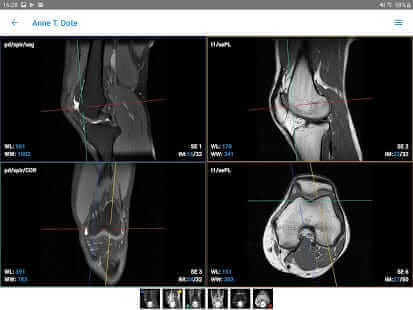
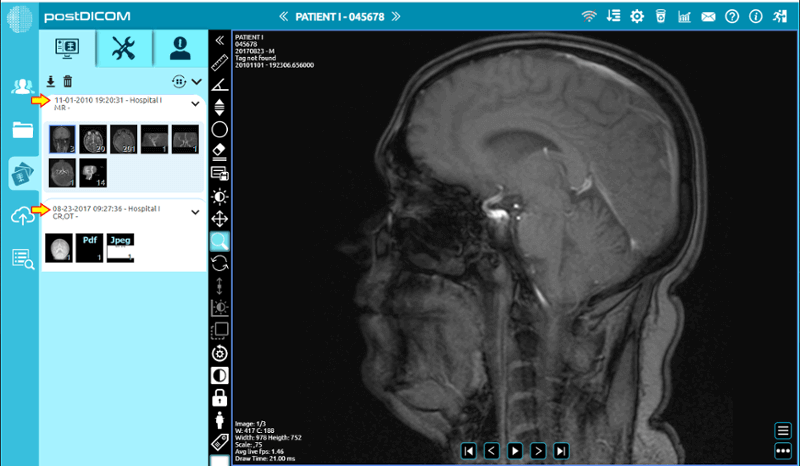
PostDICOM stands out with its cloud-based PACS, accessible from various devices. Compatible with multiple operating systems, it supports advanced image manipulation, such as 3D reconstruction. Its unique cloud PACS is ideal for researchers, offering seamless image processing and analysis. PostDICOM’s free version includes many premium features, and its technical support enhances its user experience.
Best Free DICOM Viewer for Windows Users (Free, Windows, PC)
1. RadiAnt DICOM Viewer

Rating (4.4/5) from Softpedia
RadiAnt viewer shines as a straightforward, swift DICOM image viewer compatible with Windows. Ideal for education and research, it’s considered by many to be the best free DICOM viewer for Windows for its speed and features.
2. MicroDicom DICOM viewer

Rating (3.5/5) from Softpedia
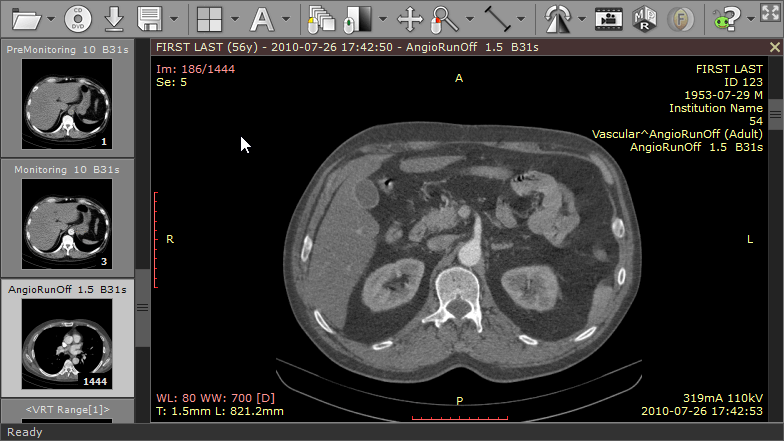
MicroDicom viewer falls in the category of free DICOM viewers and allows both viewing and processing of DICOM images. It supports structured reports and basic image functions but lacks advanced features like MPR. Its portability, being available as a zip file for Windows, enhances its versatility.

3. MiViewer

Rating (4.8/5) from Softpedia
A straightforward Windows-based viewer, MiViewer supports all DICOM file types but lacks advanced features and PACS integration found in its paid version.

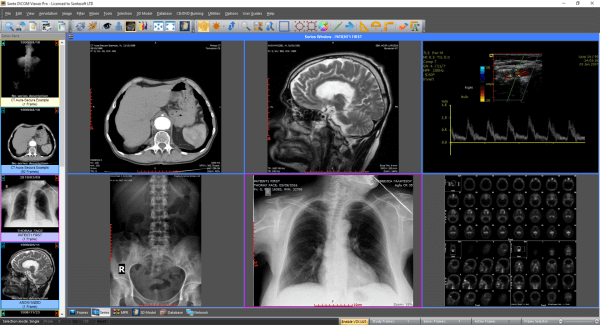
4. Sante DICOMdir Viewer Pro:

Rating (3.3/5) from Softpedia
Sante Dicom Viewer is Robust and user-friendly. This application functions as a mini-PACS server. The Santesoft DICOM Viewer offers batch anonymizing and converting capabilities. The free version lasts 45 days, followed by a reasonable lifetime license fee.
Best Free DICOM Viewer for Mac Users (Best DICOM viewer for Mac)
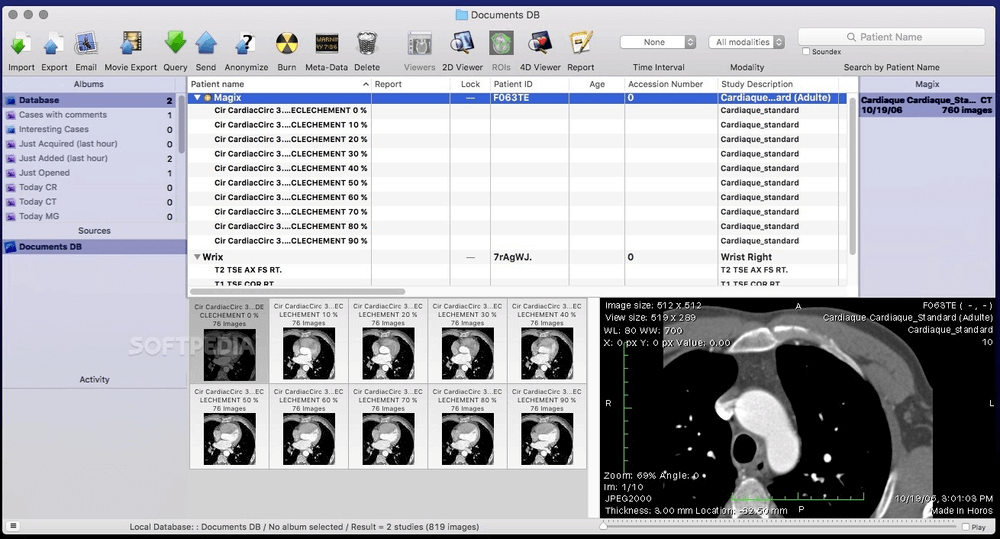
1. Horos DICOM

Rating (4.6/5) from Apple:
This is one of the best free DICOM viewer options for Mac and is an open-source Mac-based viewer. While limited in its diagnostic application, the Horus software is perfect for learning and research. While Horos App does not provide free PACS integration, yet cloud storage is available. While limited in its diagnostic application, the Horus software is perfect for learning and research. The Horos instruments feature enhanced toolsets for detailed image analysis, making it a versatile choice for professionals and students alike.
2. Osirix DICOM viewer (Mac-focused)
Rating (4.1/5) from Capterra:
OsiriX MD offers a cloud-based imaging solution for Mac users. It lets you view and analyze images with ease. You can look at images in 2D, 3D, or even 4D, and move through them smoothly. Osirix DICOM Viewer is quick because it uses multithreading. It also works well with PACS through the DICOM standard. The main features are image marking, multiple screens, and a photo library. Unfortunately, there is currently no Osirix for Windows.
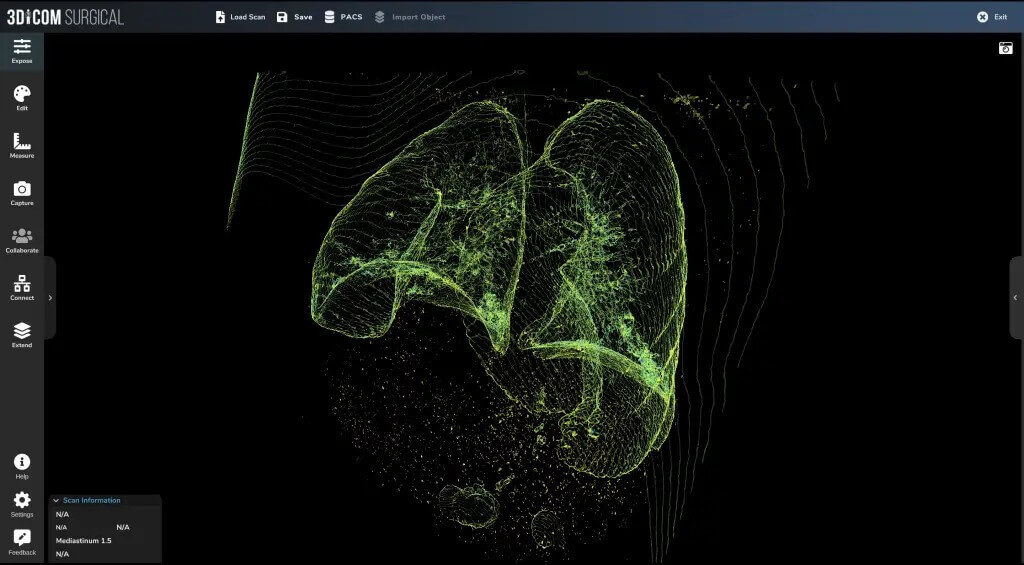
3. 3DICOM Viewer

Rating (5/5) from Capterra
Singular Health’s 3Dicom software, a versatile 3D DICOM viewer for Windows and Mac, transforms 2D medical images into 3D models in under 90 secondsâon your device for enhanced privacy. Designed with healthcare professionals in mind, it offers comprehensive analysis tools such as multi-planar reconstruction while maintaining a consistent user experience across platforms.
Top Open Source and Web-Based DICOM Viewers (Online, Open Source, Linux)
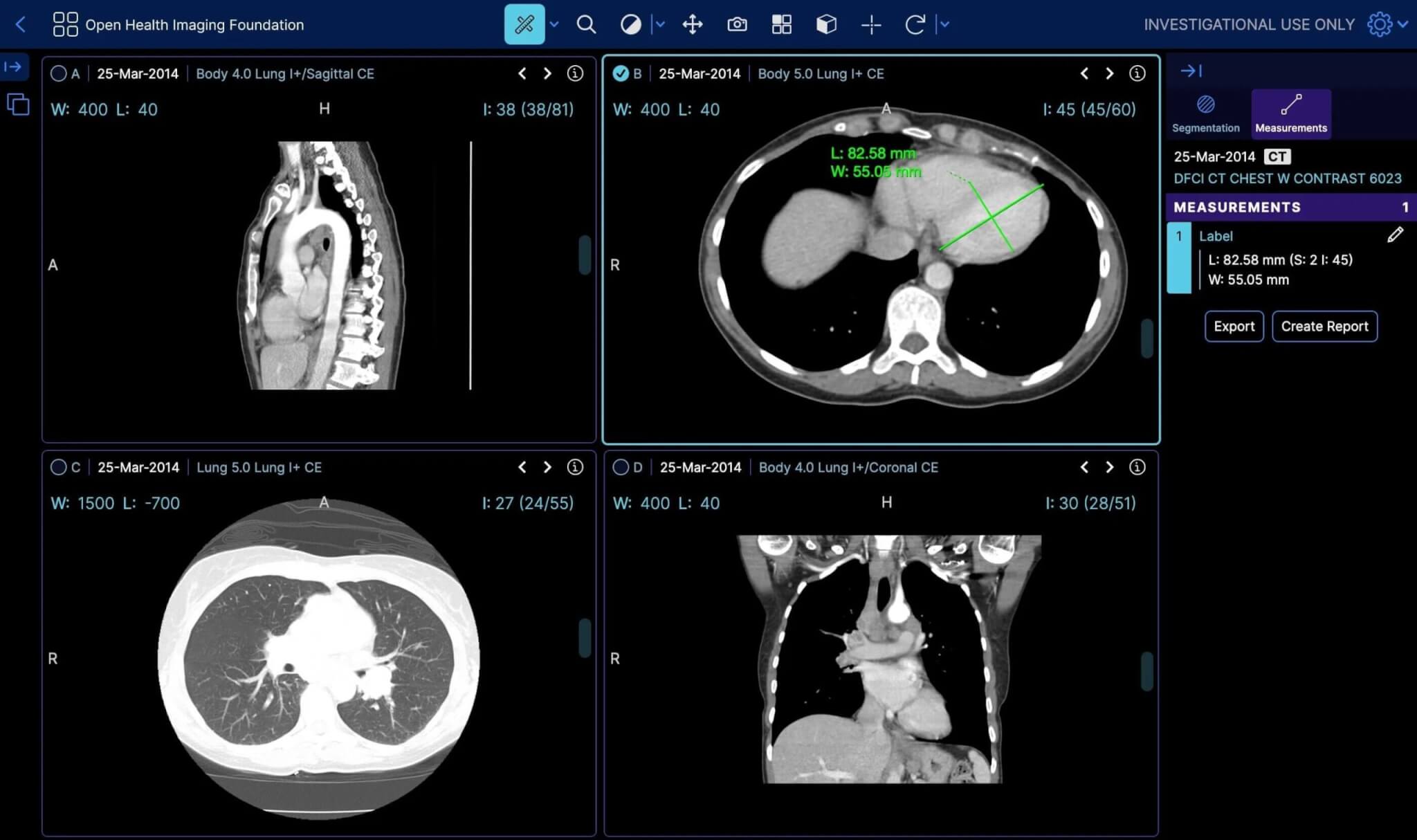
1. OHIF

The OHIF viewer is a high-performance, web-based app designed for radiology workflows, enhancing the user experience through its customizable, extensible framework. It’s a performance-focused tool that supports advanced visualizations, including multimodal image fusion and multiplanar reformatting. Experience fast processing with GPU-accelerated rendering and multi-threaded decoding. Access cases instantly from any modern browser, thanks to its DICOM web application architecture and user-centered design that prioritizes usability. As a free, open-source platform, OHIF thrives on community collaboration and offers reusable React components for tailored workflows. You can check the OHIF GitHub page here. It supports creating custom workflows through a plugin framework and ensures seamless integration with image archives via standard APIs like DICOMWeb and OpenID Connect a wider range of medical needs.
2. DICOM Web Viewer

Rating (4.2/5) from Google
Dicomweb viewer offers basic image manipulation and is accessible from any internet-enabled device. It requires some technical know-how but provides ample support through videos and guides.

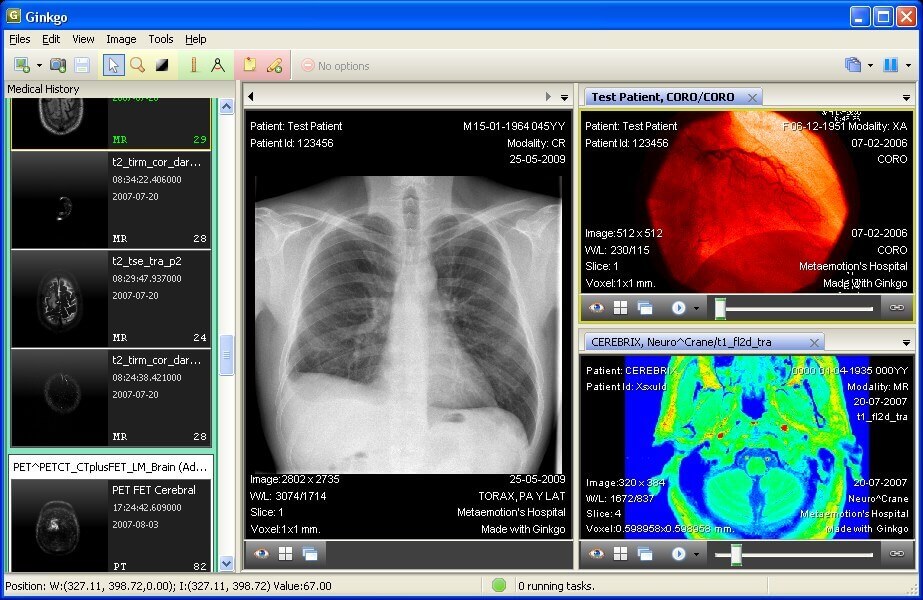
3. Gingko CADx

Rating (4/5) from Softpedia
Gingko CADx is compatible with multiple operating systems and supports standard DICOM tools. Its Pro version includes more advanced features, catering to a wider range of medical needs. The Gingko app deserves special mention for its compatibility with Windows, macOS, and Linux.
Mobile & Specialty DICOM Viewers (Android, iPad, Specialty Use)
1. Opal Viewer Lite

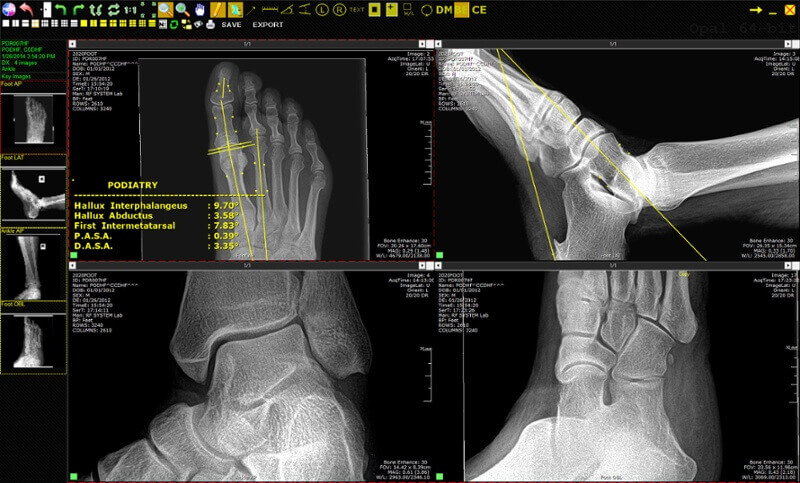
Opal-RAD Software transforms x-ray imaging with its efficient Opal viewer download, offering a user-friendly interface and powerful imaging tools. This scalable PACS solution, perfect for Opal viewer for Mac and other systems, enhances digital image management and archiving. With worldwide access, customizable views, and multi-monitor support, including 4k, it streamlines workflows at an affordable cost. The web-based platform and mobile version ensure easy access to patient studies and advanced imaging features, making it an indispensable tool for medical professionals seeking efficiency and high-quality imaging solutions.
2. Exocad Viewer

Rating (4.9/5) from Softpedia
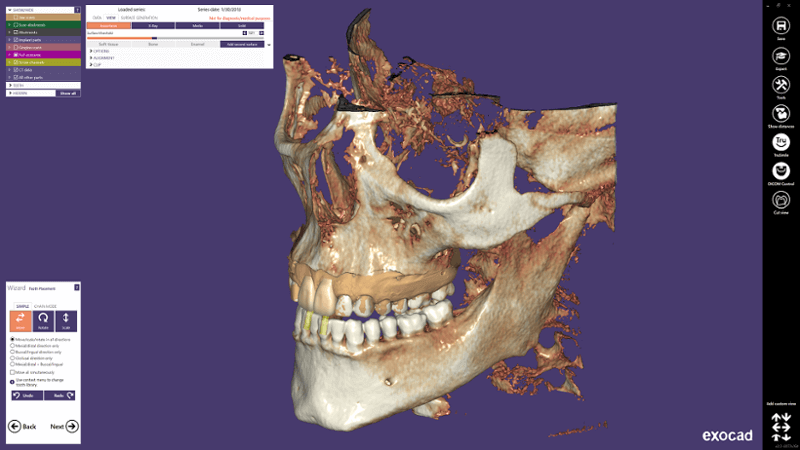
Exocad Dental CAD platform features an optional DICOM Viewer*, enabling the visualization of voxel CT data during dental restoration design. Experience rapid processing of large CBCT files, thanks to advanced data handling algorithms and fast graphics rendering. This DICOM Viewer sets the standard for quick DICOM loading and viewing. *Note: The DICOM Viewer is intended for design purposes, not for diagnostic/medical use.
3. DICOM Web Viewer
Rating (4.2/5) from Google
Dicomweb viewer offers basic image manipulation and is accessible from any internet-enabled device. It requires some technical know-how but provides ample support through videos and guides.
General DICOM Viewers
1. Onis Viewer

Rating (4.2/5) from Softpedia
The Onis 2.5 free edition is aimed at non-professionals and offers advanced features like MPR and MIP. It’s limited to a small patient database but allows exporting images and annotations. Alternatively, Onis Solutions launched Onis 3, which is available for purchase.
2. Pro Surgical 3D

Rating (5/5) on Facebook:
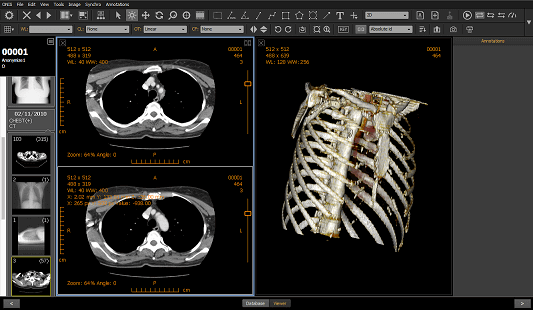
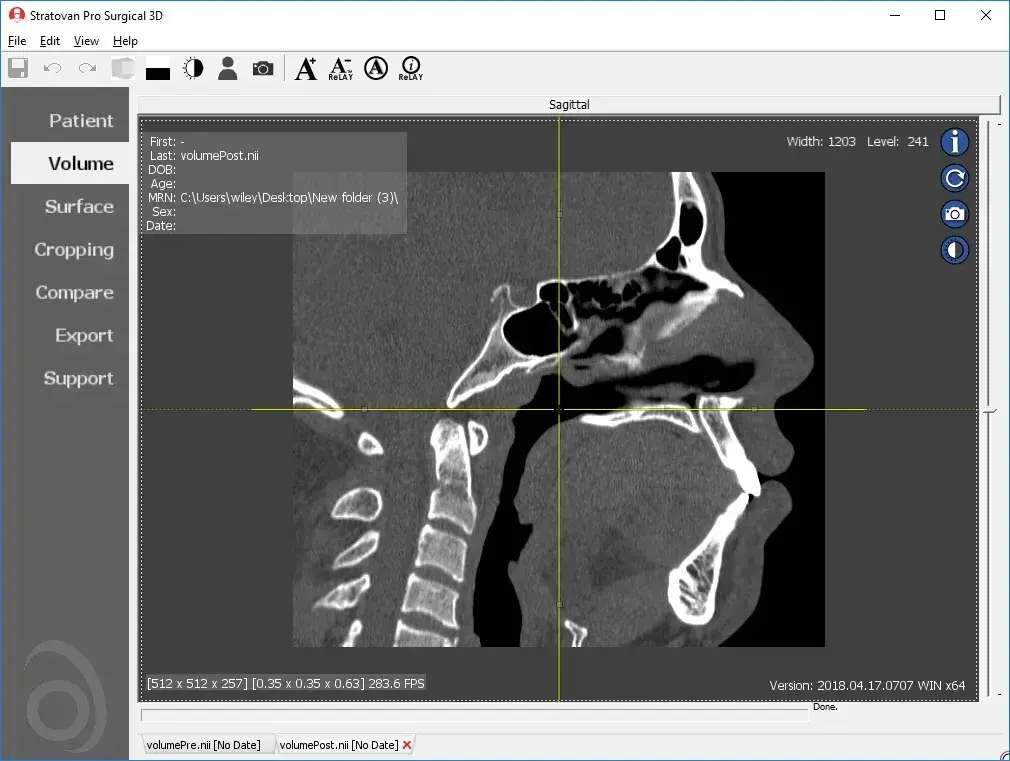
Pro Surgical 3D by Stratovan, targeted at surgeons, excels in surgical planning with high-quality 3D reconstruction. Its ability to anonymize patient details makes it suitable for research and presentations. Although it demands significant disk space and a modern Windows OS, its integrated support and access to a comprehensive image library make it a valuable tool.
3. 3 DimViewer

Rating (5/5) from SourceForge
Ideal for beginners, 3Dim Viewer is a lightweight application supporting multiple operating systems. 3 Dim Dicom viewer offers multiplanar views and volume rendering but lacks image editing and exporting capabilities. The 3D DICOM viewer capability stands out, allowing detailed visualization and analysis of complex anatomical structures in three dimensions, enhancing diagnostic accuracy and educational value.

4. Escape EMV

Rating (3.3/5) from Softpedia
A lightweight application, Escape EMV is suitable for basic DICOM image viewing. Escapetech offers anonymizing and exporting features but is limited in advanced functionality. Escape EMV is multilingual and offers a free trial with a license fee for commercial use.
5. JiveX DICOM Viewer

Rating (4/5) from Softpedia
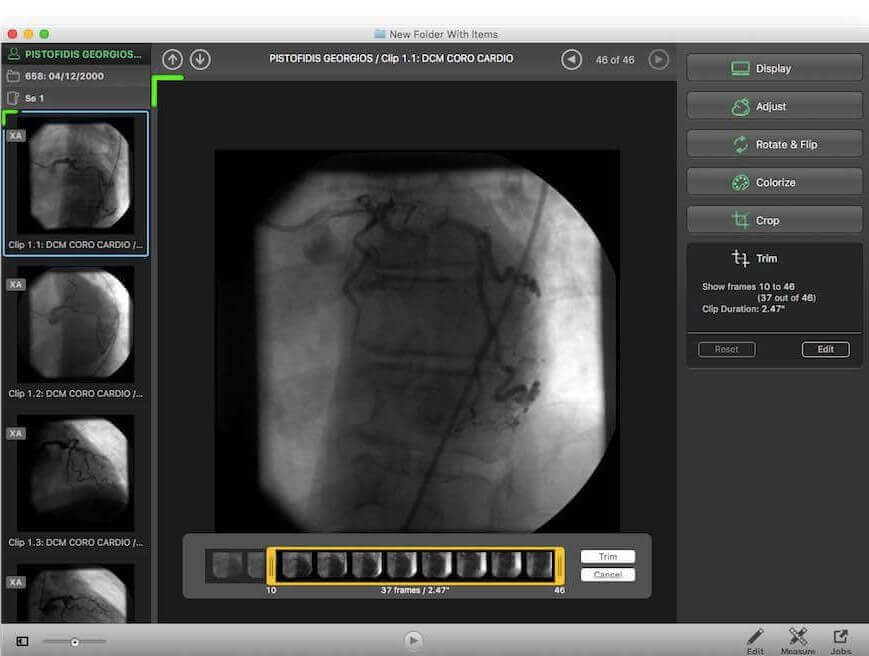
JiveX is mainly for educational and research activities. It supports various medical data types but lacks advanced image manipulation in its free version. It’s perfect for improving workflow in a learning environment.
6. IQ-View PRO

Rating (4.2/5) from Informer Technologies
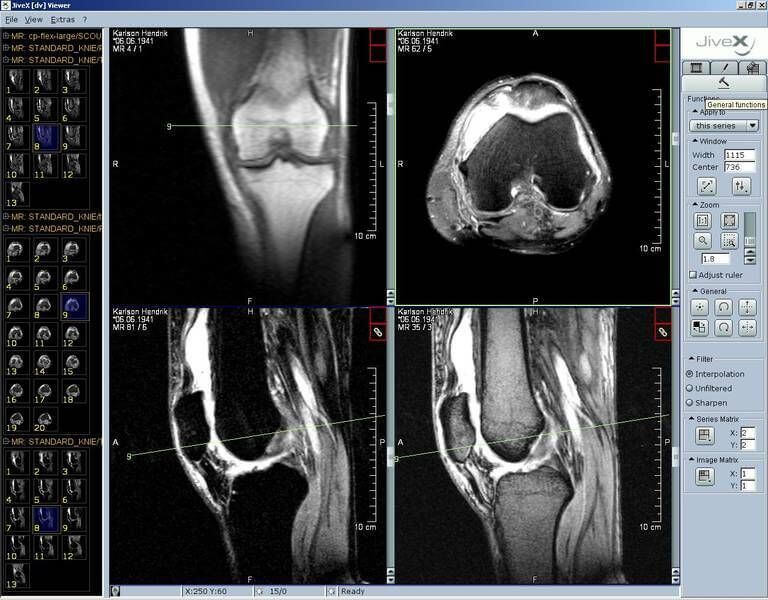
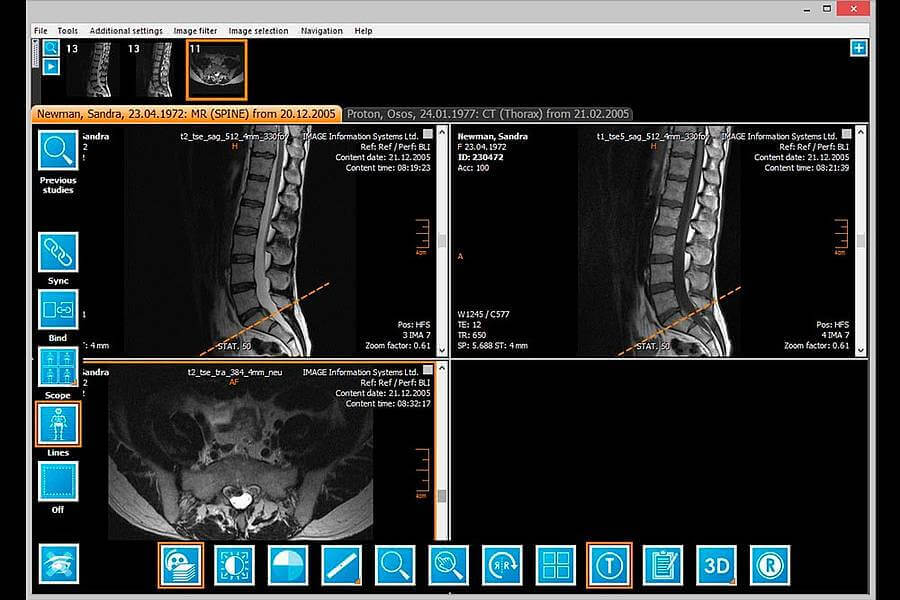
iQ-VIEW/PRO stands out for its simplicity and comprehensive features, making it ideal for physicians reading medical images. It boasts easy access to imaging tools and customizable toolbars for efficiency. Users can import images from various sources or export them for sharing, including via email or on portable media. Additionally, iQVIEW includes a basic reporting module for creating and managing reports. Its Study Browser organizes data neatly, and the software automatically loads relevant previous studies for comparison. Video iQ VIEW integrates seamlessly with RIS, EMR, or HIS systems and offers add-ons for 3D processing, dictation, stitching, and image capture from multiple sources.
FAQ
What is the best DICOM viewer?
The best DICOM viewer depends on the use case. For browser-based viewing without installation, Medicai’s free online DICOM viewer supports drag-and-drop in any modern browser. For Windows desktops, RadiAnt and MicroDicom are widely used. For Mac, Horos and OsiriX are popular, and Weasis works across Windows, macOS, and Linux. For diagnostic reading, use only a viewer cleared by the FDA (US) or CE marked under the EU MDR for that purpose.
What is the best free DICOM viewer?
Widely used free DICOM viewers include MicroDicom (Windows), Horos and OsiriX Lite (Mac), Weasis (Windows, macOS, and Linux), and 3D Slicer for research. For free browser-based viewing, Medicai’s online DICOM viewer runs in any modern browser with no installation. Free viewers are generally not cleared for diagnosis, so check before clinical use.
Are free DICOM viewers FDA-approved?
Most free DICOM viewers are NOT FDA cleared for diagnostic use. RadiAnt’s free tier, MicroDicom, Horos, and OsiriX Lite are intended for research, education, or personal review only. FDA 510(k) clearance applies to specific commercial versions (OsiriX MD, licensed RadiAnt, Medicai DICOM Viewer). Always verify clearance status before using a viewer for patient diagnosis.
What’s the best DICOM viewer for Mac?
Horos is the most popular free DICOM viewer for Mac — it’s an OsiriX fork maintained as open source. OsiriX MD is the FDA-cleared commercial option. Aliza Medical Imaging Software runs natively on Mac. For browser-based viewing without installation, Medicai’s free online DICOM viewer runs in Safari, Chrome, and Firefox on macOS.
What’s the best DICOM viewer for Windows?
RadiAnt DICOM Viewer and MicroDicom are the most widely used free DICOM viewers for Windows. RadiAnt offers a freemium model with both free and licensed versions; MicroDicom is fully free. Onis Free Edition and Sante DICOM Viewer Free are additional Windows options. For browser-based viewing, web viewers like Medicai’s free tool work in Windows browsers without installation.
Can I view DICOM files in a web browser without installing software?
Yes. Web-based DICOM viewers run entirely in the browser using HTML5 and JavaScript. Medicai’s free online DICOM viewer, IMAIOS DICOM Viewer, PostDICOM, and MedDream are examples. Most accept drag-and-drop DICOM files and require no signup or download. Browser-based viewers fit casual review, patient sharing, and second-opinion workflows, with diagnostic-cleared options available for clinical use.
What’s the difference between a DICOM viewer and PACS?
A DICOM viewer is software that opens and displays medical images. PACS (Picture Archiving and Communication System) is the broader infrastructure that stores, retrieves, indexes, and distributes images across an entire hospital or imaging center. PACS includes a DICOM viewer, archive, integration with EHR systems, and workflow management. A standalone DICOM viewer is what you use to view a single set of images.
How do I choose a DICOM viewer for clinical use?
For clinical diagnostic use, choose a viewer with current FDA 510(k) clearance (US) or CE Class IIa marking (EU). Verify the availability of a HIPAA BAA and the SOC 2 audit status for security compliance. Confirm support for your specific modalities (CT, MRI, mammography, etc.) and integration with your PACS or EHR. Trial the viewer with representative studies before committing to a license.

Related Articles
Lets get in touch!
Learn more about how Medicai can help you strengthen your practice and improve your patients’ experience. Ready to start your Journey?
Book A Free Demo