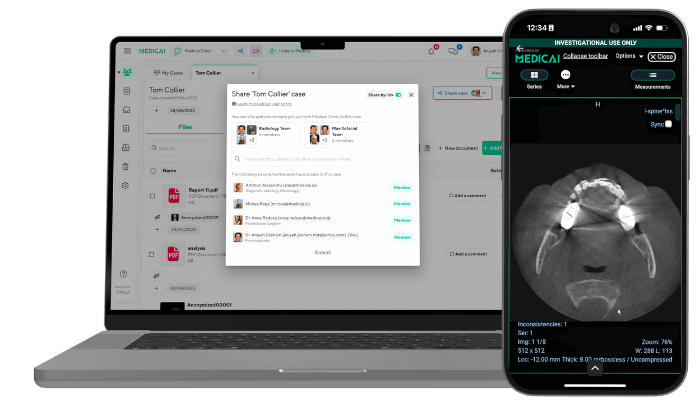
DICOM Web Viewer: How Zero-Footprint Browser-Based Viewing Works
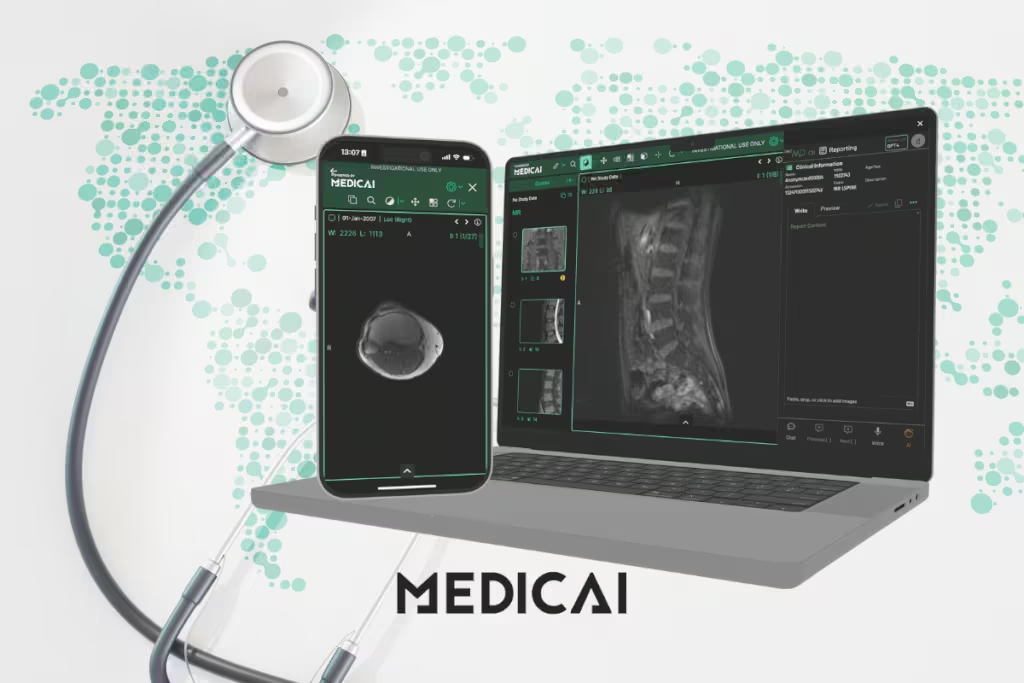
A DICOM web viewer is a browser-based tool that opens, displays, and shares medical imaging studies (CT, MRI, X-ray, ultrasound, and other DICOM files) directly in a web browser, with no software installation required. Because it runs entirely in the browser and installs nothing on the local machine, a DICOM web viewer is also called a zero-footprint viewer; the two terms refer to the same thing.
It removes the workstation dependency of traditional desktop viewers, making imaging faster to access, easier to share, and simpler to scale across hospitals, clinics, and research environments. This guide covers what a DICOM web viewer is, how zero-footprint browser-based viewing works, the essential features to evaluate, the pros and cons compared with desktop viewers, and the best free options.

What is a DICOM Web Viewer?
A DICOM Web Viewer is a browser-based application that lets users open, view, and interact with images without installing heavy desktop software. Instead of requiring dedicated workstations, radiologists can access imaging studies directly through a secure web browser, whether on a hospital desktop or a home laptop.
The DICOM standard is the universal format for storing and sharing medical images. It standardizes images and metadata, including patient details, across devices, ensuring consistency and reducing errors in radiology workflows.
For radiologists, this shift means greater accessibility and mobility. They can review studies, collaborate with peers, and provide second opinions remotely with the same confidence as in a reading room.
Web viewers use DICOMweb APIs (such as WADO, QIDO, and STOW) to make it easier to connect imaging data to PACS, EHRs, or custom healthcare applications.
DICOMweb APIs inside a DICOM web viewer
DICOM web viewer workflows run on DICOMweb, the DICOM Standard for web-based medical imaging. DICOMweb uses REST services over HTTP, so a DICOM web viewer can search, fetch, and store studies in the same browser session.
A DICOM web viewer usually relies on three DICOMweb services.
- QIDO-RS, search service, study, series, and instance discovery by metadata like modality, date range, accession, or patient ID.
- WADO-RS, retrieve service, pixel data, and metadata retrieval for a study, series, or instance, streamed to the browser for viewing.
- STOW-RS, store service, DICOM instance upload back to a server, common in capture, import, and certain AI or research workflows.
A DICOMweb viewer typically connects to a DICOMweb-enabled PACS, VNA, or imaging gateway, allowing clinicians to open priors, share study links, and collaborate without moving files. DICOMweb focuses on web services; security controls live in other DICOM security guidance, so a DICOM web viewer still needs explicit access control and auditing.
Traditional vs Web-Based DICOM Viewers
Traditional DICOM viewers required heavy desktop installations, local hardware, and limited access, slowing collaboration and scalability. Web-based viewers, by contrast, run directly in browsers, similar to how you open HTML documents online, enabling anytime, anywhere access, seamless sharing, automatic updates, and open-standard integration.
This shift modernizes imaging workflows with greater flexibility, speed, and interoperability across healthcare systems.
The web-based category runs entirely in the browser because the software leaves no footprint on the local machine: nothing is installed, and the viewer runs entirely in the browser. The comparison below applies to any zero-footprint web viewer.
| Feature | Traditional Viewer | Web-Based Viewer |
|---|---|---|
| Access | Requires workstation installation | Accessible via any web browser |
| Mobility | Limited to hospital or clinic | Anywhere, anytime, any device |
| Collaboration | Slow (CDs, secure transfers) | Instant, real-time sharing |
| Updates | Manual, time-consuming | Automatic via cloud |
| Scalability | Hardware-dependent, limited | Cloud-native, easily scalable |
| Integration | Often proprietary | Open standards (DICOMweb APIs) |
Essential Features of DICOM Web Viewers
A DICOM web viewer is only as valuable as the features it offers in daily clinical use. Below are the essential features of a DICOM Viewer that define a reliable, professional-grade viewer.

Multi-modality support
Radiology rarely involves just one type of scan. A modern viewer must support a wide range of modalities, including CT, MRI, PET, and ultrasound.
Multi-modality support ensures radiologists can compare studies side by side, correlate findings, and provide more comprehensive interpretations. It also removes the need to switch between separate platforms.
Zero-footprint operation.
The defining feature of a DICOM web viewer is that it installs nothing on the local machine. The viewer runs entirely in the browser, which means no workstation setup, no software updates to manage, no operating system version dependency, and no compatibility concerns across Windows, macOS, and Linux. Check our latest guide on the DICOM viewer for Windows.
This zero-footprint property is what makes web viewers faster to deploy and easier to maintain than desktop alternatives.
Advanced visualization
Medical images are more than static snapshots.
Cine loops help radiologists analyze motion, such as cardiac cycles or fetal development. Multiplanar reconstruction (MPR) allows cross-sectional viewing from different angles, while 3D rendering brings complex structures, such as vasculature or tumors, to life.
These tools enhance diagnostic accuracy and help communicate findings more clearly to clinicians and patients.
Measurements, annotations, and reporting
Precise measurement tools are essential for tasks such as tracking tumor growth or assessing organ size. Annotations add clarity, especially when collaborating with colleagues or teaching residents.
Many web viewers from platforms like Medicai now support structured reporting features, allowing findings to be embedded directly into standardized templates. It speeds up reporting and reduces errors.
Seamless system integration
Radiologists work within a larger digital ecosystem that includes PACS, RIS, and EHR systems. A viewer must integrate seamlessly with these platforms to streamline workflows.
Features such as single sign-on, direct access from worklists, and automated report uploads ensure that images and interpretations flow seamlessly across systems without manual steps.
Security and compliance
Medical imaging deals with sensitive patient information, making security non-negotiable. Compliance with HIPAA in the U.S. and GDPR in the European Union is critical.
Web viewers must include encryption, audit trails, and anonymization features to protect data. Secure cloud storage and controlled access settings also provide peace of mind when images are shared outside the hospital network.
Security controls to verify in a DICOM web viewer
DICOM web viewer security lives or dies on concrete controls, not on a “HIPAA and GDPR compliant” sentence. A DICOM web viewer needs transport security, identity controls, access scoping, and audit evidence that a compliance team can verify.
A simple checklist for a DICOM web viewer review.
- TLS in transit; HTTPS enforced; TLS 1.2 or later; modern cipher support.
- Encryption at rest, managed keys, documented rotation process.
- Authentication, SSO support via SAML or OIDC, MFA for privileged roles.
- Authorization, role-based access control, least-privilege defaults, study-level and project-level sharing rules.
- Audit trails, user identity, patient or study reference, timestamp, action type, exportable logs, syslog-forwarding support in enterprise deployments.
- De-identification, DICOM tag anonymization, and pixel de-identification options for use in teaching or research.
- Secure sharing, expiring links, access revocation, and watermarking options for external sharing workflows.
- Session controls, idle timeout, device access policy, and admin controls for account lifecycle.
One vendor-question set keeps this practical.
- Audit log retention period, default and configurable.
- External sharing policy, link expiry, and access revocation behavior.
- DICOMweb endpoint protection, auth model, rate limiting, and brute-force defense.
Pros & Cons of Web-Based Viewers
Shifting from traditional desktop viewers to web-based platforms introduces clear strengths and challenges. A side-by-side view helps weigh the trade-offs effectively.
Pros
- Device independence: Accessible from any browser on desktops, laptops, tablets, or mobile devices without heavy installations.
- Remote access: Enables secure viewing of studies from anywhere, reducing reporting delays and supporting tele-radiology.
- Improved collaboration: Real-time sharing of images with colleagues or external specialists without CDs or file transfers.
- Reduced IT overhead: Automatic updates, centralized management, and cloud hosting cut down maintenance costs and workload.
- Flexibility in workflows: Supports modern healthcare demands, enabling seamless integration for clinicians, researchers, and IT teams.
Cons
- Browser performance limits: Large datasets and high-resolution 3D rendering can be demanding, especially on older hardware.
- Internet dependency: Requires stable connectivity; bandwidth issues or outages can disrupt workflows.
- Security concerns: Despite HIPAA and GDPR compliance, transmitting sensitive imaging data over the internet carries risks without strong encryption and access controls.
- Feature gaps: Some advanced tools available in desktop viewers may not yet be fully replicated in web-based solutions.
DICOM web viewer use cases that justify the switch
DICOM web viewer value shows up fastest in workflows that involve distance, multiple stakeholders, or frequent sharing. A DICOM web viewer reduces time spent exporting, importing, and re-explaining context.
Common DICOM web viewer use cases.
- Teleradiology reads, secure access to worklists and priors outside the reading room.
- Tumor board review, one shared view for radiology, oncology, surgery, and pathology, fewer screenshots in slide decks.
- Second opinions and referrals, controlled sharing without burning CDs or shipping drives.
- Multi-site imaging networks, standardized viewer experience across hospitals and outpatient centers.
- Teaching and training, de-identified cases accessed in a browser for residents and fellows.
- Research cohorts, controlled access to imaging datasets, plus metadata search for cohort building.
A DICOM web viewer becomes a workflow tool when it supports priors, annotations, and share links in the same session, not just “open a file in a tab”.
5 Free DICOM Web Viewers Compared
Medicai publishes this guide and makes the first viewer below. Each viewer’s license, limits, and regulatory status are sourced from its developer’s site, as of October 2026. None of the free viewers here are cleared for primary diagnosis. Several free DICOM web viewers have become powerful enough to support clinical, research, and educational needs.
Medicai
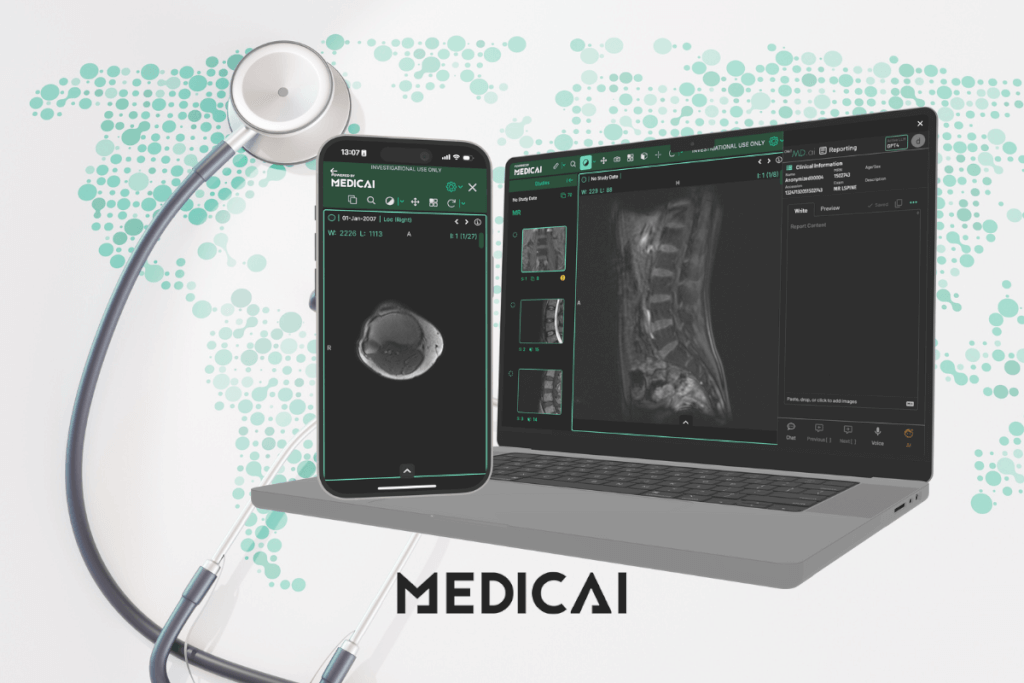
Medicai is a cloud platform that combines a zero-footprint DICOM viewer, cloud PACS storage, and collaboration tools, plus a free online viewer for opening files without an account. Designed to fit modern healthcare workflows, it offers speed, flexibility, and compliance out of the box.
Features
- Cloud-native DICOM viewer with integrated PACS
- Real-time collaboration and secure sharing
- TLS encryption in transit, role-based permissions, and audit logs of study access
- Radiology AI Co-Pilot to help draft radiology reports
- Browser-based with multi-modality support (CT, MRI, PET, US)
Best For
Clinics, hospitals, and tele-radiology groups need a secure, cloud-first solution with scalability.
Pros
- Accessible from any device with a browser
- Built-in AI support reduces manual workload
- Smooth integration with PACS, RIS, and EHR
- Free online viewer for quick, no-account viewing (research and educational use only) available, with enterprise upgrades
Cons
- The full platform, including the Radiology AI Co-Pilot, is paid after a 14-day trial
- Requires consistent internet connectivity
OHIF Viewer
OHIF Viewer is one of the most popular open-source options, trusted by researchers and developers worldwide. Its flexibility makes it a favorite for custom imaging solutions and integration projects.
Features
- 100% open-source, built on React and cornerstone.js
- Supports DICOMweb APIs (QIDO, WADO, STOW)
- Modular design for plugins and extensions
- Advanced visualization: MPR, annotations, measurements
- Strong developer documentation
Best For
Research institutions, developers, or hospitals that need customizable integration.
Pros
- Fully customizable for unique workflows
- Strong community support and active development
- Lightweight, runs smoothly in modern browsers
Cons
- Requires developer expertise for advanced customization
- Limited official customer support (open-source model)

Weasis
Weasis has a long track record in clinical imaging and is widely used across hospitals and universities. Its modular approach and PACS integration make it reliable for both daily reporting and teaching. Strictly speaking, Weasis is a desktop app that installs on Windows, macOS, or Linux rather than running in a browser; it is included here because it is free, open-source, and connects to PACS servers.
Features
- Cross-platform viewer (desktop + web deployment)
- Strong PACS and hospital workflow integration
- Advanced visualization: MPR, 3D rendering, cine loops
- Structured reporting and annotation support
- Modular architecture for scalability
Best For
Radiology departments, teaching hospitals, and institutions with existing PACS infrastructure.
Pros
- Reliable in clinical environments
- Supports a wide range of imaging modalities
- Flexible deployment (standalone or web-enabled)
Cons
- Interface may feel dated compared to newer tools
- Requires technical setup for web deployment
DWV (DICOM Web Viewer)
DWV is an open-source, zero-footprint DICOM web viewer built with JavaScript and HTML5, so it runs directly in modern browsers. DWV is suitable for teams that want a lightweight web viewer UI or for developers who need a base viewer to embed in a portal. It is an open-source JavaScript library released under the GPL-3.0 license, and its developer states that it is not certified for diagnostic use.
Features
- Zero-footprint browser viewer, JavaScript, and HTML5 stack.
- Core viewing tools: window level, zoom, pan, basic measurements.
- DICOM tag inspection, useful for QA and debugging workflows.
- Embeddable architecture, good fit for custom portals and research apps.
Best For
Developers, research groups, and lightweight clinical sharing workflows that need a true DICOM web viewer footprint.
Pros
- Fast setup for web deployment.
- Works across devices through the browser.
- Good starting point for custom viewer builds
Cons
- Advanced clinical tooling depends on how you extend and integrate it.
- Enterprise security controls depend on the surrounding platform, not the viewer UI alone.
IMAIOS DICOM Viewer
IMAIOS DICOM Viewer (IDV) is a free browser viewer from the medical imaging education company IMAIOS, with companion apps for Android and iOS. It needs no installation or account, and IMAIOS says your files are not uploaded to its network: your computer does the processing.
Features
- Open-source DICOM viewer built for macOS (desktop install, not browser-based)
- Supports 3D rendering, MPR, annotations, and cine
- Extensible with plugins and integrations
- Historically strong community of academic users and developers
Best For
Students, educators, and patients viewing their own scans.
Pros
- Free for personal and non-commercial use
- Nothing to install
- Files stay on your computer
Cons
- Not for clinical use
- IMAIOS states that IDV is not a medical device
- Is not CE or FDA approved
If you want a desktop app on a Mac, Horos is free and open source and supports Apple Silicon; see our guide to the DICOM viewer for Mac.
How to Choose the Right DICOM Viewer
Choosing the right DICOM web viewer requires balancing usability, compliance, and technical capabilities.
- Diagnostic accuracy: The viewer should support advanced visualization tools such as MPR, 3D rendering, and cine loops to ensure accurate interpretation of studies.
- Regulatory compliance: Verify that the platform meets data protection standards, such as HIPAA or GDPR, and, if used for clinical work, holds the appropriate approvals for diagnostic use.
- Workflow integration: Seamless connectivity with PACS, RIS, and EHR systems is essential. Features such as single sign-on, structured reporting, and automated uploads streamline daily tasks.
- Collaboration and sharing: Look for secure sharing options, annotation tools, and multi-user access to support second opinions, team reviews, or educational use.
- Flexibility and scalability: A good viewer should adapt to environments ranging from small practices to large hospital networks. Cloud-native or modular solutions typically scale more easily.
- Interoperability: Support for DICOMweb APIs (WADO, QIDO, STOW) ensures the viewer can connect with existing systems and future digital health applications.
- Performance: Evaluate how the viewer handles large datasets, high-resolution images, and multi-modality studies without lag.
- Security features, including end-to-end encryption, role-based access, and anonymization tools, are critical for protecting patient data.
- Pilot first: Always run a pilot project before full deployment. Testing in real workflows provides valuable feedback on usability, performance, and integration, helping you avoid costly mistakes.
Frequently Asked Questions
What is a DICOM web viewer?
A DICOM web viewer is a browser-based tool that opens, displays, and shares medical imaging studies (CT, MRI, X-ray, ultrasound, and other DICOM files) directly in a web browser, with no software installation required. It runs entirely in the browser. It removes the workstation dependency of desktop viewers, making imaging faster to access and easier to share across hospitals, clinics, and research environments.
What is a zero-footprint DICOM viewer?
A zero-footprint DICOM viewer is the same thing as a browser-based or web-based DICOM viewer. The term ‘zero-footprint’ means the software leaves no footprint on the local machine: nothing is installed, no workstation setup is required, and the viewer runs entirely in the web browser. The property makes zero-footprint viewers faster to deploy and easier to maintain than desktop viewers that require installation and updates.
Is a web-based DICOM viewer HIPAA compliant?
A web-based DICOM viewer can be HIPAA compliant when it implements the required safeguards: encryption in transit and at rest, audit logging, role-based access controls, and Business Associate Agreement coverage. Some browser-based viewers also process files locally, so images never leave the device for basic viewing, further protecting privacy. Buyers should verify the specific compliance posture of any viewer used for Protected Health Information rather than assuming it.
What is the difference between a web-based and a desktop DICOM viewer?
A desktop DICOM viewer is software installed on a specific workstation that requires a compatible operating system, local resources, and manual updates. A web-based (zero-footprint) DICOM viewer runs in the browser with no installation required, works identically across Windows, macOS, and Linux, and updates automatically in the cloud. Desktop viewers can offer deep features and offline access; web viewers offer accessibility, easier collaboration, and lower IT overhead.
Can I view CT and MRI scans in a web browser?
Yes. A DICOM web viewer opens CT, MRI, X-ray, ultrasound, and other DICOM studies directly in the browser. CT and MRI are multi-slice studies, and web viewers support scrolling through slices, adjusting window and level, multiplanar reconstruction, and measurement tools. For a single study received on CD or downloaded, a browser-based viewer is typically the fastest way to view CT or MRI scans without installing software.
What is the best free DICOM web viewer?
It depends on what you need. To open a few files without an account, use a free browser viewer such as the Medicai free online DICOM viewer or IMAIOS DICOM Viewer; both process files on your computer. To build a web viewer into your own platform, OHIF (MIT license) and DWV (GPL-3.0) are open source. None of these is cleared for primary diagnosis, so clinical reading needs a cleared viewer; our guide to the best DICOM viewers lists FDA-cleared options with their 510(k) numbers.
Conclusion
DICOM web viewers are reshaping medical imaging by making it more accessible, collaborative, and efficient. From cloud-native platforms to open-source tools, these solutions fit a wide range of needs.
Medicai distinguishes itself through its secure cloud PACS, secure sharing, an AI reporting assistant, and smooth integration into clinical workflows. It effectively connects accessibility with compliance, ensuring that imaging is both smarter and safer.


Related Articles


Lets get in touch!
Learn more about how Medicai can help you strengthen your practice and improve your patients’ experience. Ready to start your Journey?
Book A Free Demo