HL7 Message Types in Radiology: A Reference for PACS Administrators and IT Leaders

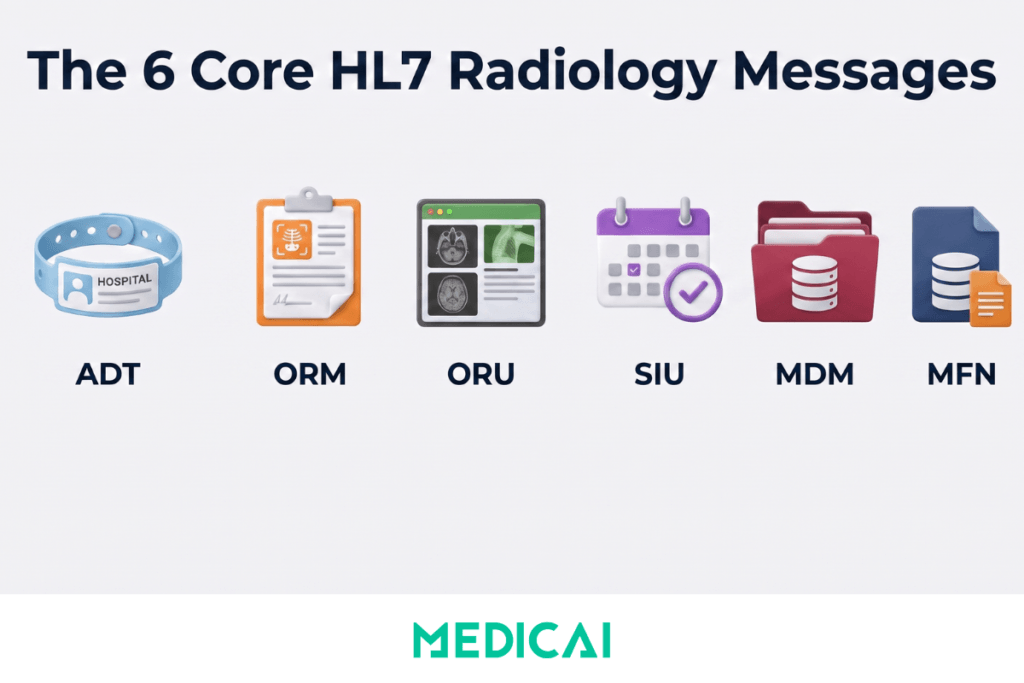
HL7 message types are the standardized message formats defined by Health Level Seven International for exchanging clinical and administrative data between healthcare information systems. In radiology, six HL7 V2 message types carry the operational workflow between the EHR, HIS, RIS, PACS, and imaging modalities: ADT (Admit, Discharge, Transfer) for patient registration and demographics, ORM (Order Management) for imaging orders, ORU (Observation Result) for radiology report delivery, MDM (Medical Document Management) for document lifecycle events, SIU (Scheduling Information Unsolicited) for appointment scheduling, and MFN (Master File Notification) for reference data synchronisation.
Every imaging order that reaches your PACS, every report that reaches the referring physician’s EHR, and every patient identity update that propagates across the imaging enterprise moves through one or more of these six message types.
Understanding these message types is not optional knowledge for PACS administrators, radiology IT directors, or IT leaders evaluating cloud PACS procurement. When HL7 integration fails, the failure almost always maps to a specific message type behaving incorrectly: an ADT^A08 that never reaches the PACS produces stale patient demographics, an ORM^O01 with a missing accession number produces an orphan study, an ORU^R01 that fails to deliver produces a stuck report. Modern PACS procurement conversations quickly turn to HL7 conformance questions, and IT leaders who cannot articulate the specific message-type requirements their environment demands end up on evaluation calls where vendors set the terms of the discussion.
This guide covers each of the six radiology HL7 V2 message types in operational detail: message structure and event codes, role in the imaging workflow, common failure modes, and the specific conformance criteria PACS administrators and IT buyers should verify during procurement or migration. It assumes familiarity with HL7 at the fundamentals level covered in the Medicai HL7 introduction post and complements the RIS-PACS integration guide covering the RIS-to-PACS message flow specifically, the HL7 FHIR vs V2 comparison covering the architectural migration from message-based to API-based integration, and the HL7 vs DICOM standards comparison covering the interoperability between messaging and imaging standards.
The Six HL7 V2 Message Types in Radiology Workflows
Every HL7 V2 message follows the same structural pattern: a Message Header (MSH) segment identifies the sending and receiving systems, the message type, and the message control ID, followed by additional segments carrying the clinical or administrative payload. The message type is expressed as a three-character type code (ADT, ORM, ORU, MDM, SIU, MFN) combined with a trigger event code (A01, O01, R01, and so on) that specifies the exact business event the message represents. A single message type, like ADT, covers dozens of trigger events; understanding which events matter in radiology and which your PACS must handle is where the operational depth lies.
The six message types below are the operational core of HL7 V2 in radiology. Each has a specific role in the imaging workflow, a specific set of trigger events radiology systems must handle, a specific failure mode when the message misbehaves, and a specific set of conformance criteria PACS procurement conversations should address.
ADT Messages: Patient Registration and Demographics
ADT (Admit, Discharge, Transfer) messages carry patient identity and demographics information. They originate in the Hospital Information System or EHR when a patient is registered, updated, merged, or moved between locations, and they propagate to every downstream system that needs to know about the patient. In the imaging workflow, ADT is the message type that establishes the patient identity anchor for all subsequent orders, images, and reports.
Trigger Events Radiology Systems Must Handle
HL7 defines dozens of ADT trigger events, but radiology systems typically consume a specific subset. The most operationally significant events for PACS integration include ADT^A01 (patient admission), ADT^A03 (patient discharge), ADT^A04 (patient registration for outpatient encounter), ADT^A08 (patient information update), ADT^A28 (add person or patient information), ADT^A31 (update person information), ADT^A34 (patient merge), and ADT^A40 (patient identifier merge). Of these, A08 and A31 (patient updates) are the most common in daily operations, followed by A04 (outpatient registration), which drives most scheduled imaging encounters.
ADT Segment Structure in Radiology Context
A radiology-relevant ADT message contains, at a minimum, the MSH (Message Header), EVN (Event Type), PID (Patient Identification), and PV1 (Patient Visit) segments. The PID segment carries the patient’s Medical Record Number in PID-3, patient name in PID-5, date of birth in PID-7, and other demographics that must match exactly across the enterprise for patient identity reconciliation to succeed. The PV1 segment carries visit-specific information including patient class (inpatient, outpatient, emergency), assigned patient location, and attending physician.
What Breaks When ADT Integration Fails
ADT failures produce three characteristic problems in the imaging workflow. Split patient records occur when an ADT^A08 update reaches some systems but not others, leaving the PACS with stale demographics while the EHR shows current information. Phantom patient records occur when an ADT^A28 (add person) creates a duplicate patient in PACS because the incoming MRN does not match an existing patient record due to formatting differences or leading-zero handling. Orphan imaging studies occur when an ADT message that should have preceded the imaging order arrives late or not at all, producing studies that arrive at the PACS with no matching patient identity to link them to.
Evaluation Criteria for PACS Procurement
When evaluating a PACS for ADT integration, IT leaders should verify support for at minimum A04, A08, A28, A31, A34, and A40 events. The A34 and A40 merge events are particularly important because patient merges are inevitable in any healthcare environment, and PACS behavior during merges determines whether the imaging archive remains coherent after the merge. The PACS should also demonstrate consistent behavior with partial updates (A08 messages with only demographic changes, no visit context) and gracefully handle non-standard segments, rather than rejecting the entire message when a Z-segment appears.
ORM Messages: Imaging Order Management
ORM (Order Management) messages carry the imaging order from the ordering system (EHR or CPOE) to the RIS and PACS. The order specifies which imaging study to perform, on which patient, with which clinical indication, at which facility. In radiology, ORM^O01 is the dominant trigger event, though ORM^O02 (order response) and ORM^O03 through ORM^O05 also appear in specific scenarios. The ORM message initiates the entire imaging workflow: without a valid ORM, the modality has no worklist entry, the technologist has no acquisition context, and the study cannot be scheduled or performed.
ORM Segment Structure
A typical radiology ORM^O01 message contains MSH, PID, PV1, ORC (Common Order), and OBR (Observation Request) segments. The ORC segment carries the placer order number (from the EHR) and the filler order number (assigned by the RIS), order control code, order status, and ordering provider identification. The OBR segment carries the accession number in OBR-3 (universal service identifier), the imaging procedure code in OBR-4 (universal service identifier), the requested procedure, the ordering provider, and the clinical indication text. The accession number is the critical identifier that links the ORM order to the eventual DICOM study, the ORU report, and the billing claim.
What Breaks When ORM Integration Fails
ORM failures cascade through the entire radiology workflow. A missing or duplicate accession number produces studies that cannot be matched to their order, appearing in the PACS unassigned folder while the technologist searches for the missing order. A missing OBR-4 procedure code prevents the RIS from populating the modality worklist correctly. An ORC-1 order control code mismatch (a new order incorrectly coded as an order update, or vice versa) can result in the order being ignored by the PACS or applied to the wrong existing record.
And an ORM that never reaches the PACS at all (interface engine failure, network partition, ACK timeout) leaves the modality with no scheduled study, producing walk-in studies that must be manually reconciled after acquisition.
Evaluation Criteria for PACS Procurement
ORM handling is one of the highest-stakes areas of conformance in PACS procurement. IT buyers should verify PACS support for ORM^O01, ORC control codes (NW for new order, XO for cancel, CA for cancel accepted, CR for canceled, RP for replace), non-standard OBR extensions used by their specific RIS or EHR vendor, and reject behavior when required fields are missing or malformed. The PACS should also demonstrate how it handles ORM messages that arrive after the imaging study (out-of-order arrival due to interface engine queueing) and how it reconciles orders when the placer and filler numbers do not match expected patterns.
ORU Messages: Radiology Report Delivery
ORU (Observation Result Unsolicited) messages carry the radiology report from the PACS or reporting platform back to the RIS, EHR, and any downstream clinical or billing systems. The dominant trigger event is ORU^R01 (unsolicited observation message), the standard mechanism for transmitting a completed radiology report across the healthcare enterprise. Every signed report the radiologist produces flows through an ORU^R01 to reach the ordering physician’s EHR inbox, the patient’s chart, and the billing system that generates the professional and technical fee claims.
ORU Segment Structure
An ORU^R01 message contains MSH, PID, PV1, ORC (Common Order), OBR (Observation Request), and one or more OBX (Observation Result) segments. The OBR segment references the accession number from the original ORM order and identifies the imaging procedure that produced the report. The OBX segments carry the report content itself: OBX-2 identifies the value type (typically FT for formatted text or ED for encapsulated data), OBX-3 identifies the observation type, and OBX-5 carries the actual report text or reference to an external document. Complex reports typically use multiple OBX segments to structure findings, impressions, comparisons, and recommendations independently.
What Breaks When ORU Integration Fails
ORU failures are among the most operationally visible HL7 problems because the referring physician notices immediately when a report does not arrive. Stuck reports occur when the ORU is generated but fails to transmit due to interface engine backpressure, ACK timeout, or downstream system unavailability. Report content corruption occurs when OBX segments carrying non-ASCII characters (accented names, special radiology symbols) are not properly encoded for the receiving system’s character set.
Duplicate reports occur when the sending system retries an ORU after not receiving an ACK, even though the receiving system has already successfully processed the original message. Addendum handling failures occur when a corrected report (ORC-1 code CO or replaced) is treated by the receiving system as a new report rather than replacing the previous version.
Evaluation Criteria for PACS Procurement
ORU delivery is the second-highest-stakes HL7 conformance area after ORM. IT buyers should verify PACS support for ORU^R01 generation with correct OBR back-references to the original ORM accession number, addendum and correction handling using ORC-1 control codes (CO for corrected, RE for replaced), character encoding for the character sets present in the environment (typically UTF-8 for modern deployments, ISO-8859-1 for legacy US-only environments), and retry behavior when the downstream system fails to acknowledge. The PACS should also demonstrate how it handles multi-segment reports and how OBX segments preserve the structure of structured reports produced through templates.
MDM Messages: Medical Document Management
MDM (Medical Document Management) messages carry document lifecycle events, including document notifications, status changes, and replacements. In radiology, MDM messages appear less frequently than ORU but serve important functions in environments where reports and imaging documentation flow through a document management layer separate from the direct EHR integration. Common trigger events include MDM^T02 (original document notification with content), MDM^T04 (document status change), MDM^T06 (document addendum notification with content), MDM^T08 (document edit notification with content), and MDM^T11 (document cancel notification).
The functional difference between ORU and MDM is subtle but important: ORU carries the observation result directly, while MDM carries a document that represents the observation. In practice, an environment that uses MDM for radiology reports transmits the report text or document reference via MDM segments (TXA for transcription document header, OBX for content) rather than through OBR/OBX segments in an ORU. Some hospital environments use both: MDM for document lifecycle tracking within the document management system, ORU for report delivery to the EHR clinical view.
IT buyers should evaluate MDM support based on the specific environment: if the receiving EHR expects reports via MDM^T02 (documented in Epic and some other major EHR vendor integration guides), the PACS must generate MDM correctly. If the environment uses ORU exclusively, MDM support is not required.
SIU Messages: Scheduling Information
SIU (Scheduling Information Unsolicited) messages carry scheduling events for imaging appointments. Trigger events include SIU^S12 (notification of a new appointment), SIU^S13 (notification of an appointment rescheduling), SIU^S14 (notification of an appointment modification), SIU^S15 (notification of an appointment cancellation), and SIU^S17 (notification of an appointment deletion). In modern radiology workflows, SIU messages coordinate scheduling data between the RIS, PACS worklist, patient portal, and any external scheduling systems.
SIU differs from ORM in that the scheduling event and the imaging order are conceptually distinct: an order may exist without a scheduled appointment (order placed today, appointment scheduled next week), and an appointment may exist without a corresponding order in some workflow patterns. In practice, most radiology environments handle scheduling implicitly via ORM messages and the DICOM Modality Worklist, and SIU is primarily found in enterprises that operate dedicated scheduling systems separate from their RIS.
IT buyers should evaluate SIU support based on the scheduling architecture of their specific environment. Enterprises using Epic Cadence or a similar dedicated scheduling system may require support for SIU^S12 through S15. Enterprises using RIS-native scheduling typically do not require SIU handling in the PACS.
MFN Messages: Master File Notification
MFN (Master File Notification) messages carry updates to reference data that multiple systems must keep synchronized: procedure code catalogs, provider directories, location codes, insurance plan lists, and similar master file data. Common trigger events include MFN^M02 (staff or practitioner master file), MFN^M04 (charge description master), MFN^M05 (patient location master), MFN^M08 (test observation master), MFN^M09 (test observation numeric master), MFN^M10 (test observation categorical master), and MFN^M11 (test calculated observations master).
In radiology, MFN messages typically synchronize procedure code updates when the hospital adds new imaging procedures to its charge description master, provider directory updates when radiologists join or leave the practice, and location code updates when new imaging suites come online. MFN is a low-frequency message type in daily operations but a high-stakes one when it fails: an unsynchronised procedure code catalog produces orders that reference codes the receiving system does not recognize, and unsynchronised provider directories produce reports attributed to unknown radiologists.
IT buyers should verify PACS support for MFN messages relevant to their specific master file synchronization needs. Most enterprises manage master file updates via direct data feeds rather than HL7 MFN messaging, so MFN conformance is typically less operationally critical than support for ADT, ORM, or ORU.
HL7 Version Support and FHIR Coexistence
HL7 V2 has multiple published versions in active use: V2.3, V2.3.1, V2.4, V2.5, V2.5.1, V2.6, V2.7, V2.8, and V2.9. The versions differ in field definitions, allowed segment structures, and the availability of specific trigger events. Most US hospital environments operate on V2.3, V2.4, or V2.5, with V2.5.1 being the most common in modern deployments. Newer versions (V2.7 and later) add fields and events but are not universally adopted; a PACS that only supports V2.8 may fail to integrate with an EHR that still transmits V2.3 messages, and a PACS that only supports V2.3 will not access the newer fields carried by V2.5+ messages.
The version support question matters because HL7 V2 is intentionally forward-compatible but not always backward-compatible in practice. A PACS should handle inbound messages at the version specified by the sending system in MSH-12, gracefully degrade when unknown fields appear (in versions newer than the PACS supports), and reject cleanly when required fields are missing. IT buyers should verify PACS version support against the specific versions their EHR, RIS, and interface engine environments emit, not against a generic “we support V2” claim.
FHIR (Fast Healthcare Interoperability Resources) is HL7’s newer standard, and modern cloud PACS platforms increasingly support FHIR alongside V2 rather than replacing V2 outright. In a Medicai-style cloud-native deployment, an inbound ORM^O01 from a legacy EHR creates both a Scheduled Procedure Step (the DICOM worklist entry) and a FHIR ServiceRequest resource simultaneously, so the imaging workflow continues to operate on V2 while downstream applications can consume FHIR API access to the same order data. This coexistence is covered in operational detail in the Medicai HL7 FHIR vs V2 comparison guide. IT buyers evaluating PACS should verify both V2 conformance for the versions their environment emits and FHIR resource support for the resources their downstream applications require.
HL7 Integration Evaluation Criteria for PACS Procurement
PACS procurement conversations turn to HL7 conformance early and often. The specific evaluation criteria below capture the questions IT leaders should ask vendors during evaluation and the responses that indicate genuine conformance versus surface-level marketing claims.
Message Type Coverage
Verify explicit support for ADT (A04, A08, A28, A31, A34, A40 at minimum), ORM (O01 with support for ORC control codes NW, XO, CA, CR, RP), ORU (R01 with addendum and correction handling), and any MDM, SIU, or MFN events the specific environment requires. Vendor claims of “full HL7 support” without event-level specificity are inadequate for evaluation; ask for the vendor’s HL7 conformance statement listing every supported trigger event.
Version Support
Verify explicit support for the HL7 V2 versions the environment emits (typically V2.3, V2.4, V2.5, or V2.5.1 in US deployments). The PACS should demonstrate the ability to handle messages across multiple versions simultaneously, since large enterprises rarely operate on a single version across all interfaces.
Interface Engine Compatibility
Verify integration with the interface engine the environment operates, whether that is NextGen Mirth Connect, iNTERFACEWARE Iguana, Lyniate Rhapsody, Infor Cloverleaf, or Corepoint. Cloud PACS platforms often connect directly to the interface engine over TLS with mutual authentication rather than via VPN, which is a significant deployment simplification worth confirming in the vendor conversation.
Non-Standard Segment Handling
Verify how the PACS handles Z-segments (custom local segments used by the environment for local data extensions). The PACS should preserve Z-segments in message pass-through scenarios, extract configured Z-segment data when required for local workflows, and reject cleanly when unknown required segments prevent message processing.
ACK and NACK Behavior
Verify the PACS acknowledgment behavior: application acknowledgment (AA), application error (AE), or application reject (AR) in response to inbound messages, with correct HL7 acknowledgment structure. The retry logic on the sending side depends on receiving an ACK within a timeout window, so PACS ACK reliability directly affects message flow reliability across the enterprise.
TLS Transport and Audit Logging
Verify TLS 1.2 or higher for all HL7 transport between the PACS and other systems, mutual authentication where the interface engine supports it, and complete audit logging of message events (received, processed, acknowledged, error) for HIPAA compliance requirements. Cloud PACS platforms should demonstrate audit log retention and export capability for compliance review.
Testing and Validation During Migration
Verify the vendor’s approach to HL7 integration testing during migration or new deployment: message playback from pre-cutover production HL7 traffic; parallel testing, where the new PACS receives copies of production messages alongside the incumbent system; and validation of downstream data (patient identity, order accession, report delivery) against expected results. Vendors that cannot articulate a specific test methodology are proposing to test in production, which is not acceptable in a live radiology environment.
HL7 Message Types in Radiology Compared at a Glance
| Message type | Primary use in radiology | Key trigger events | What breaks when it fails | Operational priority |
|---|---|---|---|---|
| ADT | Patient registration, demographics propagation, patient merges | A04, A08, A28, A31, A34, A40 | Split records, phantom patients, orphan studies | Critical |
| ORM | Imaging orders from EHR/CPOE to RIS and PACS | O01, O02 (with ORC codes NW, XO, CA, CR, RP) | Missing accession, unmatched studies, orphan orders | Critical |
| ORU | Radiology report delivery from PACS to RIS and EHR | R01 (with ORC codes CO for corrected, RE for replaced) | Stuck reports, corrupted content, missing addenda | Critical |
| MDM | Document lifecycle events (notification, status, replacement) | T02, T04, T06, T08, T11 | Document tracking failures in environments that use MDM for reports | Environment-specific |
| SIU | Appointment scheduling for imaging studies | S12, S13, S14, S15, S17 | Scheduling sync failures in enterprises using dedicated scheduling systems | Environment-specific |
| MFN | Reference data synchronisation (procedure codes, providers, locations) | M02, M04, M05, M08, M09, M10, M11 | Unrecognised procedure codes, unknown providers on reports | Low frequency, high stakes when it fails |
Frequently Asked Questions
HL7 message types are the standardized message formats defined by Health Level Seven International for exchanging clinical and administrative data between healthcare information systems. In radiology, six HL7 V2 message types carry the operational workflow: ADT (Admit, Discharge, Transfer) for patient registration and demographics, ORM (Order Management) for imaging orders, ORU (Observation Result) for radiology report delivery, MDM (Medical Document Management) for document lifecycle events, SIU (Scheduling Information Unsolicited) for appointment scheduling, and MFN (Master File Notification) for reference data synchronisation. Each message type carries a specific business event through a defined segment structure, and each has specific trigger events that radiology systems must handle correctly. Modern cloud PACS platforms process these HL7 V2 messages alongside FHIR resources, supporting both legacy V2 messaging and modern API-based integration in the same platform.
An HL7 ADT (Admit, Discharge, Transfer) message carries patient identity and demographics information from a Hospital Information System or EHR to downstream systems that need to know about the patient. Common ADT trigger events in radiology workflows include A04 (patient registration for outpatient encounter), A08 (patient information update), A28 (add person or patient information), A31 (update person information), A34 (patient merge), and A40 (patient identifier merge). ADT messages contain PID (Patient Identification) and PV1 (Patient Visit) segments that carry the Medical Record Number, patient name, date of birth, and visit context that are referenced by every subsequent imaging order and report. When ADT integration fails, characteristic problems include split patient records, phantom patient records, and orphan imaging studies that cannot be matched to a patient identity.
An HL7 ORM (Order Management) message carries an imaging order from the ordering system (EHR or CPOE) to the RIS and PACS. The dominant trigger event in radiology is ORM^O01 (new order), with additional events for order updates, cancellations, and replacements controlled through the ORC-1 order control code (NW for new, XO for cancel, CA for cancel accepted, CR for canceled, RP for replace). The ORM message specifies which imaging procedure to perform on which patient for which clinical indication, and the accession number in OBR-3 serves as the link connecting the order to the eventual DICOM study and radiology report. When ORM integration fails, common problems include missing accession numbers that produce orphan studies, incorrect procedure codes that produce incorrect modality worklist entries, and messages that never reach the PACS at all, resulting in walk-in studies that require manual reconciliation.
An HL7 ORU (Observation Result Unsolicited) message carries a radiology report from the PACS or reporting platform back to the RIS, EHR, and downstream clinical or billing systems. The dominant trigger event is ORU^R01, the standard mechanism for transmitting a completed radiology report across the healthcare enterprise. The ORU message contains OBR (Observation Request) and OBX (Observation Result) segments carrying the report content, with the OBR referencing the accession number from the original ORM order. Report corrections and addenda are handled through ORC-1 control codes CO (corrected) and RE (replaced). When ORU integration fails, common problems include stuck reports that never reach the referring physician’s EHR, corrupted report content due to character encoding mismatches, duplicate reports from retry storms, and addendum-handling failures that produce parallel report versions in the receiving system.
The specific message types a PACS must support depend on the environment, but three are operationally critical in almost every US radiology deployment: ADT (patient registration and demographics), ORM (imaging orders), and ORU (radiology report delivery). Without full support for these three, the imaging workflow cannot function correctly. The additional message types (MDM, SIU, MFN) are environment-specific: enterprises using dedicated document management systems require MDM support, enterprises using dedicated scheduling systems require SIU support, and enterprises managing master files through HL7 messaging require MFN support. IT buyers evaluating PACS should verify explicit support for the specific trigger events their environment emits, not accept generic “HL7 supported” claims. Ask the vendor for a written HL7 conformance statement listing every supported message type and trigger event, and compare it with the messages your interface engine currently generates.
Modern cloud PACS platforms increasingly support both HL7 V2 messaging and FHIR (Fast Healthcare Interoperability Resources) API access simultaneously rather than replacing V2 outright. In a coexistence architecture, an inbound ORM^O01 message from a legacy EHR is processed to create the DICOM Modality Worklist entry (the operational workflow layer that runs on V2) and to create or update an FHIR ServiceRequest resource (the API layer that downstream applications can query without receiving V2 push messages). Similarly, an ORU^R01 report delivery creates a FHIR DiagnosticReport resource alongside the V2 message. This coexistence allows radiology workflows to continue running on the V2 messaging that hospital IT environments already use while providing modern API access for population health analytics, patient portals, cross-enterprise imaging exchange, and third-party applications that require FHIR resources rather than push-based V2 messages. The full architectural comparison between V2 and FHIR in imaging environments is covered in the Medicai HL7 FHIR vs V2 guide.


Related Articles



Lets get in touch!
Learn more about how Medicai can help you strengthen your practice and improve your patients’ experience. Ready to start your Journey?
Book A Free Demo