PACS Migration: Types, Phases, and the Complete Lifecycle

What It Is, Four Migration Types, DICOM Data Integrity, and How It Connects HIS, RIS, and VNA
PACS migration is the process of transferring accumulated DICOM imaging data, patient identity records, study-order relationships, and associated metadata from a legacy Picture Archiving and Communication System to a new system — whether a replacement on-premise PACS, a cloud PACS, a Vendor Neutral Archive (VNA), or a hybrid architecture — while preserving data integrity, patient identity continuity, and uninterrupted clinical access throughout the transition.
PACS migration is not a software upgrade within the same vendor ecosystem. It is not copying image files between servers. Those definitions miss the entity’s defining challenge: PACS migration is primarily a patient identity reconciliation problem dressed as a data movement problem. The DICOM images move reliably — DICOM C-MOVE and DICOMweb STOW-RS are mature protocols. What breaks migrations is the mismatch between the identity data embedded in DICOM headers, the identity data in the legacy RIS and HIS, and the identity data expected by the destination system.
For many healthcare CIOs and IT directors, the fear of data loss, downtime, and corrupted patient records creates vendor lock-in, keeping institutions tied to expensive legacy on-premise systems past their useful life. A PACS replacement, swapping an aging or end-of-life PACS for a modern system, is the most common trigger for a migration, and the migration is the hard part of any PACS replacement: the new system is straightforward to stand up, but moving years of accumulated imaging data and patient identity records into it is where replacement projects succeed or fail.
The risks of aging hardware, lack of remote access, and inability to integrate with modern AI workflows now outweigh the pain of moving. This guide covers the four migration types, the six-phase lifecycle, private tag auditing, patient identity reconciliation, validation KPIs, and the vendor contract terms that prevent the next migration from repeating the same pain.
What does PACS stand for?
PACS stands for Picture Archiving and Communication System. It is the software infrastructure that stores, retrieves, and distributes medical images across a hospital or imaging center. A PACS receives DICOM image files from imaging modalities (CT, MRI, X-ray, ultrasound), archives them, makes them available to radiologists for reading, and distributes reports to referring clinicians.
In 2021, the FDA reclassified advanced PACS software under a new regulatory category: MIMPS (Medical Image Management and Processing System), defined under 21 CFR 892.2050. The operational term PACS remains dominant in clinical and IT environments; MIMPS applies specifically when a system’s functions cross into advanced image processing and clinical decision support. Both terms refer to systems that are subject to PACS migration when an institution changes vendors or architecture.
What are the four major components of PACS?
PACS migration requires moving data across and between all four major components of a PACS. Understanding each component’s role clarifies where migration risk concentrates.
| Component | Function | Migration risk |
|---|---|---|
| Imaging modalities | CT, MRI, X-ray, ultrasound — the acquisition sources that send DICOM files to PACS via the Modality Worklist transaction | AE Title re-registration required on new system; routing rules must be rebuilt |
| Archive/storage layer | The database and storage tier that holds DICOM files and their metadata index | Private tag loss during cross-vendor migration; accession number format conflicts |
| Viewing workstations | Diagnostic reading stations and web viewers where radiologists interpret images | Display protocol reconstruction; hanging protocol migration |
| RIS/HIS connectivity layer | Interface engine connecting PACS to RIS and HIS via HL7 ORM, ORU, and ADT messages | Interface engine reconfiguration; accession number continuity; HL7 message format changes |
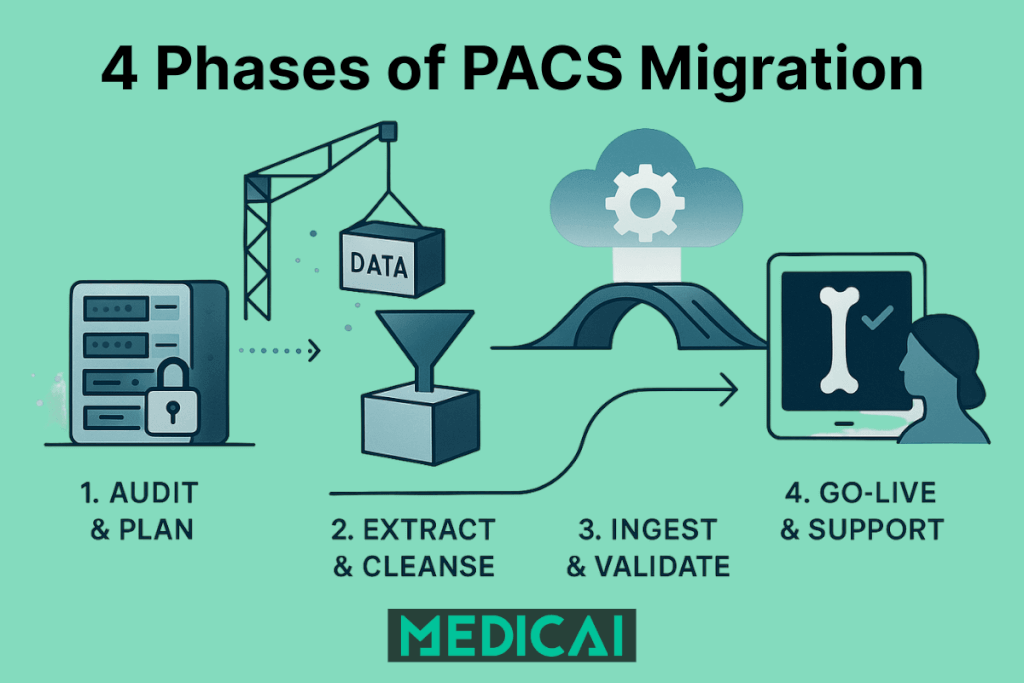
The four types of PACS migration and Replacement
These four types cover every PACS replacement scenario, from a same-vendor upgrade to a full cross-vendor replacement, a move to a VNA, or a shift to cloud.
PACS migration takes four distinct forms. Each has a different risk profile, a different level of vendor cooperation required, and a different destination architecture. Choosing the wrong migration type for your situation is itself a primary failure mode.
Type 1: Same-vendor version migration
PACS migration in its simplest form is a version upgrade within the same vendor ecosystem. The migration engine is typically provided by the vendor, the DICOM tag structure is consistent, and private tags are preserved natively because both systems share the same internal format. This is the lowest-risk migration type but is not technically a PACS migration in the vendor-change sense — it is a system upgrade.
Risk: Vendor lock-in deepens. Every same-vendor upgrade makes the next cross-vendor migration more complex because more data accumulates in proprietary formats.
Type 2: Cross-vendor PACS-to-PACS migration
PACS migration reaches its highest complexity when changing from one vendor to a different vendor. The source system has years of data stored in a mix of standard DICOM and proprietary private tags. The destination system has its own data model, its own accession number format expectations, and its own display protocol configuration. DICOM coercion is required. Private tag auditing is mandatory. Vendor cooperation from the outgoing vendor is often limited — they are, after all, losing the contract.
Risk: Silent data loss (private tag content disappears without error), accession number collisions, display protocol failure on historical studies, and bandwidth constraints for large archives.
Type 3: PACS-to-VNA migration
PACS migration to a Vendor Neutral Archive is the most common enterprise destination for modern migrations. Rather than replacing one proprietary PACS with another, the institution moves its archive to a VNA — a system that stores DICOM data in standard format, independent of viewer vendor. A new PACS viewer connects to the VNA for reading. The result is architectural separation: the archive is no longer tied to the viewer vendor, so future viewer changes do not require another full migration.
Risk: VNA ingestion validation is stricter than most legacy PACS systems — non-conformant DICOM tags that a legacy system tolerated will fail VNA validation and must be corrected by DICOM coercion before ingestion. The MPI dependency also becomes visible here: VNA quality is entirely downstream of HIS MPI quality.
Type 4: PACS-to-cloud or hybrid migration
PACS migration to a cloud-native PACS or a hybrid architecture (edge server for recent studies, cloud archive for long-term storage) replaces DICOM C-MOVE with DICOMweb STOW-RS as the ingestion protocol. Bandwidth constraints become a physical constraint for archives over 50TB — physical seeding devices (such as AWS Snowball equivalents) are often required to move the core archive rather than uploading over a network connection.
Risk: Latency management for reading workflows, cloud retrieval speed for deep archive studies, and the same DICOM tag and identity challenges as cross-vendor migration.
| Migration type | Vendor cooperation | DICOM coercion needed? | Identity risk | Recommended for |
|---|---|---|---|---|
| Same-vendor upgrade | Full | Minimal | Low | Version upgrades within existing contract |
| Cross-vendor PACS-to-PACS | Limited | Required | High | Replacing a failed or end-of-life vendor |
| PACS-to-VNA | Neutral | Required | Medium-High | Enterprise consolidation; multi-site standardization |
| PACS-to-cloud/hybrid | Neutral | Required | Medium-High | Eliminating on-premise hardware; enabling remote reading |
Why PACS migration is really a patient identity problem
PACS migration does not fail on image transfer. The DICOM images themselves are not the hard part. DICOM C-MOVE has been reliable for decades. The hard part is the patient identity data attached to those images — and the gap between what the DICOM header says, what the RIS order record says, and what the HIS Master Patient Index (MPI) says.
Every DICOM image file contains a set of tags written at acquisition time, populated from the Modality Worklist transaction. Those tags include the patient name, MRN, accession number, and study description. They were correct at the moment of acquisition. In the years since, the HIS has processed ADT A40 patient merge events, corrected MRN formats, updated patient demographics, and assigned new encounter numbers. Most of those updates were written to the HIS database and to RIS. They were not written back to the DICOM headers of images already in the archive.
PACS migration moves the images as they are. It moves the tags as they are. Every identity error, every unresolved merge, every MRN format inconsistency that accumulated over the archive’s lifetime arrives in the destination system as a structural data problem — unless the migration explicitly includes a patient identity reconciliation phase.
The ADT A40 history problem
ADT A40 is the HL7 message type for patient merge events. When two patient records are merged in HIS (because a patient was registered twice, or because a patient visited two different facilities), the merge is propagated forward to RIS and PACS in the live system. But DICOM images already in the archive carry the pre-merge patient identity in their headers. If the migration engine does not process the ADT A40 history from the HIS database and reconcile those historical studies under the correct merged MRN, the destination system receives studies split between two identities. A radiologist reading a current study and requesting priors may receive only the post-merge studies — missing years of imaging history stored under the old MRN.
The accession number continuity problem
PACS migration depends on accession numbers to link DICOM image files to their originating orders in RIS. Accession numbers are assigned by the RIS scheduling module when an imaging order is created. The RIS generates accession numbers in a specific format — with a particular length, prefix structure, and character set — that the PACS is configured to accept and index.
In a cross-vendor migration, the destination PACS often expects a different accession number format than the source. If the migration engine does not include an accession number normalization step, the arriving studies cannot be auto-reconciled with their order records in the new RIS. They land in the unmatched studies bucket. PACS administrators must manually identify each study, locate the correct order, and re-associate them. In archives of any significant size, this creates a reconciliation backlog that takes longer to clear than the migration itself.
The full details of how RIS generates accession numbers and what determines their format are covered in the Radiology Information System guide.
The private tag audit: the most underestimated migration risk
PACS migration exposes a structural vulnerability in the DICOM standard itself. DICOM is an open standard, and every DICOM file contains a structured set of standard tags defined by the DICOM standard committee — patient name, patient ID, study date, modality, and hundreds of others. Every compliant system can read these tags.
DICOM also permits private tags — tag groups reserved for vendor-specific use. Major PACS vendors including GE, Philips, and Siemens routinely insert private tags into the DICOM headers of every image their systems generate. These tags carry clinically relevant data that does not fit neatly into the standard DICOM attribute set.
What private tags contain
Private tag content varies by vendor and modality, but commonly includes:
- Radiation dose information — dose-length product, CTDIvol, and other dose metrics for CT studies
- Shutter coordinates — the pixel boundaries of the diagnostic field of view used in some display protocols
- Display protocol pointers — references to hanging protocol configurations specific to the source system
- Structured report cross-references — links between image objects and associated structured report objects stored in proprietary formats
- Image processing parameters — reconstruction kernel, filter settings, and other acquisition parameters not captured by standard tags
What happens when private tags are lost
PACS migration without a private tag mapping step delivers image files to the destination system without the ability to read the private tag content. This does not cause an error. The image displays. The study is accessible. Nothing alerts the clinical team or the PACS administrator that radiation dose data has disappeared from every CT study in the archive, or that structured reports are no longer linked to their parent images.
The loss is silent and systematic. It affects every study from the vendors whose private tags were not mapped — which, in a cross-vendor migration, is typically the entire historical archive.
How to perform a private tag audit before migration
PACS migration planning must include a private tag audit — a pre-migration step that identifies which private tag groups exist in the source archive, which tags contain clinically relevant data, and which of those tags the destination system can natively read, requires mapping, or cannot process at all.
- Step 1: Run a DICOM C-FIND query across the source archive to sample studies from each major modality, each acquisition date range, and each significant scanner model in the institution’s fleet.
- Step 2: Extract the DICOM header from each sampled study and enumerate all private tag groups present (identified by odd-numbered tag group numbers in the DICOM header).
- Step 3: For each private tag group, identify the originating vendor and document what clinical data the tags carry. Vendor DICOM conformance statements are the authoritative source for private tag definitions.
- Step 4: Confirm with the destination system vendor which private tag groups their system can natively read, which require DICOM coercion mapping to standard tags, and which will be silently dropped.
- Step 5: For any private tags that carry radiation dose data, configure DICOM coercion rules to map those values to the standard Radiation Dose Structured Report (RDSR) format before ingestion. Radiation dose data loss is a regulatory compliance issue in jurisdictions with dose monitoring requirements.
The six-phase PACS migration lifecycle
PACS migration that proceeds without a structured phase approach fails in predictable ways: data loss discovered after cutover, identity mismatches found during the first clinical read of a prior study, or a legacy system decommissioned before retention requirements are met. The six-phase approach below converts those failure modes into manageable checkpoints.
| Phase | Steps | Key tools | Primary risk |
|---|---|---|---|
| 1. Inventory and audit | DICOM C-FIND query of legacy archive; count studies by modality, date range, and size; identify private tag groups; document data quality baseline. Do not just count terabytes — count studies and images. A 10TB mammography archive (huge files, few studies) migrates differently than 10TB of mixed X-ray (small files, millions of studies). | DICOM C-FIND, private tag enumeration tool, conformance statement review | Discovering proprietary formats and private tags that destination system cannot read |
| 2. Data cleansing | Patient ID reconciliation against HIS MPI; DICOM coercion (private and non-standard tags to standard DICOM); accession number format normalization; deduplication. Run identifier reconciliation daily, not at the end — the exception list must stay visible to IT and a lead technologist. | DICOM coercion engine, MPI reconciliation tool, accession number mapper | MRN format mismatch; accession number collision; unprocessed ADT A40 merge history |
| 3. Test migration | Migrate 30–60 statistically representative days; validate display, identity, and completeness in destination system; identify failure patterns before full migration | Migration engine, destination PACS test environment, clinical review workstation | C-FIND query failures on legacy system; display protocol misconfiguration; missing scanned documents; empty body part fields |
| 4. Production migration | Migrate in batches; monitor error rate (target: low single digits); pre-fetch high-priority patient histories; manage bandwidth. For archives over 50TB, network upload may take too long — physical seeding devices (like AWS Snowball) move the core archive physically. Route new acquisitions to the new PACS on day one; the legacy PACS becomes read-only for historical access. | DICOM C-MOVE or DICOMweb STOW-RS, batch migration engine, bandwidth monitor, physical seeding device | Delta accumulation (new studies arriving faster than migration progresses); legacy vendor bandwidth throttling |
| 5. Validation | Study count reconciliation; pixel data integrity verification (hash comparison of source vs. destination); accession number continuity check; display protocol testing; prior retrieval testing; structured report accessibility. Have a lead radiologist read a random sampling of complex cases (tomosynthesis, cardiac CINE) to confirm hanging protocols and frame rates are preserved. | Study count comparison tool, hash verification, PACS query tool, clinical reading workstation | Silent data loss (studies transferred but not clinically displayable); scanned document migration failures; structured report link breaks |
| 6. Cutover and decommission | Go-live on new system; retain legacy PACS in read-only mode per retention policy; decommission after retention period expires; document final study counts for audit trail. Every single study moved must generate an audit log entry — chain of custody logs are a non-negotiable requirement for HIPAA compliance. | Read-only access controls, retention policy register, audit log | Premature decommission before retention period; loss of medicolegal study access; failure to document data integrity provenance |
Big bang versus parallel migration: choosing the right methodology
PACS migration can proceed in two fundamentally different ways. The choice between them determines the cutover risk, the duration of dual-system operation, and the complexity of managing new studies during the migration window.
Big bang migration
PACS migration in the big bang approach moves 100% of the historical archive before the new system goes live. On cutover day, the new system holds the complete archive and the legacy system is decommissioned immediately.
The risk is the delta problem. If the full migration takes six months, six months of new studies have been acquired on the legacy system during that period. All of those studies must be synced to the new system before go-live. In high-volume departments, the delta accumulates faster than a second migration pass can clear it. Big bang is rarely recommended for active hospitals.
Parallel migration (background migration)
PACS migration in the parallel approach switches the new system live for all current studies on cutover day. The historical archive migrates in the background over weeks or months. Radiologists read current studies on the new system. Historical studies are retrieved from the legacy system (still running in read-only mode) when priors are needed.
Smart migration engines improve this with pre-fetch prioritization: when a patient is scheduled for an imaging study or presents to the emergency department, the migration engine recognizes the event and promotes that patient’s complete historical archive to the front of the migration queue. By the time the current study is acquired, the prior studies from the legacy system are already migrated and available on the new system for comparison reading. The pre-fetch rule set must cover ED, inpatient, and scheduled outpatient flows.
Parallel migration is the standard approach for active hospital environments. It requires running two systems simultaneously for the migration period, but eliminates the delta accumulation risk of big bang and keeps clinical operations uninterrupted from day one.
Tiered migration (recommended baseline)
PACS migration in the tiered approach combines both strategies. The most recent two years of studies — the period most likely to be needed for clinical comparison — are migrated and validated before go-live. Studies older than two years migrate in the background after the new system is live. This balances clinical access risk (the studies most likely to be pulled as priors are available on day one) with operational practicality (the full archive migration does not block the go-live timeline).
PACS migration tools and services
PACS migration tools act as an ETL layer, and PACS migration services act as the engineering team that designs, runs, and documents that ETL. Tool choice matters less than tool capabilities, because the same failure modes appear in every migration: throttling, tag issues, patient matching errors, and silent loss.
PACS migration tool capabilities that prevent rework:
- DICOM Query and Retrieve support plus resumable transfers, so long runs survive outages without restarting.
- Tag mapping and coercion controls with an exceptions dashboard, so private tag surprises surface early.
- Patient and accession reconciliation logic with exportable exception logs, so MPI alignment stays auditable.
- Throttling controls by time window and modality group, so clinical performance stays stable during business hours.
- Verification outputs that match your sign-off standard: study counts, series counts, and pixel hash checks where required.
- Chain-of-custody logs per study, so legal and audit questions get answered from artifacts, not opinions.
PACS migration service models that work in real hospitals:
- Legacy vendor export support for access and bandwidth controls.
- New vendor ingestion support for import rules, indexing, and viewer behavior.
- Independent migration engineering for end-to-end ownership, validation reporting, and cutover management.
- Internal runbook ownership for stakeholder comms, training, and hypercare, even when vendors do the data move.
PACS migration questions that filter weak partners:
- “What is the exception rate you expect, and what is your remediation workflow?”
- “What is the proof package you deliver at sign-off, and what does a failed proof trigger?”
- “What is your rollback plan when priors fail during peak reading hours?”
PACS migration KPIs
PACS migration projects that lack measurable accountability discover problems only when radiologists report them clinically. Without defined KPIs, teams have no objective way to determine whether the migration is on track, whether error rates are acceptable, or whether the destination system is ready for clinical use. These six KPIs provide that accountability layer.
| KPI | Target | Notes |
|---|---|---|
| Study error rate | Low single digits (%) | Percentage of studies that fail to transfer or validate correctly during production migration. Errors above 5% indicate a systemic DICOM tag or identity reconciliation problem that should be resolved before migration continues. |
| Transfer rate vs. delta accumulation rate | Transfer rate must exceed accumulation rate | In parallel migration, the rate at which historical studies are migrated must consistently exceed the rate at which new studies are acquired. If delta accumulates faster than migration clears it, the legacy system cannot be decommissioned. |
| Validation pass rate | Greater than 99% | Percentage of migrated studies that pass all validation checks (study count, pixel integrity, identity, display, prior retrieval) after migration. Studies failing validation require individual investigation and remediation. |
| Time-to-clinical-access for pre-fetched priors | Under 60 seconds | In parallel migration with smart pre-fetch, the time from patient scheduling event to prior studies available on new system. Exceeding 60 seconds means radiologists will pull priors directly from the legacy read-only system instead. |
| Private tag data integrity rate | 100% for radiation dose tags | Percentage of CT studies in the destination system that retain radiation dose data after migration. Any rate below 100% indicates private tag mapping is incomplete. |
| Legacy system retirement readiness | Zero outstanding studies before decommission | The legacy system must not be decommissioned until zero studies remain exclusively on it and all studies are confirmed present and accessible in the destination system. Audit trail documentation is required for medicolegal defensibility. |
Operational practices: communication, training, and rollback
PACS migration validation proves data integrity, and PACS migration operations protect clinical continuity. Operations planning reduces the “surprise downtime” pattern that turns a clean data move into a clinical escalation.
PACS migration communication practices that prevent disruption:
- A stakeholder map that includes radiology, ED, cardiology, ortho, IT security, and revenue cycle.
- A fixed update cadence: weekly during bulk transfer, daily during cutover windows, and same-day for exceptions that affect patient care.
- A single source of truth — one tracker for exceptions, status, and decisions, owned by one accountable lead.
PACS migration training and hypercare practices that stick:
- Role-based training — radiologists focus on priors search and hanging behavior; technologists focus on worklist, routing, and re-send steps.
- A hypercare window of 1 to 2 weeks with defined escalation paths and response SLAs.
- A “top 20 issues” cheat sheet, built from pilot users, not vendor docs.
PACS migration rollback practices that reduce risk:
- A rollback trigger list: missing priors for critical service lines, patient mismatch rates above a threshold, or sustained viewer latency.
- A dual-access plan: legacy read-only access stays available until clinical sign-off completes.
- A cutover decision owner: one person who can pause, resume, or roll back without committee delay.
The vendor contract clause that prevents the next migration from being a crisis
PACS migration difficulty often traces directly to a contract signed years earlier that did not include explicit data portability terms. The current migration is the consequence of that contract. The next migration does not have to be.
Before signing with any PACS or VNA vendor, negotiate the following provisions explicitly:
- Data portability guarantee: The vendor must provide the complete archive in standard DICOM format, accessible via DICOM C-MOVE or DICOMweb WADO-RS, within a defined timeframe after contract termination. Unacceptable alternatives include vendor-proprietary export formats, fee-based extraction services charged at the time of departure, or timelines that exceed six months.
- Private tag documentation: The vendor must provide written documentation of all private tags inserted into DICOM files by their system, including tag group numbers, tag element numbers, and the clinical data each tag carries. This documentation must be updated with each system version.
- Bandwidth non-throttling clause: The vendor must not limit the bandwidth available for DICOM C-MOVE retrieval during a migration period. Vendors motivated to slow a migration and retain the customer have throttled legacy system bandwidth — explicitly prohibiting this protects the migration timeline.
- Migration support obligation: The vendor must provide technical cooperation to the migration, including documentation of their database schema for any data not accessible via standard DICOM query/retrieve, for a defined period after contract termination.
- Historical update propagation: The vendor must document whether their system writes ADT A40 merge events and demographic updates back to DICOM headers, or only to the database. If only to the database, the vendor must provide a mechanism to export the complete merge history in HL7 format for use during migration identity reconciliation.
These provisions cost nothing to negotiate at contract signing. Their absence costs months and often millions of dollars at migration time. The standard industry advice is to treat the contract as a prenuptial agreement that assumes the relationship will eventually end and specifies the exit terms in advance.
Where the migrated data goes: the destination architecture
PACS migration destination architecture determines not only how the migration proceeds technically, but whether the institution will face the same migration problem again in seven to ten years.
Legacy PACS-to-PACS migrations replace one proprietary archive with another. The new system is modern at the time of migration. In a decade, it will be a legacy system — with its own private tags, its own proprietary database, its own vendor lock-in. The migration cycle repeats.
The standard enterprise destination for modern PACS migration is a Vendor Neutral Archive (VNA) with an architectural separation between the storage layer and the viewer layer. The VNA stores DICOM data in standard format, accessible to any conformant viewer via DICOM or DICOMweb. When the viewer vendor eventually changes, only the viewer changes — the archive stays in place, the data stays accessible, and no migration is required.
Medicai implements this architecture natively. The platform is built on a VNA foundation: imaging data is stored in standard DICOM format, not in a proprietary wrapper. If an institution leaves Medicai in ten years, the data does not require a complex extraction project — a new viewer points at the existing archive. Medicai also addresses the cloud latency concern that CIOs raise most frequently: an edge server deployed locally at the hospital caches recent studies for LAN-speed diagnostic reading, while the full archive syncs to the cloud for disaster recovery and remote access. The platform is native to HL7 FHIR and DICOMweb, which means imaging data integrates directly with EMR, patient portals, and AI research algorithms without custom interface development.
The VNA architecture, its IHE XDS-I.b and XCA-I profile requirements for cross-enterprise retrieval, its MPI dependency, and its specific failure modes are covered in depth in the Vendor Neutral Archive guide.
PACS migration failure modes and resolutions
| Failure | Symptom | Root cause | Resolution |
|---|---|---|---|
| Silent private tag loss | Radiation dose data absent from CT studies in destination; display protocol failure on historical reads | No private tag mapping configured in migration coercion engine | Run private tag audit on source archive; configure coercion rules before migration; re-migrate affected studies |
| Accession number collision | Studies arrive in destination without matching RIS orders; unmatched study queue grows continuously | Source and destination accession number formats incompatible; no normalization step in migration | Audit accession number format in both systems; configure normalization mapping in migration engine; validate a sample before full migration |
| Split patient records post-migration | Prior retrieval returns incomplete history; some historical studies appear under different patient identity | ADT A40 merge history not reconciled; DICOM headers not updated with post-merge MRN | Extract ADT A40 history from HIS; reconcile affected studies in migration coercion phase; re-run validation for affected patients |
| Legacy vendor bandwidth throttling | Migration rate falls below delta accumulation rate; migration timeline extends indefinitely | Legacy vendor limits DICOM C-MOVE throughput during migration period | Escalate to contract terms; if contract permits, engage migration tool that uses multiple parallel DICOM associations; document throttling evidence for legal reference |
| Display protocol failure on migrated studies | Migrated historical studies display incorrectly in destination viewer; hanging protocols apply wrong layout | Display protocol configuration in destination not rebuilt to match legacy system; private tag display references unresolved | Rebuild display protocol configuration in destination system before go-live; test on migrated sample studies across all major modalities and body parts |
| Delta accumulation in big bang approach | New study volume grows faster than migration completion; go-live date continuously delayed | Big bang methodology chosen for active clinical environment; migration duration underestimated | Switch to parallel migration methodology; prioritize most recent two years before cutover; use smart pre-fetch for scheduled patient history |
| Premature legacy system decommission | Studies that failed migration are no longer accessible; medicolegal exposure for inaccessible historical records | Legacy system decommissioned before all studies confirmed present in destination; retention period not verified | Retain legacy system in read-only mode for minimum retention period; conduct final study count reconciliation before decommission sign-off |
Related guides in this series
PACS migration touches every system in the enterprise imaging chain. The following guides cover the specific entities whose quality determines migration success or failure.
| Guide | Why it is relevant to PACS migration |
|---|---|
| Hospital Information System (HIS) | HIS MPI quality is the single most consequential upstream variable in a PACS migration. The identity errors accumulated in HIS through years of ADT processing determine how much reconciliation work the migration requires. |
| Radiology Information System (RIS) | Accession number continuity is the most common post-migration retrieval failure. Whether studies in the destination system correctly link to their originating orders in RIS depends on accession number format compatibility between source and destination. |
| PACS Interoperability | Private tag data loss is the concrete failure mode of structural interoperability — data that moves between systems but is not correctly interpreted by the receiving system. |
| Vendor Neutral Archive (VNA) | The standard destination architecture for enterprise PACS migration is a VNA. Understanding VNA’s chain position, IHE XDS-I.b and XCA-I profile requirements, and MPI dependency is essential for evaluating the migration destination. |

Frequently asked questions
What is the meaning of PACS transfer?
PACS transfer refers to the movement of DICOM imaging data from one PACS to another, or from a PACS to a VNA or cloud archive. In clinical contexts, the term is also used to describe transferring a specific study from one institution’s PACS to another for consultation or referral. In the migration context, PACS transfer describes the systematic movement of an entire archive using DICOM C-MOVE or DICOMweb STOW-RS protocols.
How long does a PACS migration take?
Migration duration depends on archive size, transfer rate, and the number of identity reconciliation issues discovered during cleansing. A rough planning estimate: DICOM C-MOVE retrieval takes approximately half the time the data took to acquire. A ten-year archive may take four to five years to migrate completely via sequential C-MOVE. Parallel DICOM associations, DICOMweb STOW-RS, and physical seeding for large archives significantly accelerate this. Most hospitals achieve clinical go-live on a new system within three to six months by using tiered migration (priority period first), with background migration of older studies continuing for up to 12 to 18 months after cutover.
What percentage of a PACS archive is typically corrupted or unmigrable?
Experienced PACS administrators report a baseline of 10 to 15% of any legacy archive having studies that are corrupted, malformed, or unreadable. This is not a migration failure — it reflects the accumulated data quality issues of the archive itself. Studies in this category include files with damaged DICOM headers, incomplete acquisitions, duplicate studies from failed transmissions, and studies stored in non-DICOM proprietary formats by early-generation PACS systems.
What is DICOM coercion and why is it required in migration?
DICOM coercion is the transformation of DICOM tag values during migration — converting non-standard, proprietary, or format-inconsistent values into standard DICOM format that the destination system can correctly index and display. Common coercion operations include MRN format normalization, accession number prefix standardization, character set conversion for patient names, and mapping private vendor tags to standard DICOM tags for radiation dose data and study descriptions.
Can we migrate to cloud PACS without physical seeding?
For archives under approximately 50TB, network migration over a dedicated connection is feasible within a reasonable timeframe. Above 50TB, physical seeding — shipping a loaded storage device to the cloud provider’s data center for direct ingestion — is typically required to avoid migration timelines measured in years. The specific threshold depends on available network bandwidth and the migration timeline requirements. Cloud providers including AWS (Snowball), Azure (Data Box), and Google Cloud (Transfer Appliance) offer physical seeding services designed for this use case.
How do I ensure business continuity during PACS migration?
PACS migration preserves business continuity through the parallel migration methodology. The new system goes live for all current studies on cutover day. Historical studies remain accessible on the legacy system in read-only mode. Smart pre-fetch engines monitor scheduling events and ED arrivals to promote relevant patient histories to the front of the migration queue, so prior studies are available on the new system before the radiologist needs them. Pre-fetch rule sets should cover ED, inpatient, and scheduled outpatient flows, with a target of under 60 seconds from scheduling event to priors availability.
What should I demand from a PACS migration vendor before signing?
PACS migration vendor evaluation starts with three filtering questions: “What is the exception rate you expect, and what is your remediation workflow?” “What is the proof package you deliver at sign-off, and what does a failed proof trigger?” “What is your rollback plan when priors fail during peak reading hours?” Any vendor that cannot answer these questions with specific, documented workflows has not run enough migrations to manage yours. Separately, ensure the outgoing vendor contract includes data portability, bandwidth non-throttling, and private tag documentation clauses — these terms determine whether your migration timeline is months or years.



Related Articles

Lets get in touch!
Learn more about how Medicai can help you strengthen your practice and improve your patients’ experience. Ready to start your Journey?
Book A Free Demo