DICOM Viewer Features That Make Scans Simple

Ever opened your CT or MRI scans and felt completely lost?
Most patients receive their medical images only to find a maze of gray layers, strange labels, and confusing details.
An intuitive web DICOM viewer transforms the experience here.
A DICOM viewer is a powerful yet simple tool that helps you open, explore, and understand your medical scans safely. From zooming in on key details to adjusting brightness or measuring progress, DICOM viewer features turn complex images into clarity.
Learn about the essential DICOM viewer features every patient should know that make viewing your scans effortless, secure, and empowering.

What Is a DICOM Viewer and Why Does It Matter for You?
When you get an MRI, CT, or X-ray, the images your doctor views aren’t regular picture files like JPEGs or PNGs. They’re stored in a special medical format called DICOM (Digital Imaging and Communications in Medicine).
This format keeps every detail, from the image itself to technical data such as slice thickness, scan angle, and even patient ID. All these stay in one secure file.
A DICOM viewer is the tool that brings these medical images to life. It’s what radiologists use to open, view, and analyze scans.
Many modern imaging viewers are designed for patients, allowing you to see your scans just like your healthcare team. Instead of relying on unreadable folders or reports, you can explore your scans from different angles for a better understanding of your health.
Now, you may ask why it matters to you.
Well, access to your imaging files helps build understanding. Having clear and secure access to your scans helps you stay informed and involved in your health journey, whether for a follow-up appointment or a second opinion.
The Essential DICOM Viewer Features
A number of medical image viewer tools set the DICOM viewer apart in terms of image viewing.
Zoom and Pan
Your DICOM viewer is like Google Maps for your body.
Zooming lets you move in to see tiny details. It can be a hairline fracture or a small area your doctor pointed out. You can zoom in to look closely at a spot on your lung scan or follow the outline of a joint after surgery.
Panning helps you glide smoothly across the image, like moving a map in different directions.
With Medicai, these movements feel fluid and natural. The platform’s cloud-based viewer helps you to zoom and pan large MRI or CT images instantly, without any lag.

Window Leveling
Every part of your body absorbs X-rays differently. Thus, your bones, tissues, and air-filled areas appear in different shades of gray. Sometimes, a scan might look too dark or too bright.
That’s where window leveling comes in.
It helps you change brightness and contrast so you can bring hidden details to the surface. You can adjust the image to make a small cyst or nodule easier to spot.
Radiologists do this constantly to highlight specific tissues. However, now, platforms like Medicai let patients do it too with a simple slider.
You can switch between preset brightness levels (for brain, lung, or bone scans) or fine-tune them yourself. It’s like finding the perfect lighting to see what really matters.
Measurement Tools
A key part of any follow-up scan is comparison. Is that lesion smaller? Has the cyst changed shape?
Measurement tools in a DICOM viewer let you see the numbers behind the image.
You can draw a line or circle around an area to measure length, diameter, or area. It’s a simple feature with powerful meaning. It turns visual progress into measurable evidence.
The viewer platforms like Medicai automatically save your notes and markings, so you can revisit them later or share them securely with your physician.
Multi-Planar Reconstruction (MPR)
Your CT or MRI scan captures your body in hundreds of thin slices like a loaf of bread. The MPR feature helps you reassemble those slices to view your body from different directions: front, side, or top-down.
This gives a 3D perspective without needing special glasses or equipment. You can visualize where exactly something is located, not just how it looks in one slice.
For example, you can view a spinal disc from multiple angles to understand its position or alignment.
Medicai’s viewer offers one-click MPR visualization. Even if you’re not a specialist, you can switch between planes or rotate through the scan effortlessly, gaining a more complete picture of your anatomy.
Annotation Tools
Annotations let you interact with your scans. You can circle, label, or highlight specific areas, add notes, or flag something for discussion with your doctor. It’s especially helpful if you’re seeking a second opinion or tracking progress across different visits.
For example, you can highlight a nodule or scar and add a note to ask your doctor about it later.
You can mark areas directly in your scan, save them, and share them through encrypted links with your care team. In such a way, your personal health data stays private.
Why These DICOM Viewer Features Matter for Patients
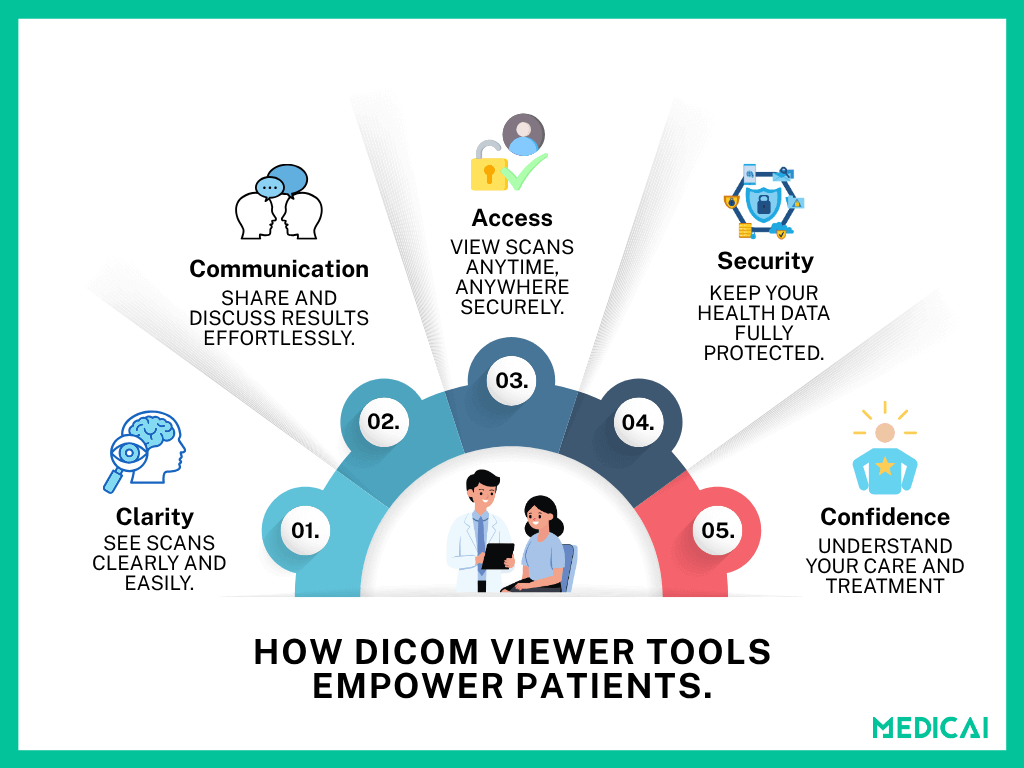
Medical imaging is now more accessible to patients thanks to free online DICOM viewers. The features help them engage actively in their care and understand their bodies beyond written reports.
From Confusion to Clarity
Without the right tools, a CT or MRI scan can look like a maze of gray patterns.
Features like zoom and window leveling let you control how you view your images. You can focus on the area your doctor mentioned and actually see what’s being discussed. It transforms your viewing experience from “I don’t understand this” to “Now I can see it clearly.”
Medicai’s viewer is built with this exact purpose: to simplify complexity. Its clean, responsive interface helps you explore your scans confidently without getting lost in technical details.
Stay Informed and Empowered
When you can measure, annotate, or compare scans yourself, you’re no longer just a bystander in your health journey. You are an active part of the process.
You can follow changes over time, ask better questions, and have more meaningful conversations with your healthcare providers.
For example, if your doctor tells you a tumor has shrunk since the last scan, you can open both studies and visually confirm it, seeing progress in real time. That sense of understanding can be deeply reassuring.
Communicate Better with Your Doctor
Visual communication makes complex ideas easier to grasp. With annotation tools and sharing options, you can highlight areas of concern, save screenshots, or securely share your scans with a specialist or second opinion provider.
With Medicai, sharing is safe and instant. You can send a secure, encrypted link to your doctor instead of carrying physical CDs or files. It reduces hassle and keeps your data protected.
Access Everything in One Place
If you’ve ever juggled multiple CDs or emailed scans between clinics, you know how frustrating that can be.
Cloud-based platforms like Medicai eliminate that struggle by keeping all your imaging data in one accessible place. You can easily view an MRI online, can open any scan anytime on your phone, tablet, or computer without worrying about losing files or compatibility issues.
Build Confidence in Your Care
Once you can check out and actually get what your scans mean, you start taking a more active role in your care. It helps reduce anxiety, build trust with your doctors, and encourage shared decision-making.
DICOM viewer gives every patient the tools to explore, understand, and discuss their imaging results without barriers.
Tips for Patients When Viewing Their Scans
Viewing your scans can be fascinating and empowering, but remember, they are just one part of your health story. However, some tips to enhance your DICOM viewer experience.
Always Confirm Findings with Your Doctor
A DICOM viewer shows you the images, not the diagnosis.
You may notice bright or dark spots, but interpreting what they mean requires professional training and context. Always review your findings with your radiologist or physician before drawing conclusions.
They can explain what’s normal and what’s not and help you understand your results accurately.
Use Windowing to Explore, Not Interpret
Windowing tools are great for adjusting brightness and contrast, allowing you to see more clearly. But remember, even small changes in contrast can make tissues look different. Use these tools to explore your scans, not to self-diagnose.
Medicai’s viewer provides preset viewing modes (for brain, chest, bone, etc.) to make exploration easier, while keeping the presentation consistent with what professionals use.
Keep Copies of Your Images and Reports Together
Your images tell part of the story; your radiology report tells the rest. Keeping both in one place makes follow-ups and second opinions smoother.
Your scans and associated reports stay securely linked in the cloud. So you can access everything from one dashboard without searching through folders or CDs.
Use Secure Platforms to Protect Your Health Data
Medical images contain sensitive personal information, so they should never be shared over email or unverified apps. Always use trusted, encrypted platforms for viewing and sharing scans.
Medicai’s platform ensures end-to-end encryption and HIPAA-compliant sharing. We keep your data private while still allowing you to collaborate with your care team effortlessly.
Take Your Time and Ask Questions
It’s okay if medical images feel overwhelming at first. Use your viewer as a tool for curiosity, not pressure. Take notes, mark areas you want to discuss, and bring those questions to your doctor.
Conclusion
Medical scans can feel overwhelming, but the right viewer turns them into insight, not confusion. With features like zoom, measurement, and annotation, you can explore your images and understand your care more clearly.
Platforms like Medicai make this experience simple, secure, and empowering. We provide every patient with the confidence to see what their doctor sees.
Whether you’re reviewing results or sharing them for a second opinion, you stay connected, informed, and in control of your health journey.


Related Articles



Lets get in touch!
Learn more about how Medicai can help you strengthen your practice and improve your patients’ experience. Ready to start your Journey?
Book A Free Demo