PACS meaning in medical imaging, definition, components, and how PACS works

PACS, which stands for Picture Archiving and Communication System, is the digital backbone of modern medical imaging and radiology.
As imaging technology advances, healthcare professionals face the challenge of managing and sharing vast amounts of data. The PACS system is the game-changer for handling diagnostic images, making it easy to save, find, and share images quickly and securely.
This guide defines what PACS is in healthcare, its components, and why the hospital PACS system is essential. PACS architecture, security, and buying criteria live in our enterprise PACS guide.

What Is PACS in Medical Imaging?
PACS stands for Picture Archiving and Communication System. This digital technology revolutionizes how medical professionals handle diagnostic images. Essentially, PACS is a digital filing cabinet for all pacs medical imaging data.
The PACS medical abbreviation refers to a unified system that stores, retrieves, and shares medical images electronically, such as X-rays, CT scans, MRIs, and ultrasounds—all generated by various imaging modalities.
What is PACS in healthcare?
It enables providers to view, analyze, and collaborate on patient cases without the issues associated with managing physical records. It is an indispensable part of modern medicine.
What Is a PACS System in Radiology?
The PACS system in radiology is the cornerstone of modern departmental workflow. PACS in radiology eliminates the need for traditional film-based storage, streamlining workflow and improving accessibility.
A typical PACS radiology system manages everything from the moment an image is acquired (e.g., an X-ray PACS or ultrasound PACS) to when a final diagnostic report is created.
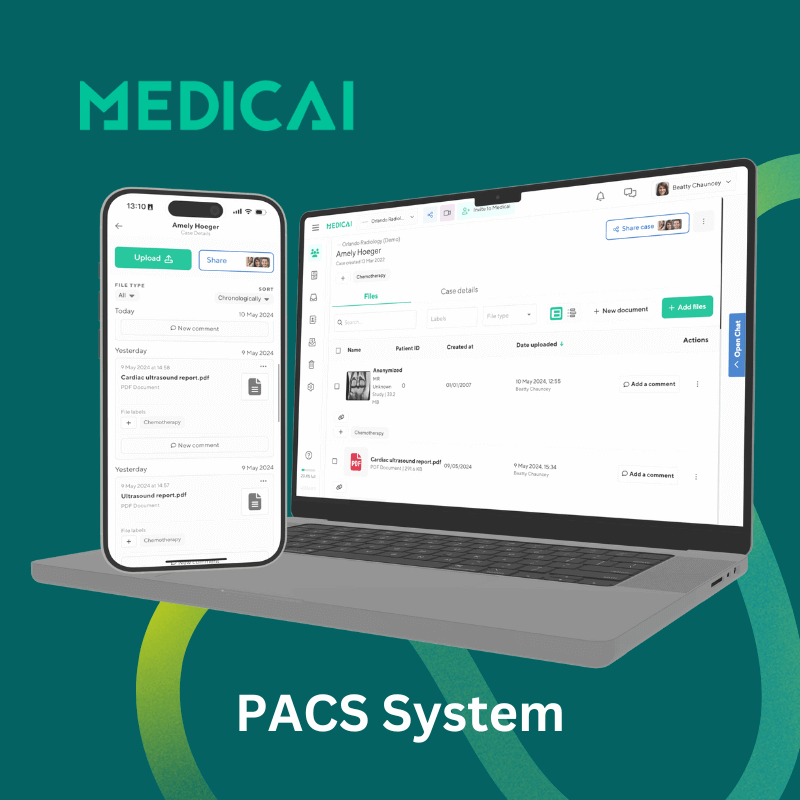
Platforms like Medicai further enhance the PACS system by ensuring secure, real-time remote access to images and all related information, no matter where the radiologist or specialist is located.
Components of A PACS System
A PACS system features several interconnected components that seamlessly manage and deliver imaging data. These include-
Imaging Modalities (PACS Modalities)
The devices (CT, MRI, X-ray) that generate the images in DICOM format.
PACS stores and manages diagnostic images from X-ray machines, MRIs, CT scanners, and ultrasounds. These images are usually in the DICOM (Digital Imaging and Communications in Medicine) format, ensuring compatibility across different systems and devices. You can view them using a DICOM viewer.
It helps healthcare providers to seamlessly store, retrieve, and share imaging data within a unified ecosystem.
Networking Infrastructure
High-speed and secure networks are crucial for transmitting images between imaging devices, storage systems, and viewing workstations. They ensure the safe and quick transfer of imaging data.
Additionally, a robust network infrastructure reduces delays and enables immediate access to critical diagnostic images.
Viewing Workstation
A dedicated station with a DICOM viewer that acts as the interface for medical staff to analyze images using tools like 3D reconstruction and annotation.

Features such as zooming, 3D reconstruction, and annotation tools help with detailed assessments of these images.
Archival Storage
The long-term solution for storing vast amounts of medical imaging PACS data (on-premises, cloud-based, or hybrid).
Medicai integrates seamlessly with existing PACS systems, adding secure cloud storage, enhanced image sharing, and advanced collaboration features. As a result, healthcare providers can access imaging data quickly and reliably.
The Lifecycle of an Image: How PACS Actually Works
To understand PACS, you must understand the “Handshake” between the systems. It follows a specific protocol standard to ensure patient safety:
The Fetch (Query/Retrieve)
When a radiologist opens a study, the workstation sends a C-FIND and C-MOVE command to the server to retrieve the pixel data for viewing.
The Order (HL7)
It starts in the RIS or EMR. An order message (HL7 ORM) is generated with patient demographics and a unique Accession Number.
The Worklist (DICOM MWL)
The CT or MRI scanner doesn’t just “guess” who the patient is. It queries the Modality Worklist (MWL) server. The technician selects the patient’s name from a list, ensuring the images are tagged correctly before the scan begins.
The Capture & Send (DICOM Store)
The scanner generates images and sends them to the PACS server using the DICOM Store service class.
Function of PACS Systems
Let’s check what the PACS system does to facilitate healthcare workflows.
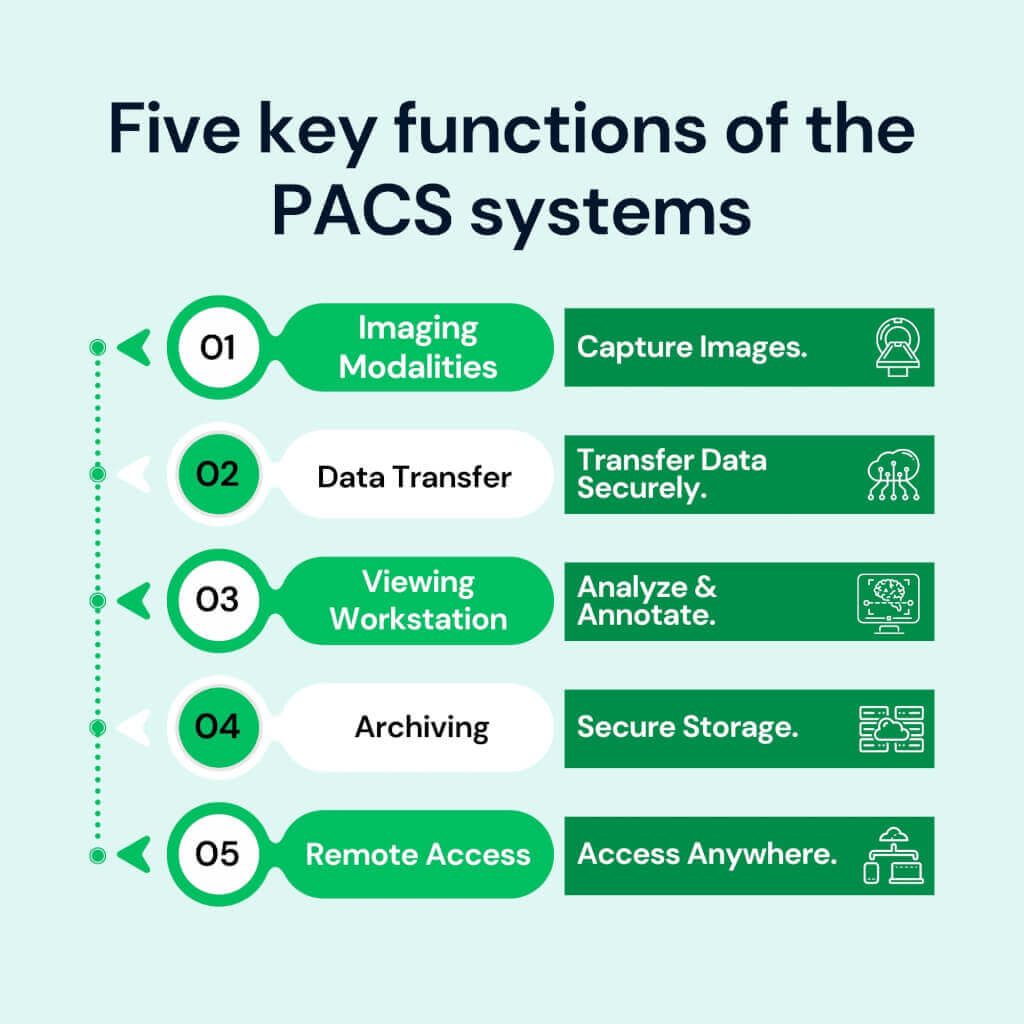
Image Storage
The system securely stores a large volume of medical images in digital format. PACS medical imaging data includes X-rays, CT scans, MRIs, and ultrasounds. It preserves the images for a long time without the risk of degradation.
Image Retrieval
The PACS system allows medical professionals to easily and quickly retrieve images for review, analysis, and diagnosis. With an Internet connection and a few clicks, clinicians can access imaging data directly from workstations or mobile devices.
Image Distribution
PACS supports the smooth and secure distribution of medical images across different locations within a healthcare network. It’s especially valuable for multi-facility healthcare systems and remote consultation.
Image Management
PACS organizes and manages medical images by categorizing and maintaining the quality of imaging data. It uses advanced tools for image annotation, measurement, and editing.
Remote Access
A valuable feature of the PACS system is its remote accessibility. Healthcare professionals can view medical images virtually anywhere with a secure internet connection.
Types of PACS Systems
PACS systems come in three primary types: traditional, cloud-based, and hybrid, each offering distinct advantages and limitations.
Traditional PACS (On-Premises PACS)
Traditional PACS or on-premises PACS usually rely on local servers within the facility for complete control and privacy. It operates through a secure internal network, which is excellent for facilities that want complete control over their data.
Advantages
- It provides full control and privacy over the imaging data.
- The facility can tailor the systems to meet their requirements and workflows.
Disadvantages
- It has infrastructure demands – physical space, dedicated servers, cooling systems, ongoing maintenance, etc.
- It may have limited accessibility, providing only on-site workstations that can hinder remote consultations or cross-location collaboration.
Cloud-based PACS
Cloud-based PACS uses cloud computing for storage, offering unparalleled scalability and remote accessibility. It offers unparalleled flexibility as you can access imaging data from any device with an internet connection.
Advantages
- It offers remote accessibility – anytime, anywhere.
- It is cost-efficient as it doesn’t need on-site infrastructure, lowering maintenance costs.
- Cloud-based PACS easily meet your growing storage demands as it doesn’t need any physical expansion.
Disadvantages
- Third-party cloud providers may raise data privacy and breaches concerts.
- You need a stable and reliable internet connection for optimal performance.
There is more to know when you differentiate between cloud PACS vs on-premises PACS.
Cloud-Native vs. Cloud-Enabled: Assessing the Architecture
Cloud-native PACS renders and streams images from the cloud, and cloud-enabled PACS runs legacy software on hosted servers. Medicai PACS architecture details, SSR, resilience, and integration standards appear in the enterprise PACS guide.
Hybrid PACS
Combines the security of local storage with the flexibility and redundancy of cloud backup. It stores primary imaging data on local servers for quick access while using cloud storage for backups and added capacity.
Advantages
- It provides control and security of traditional systems with flexibility and scalability of cloud storage.
- It has improved redundancy.
Disadvantages
- It requires managing both local and cloud resources, complicating IT operations.
- The cost may fluctuate depending on usage.
Benefits of PACS
The blessings of the PACS system are immense.
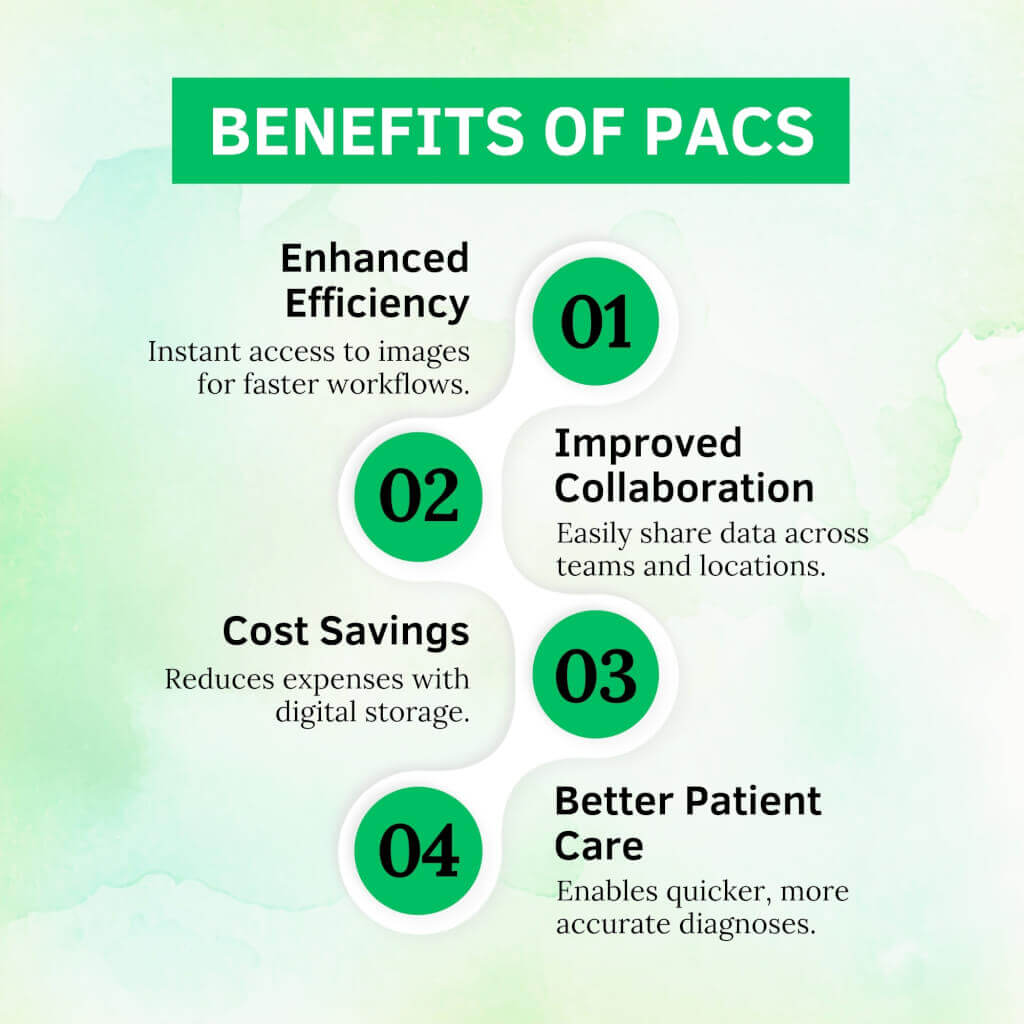
- Enhanced Efficiency: Digital storage eliminates the need for physical films, allowing near-instant access to images. Automated workflows also lessen the duration of administrative tasks.
- Enriched Collaboration: Physicians can share imaging data with specialists globally. Medicai further enhanced collaboration with a quick sharing option.
- Cost Savings: Cloud-based PACS, like Medicai’s solution, lowers costs because it doesn’t need film, storage, or manual handling. However, we won’t discourage you from exploring other cost-effective PACS alternatives.
- Better Patient Care: Physicians have quick access to images that ensure prompt and accurate patient care.
PACS vs. VNA: Do You Need Both?
As imaging data grows, the line between PACS and Vendor Neutral Archive (VNA) is blurring, but the distinction remains important.
VNA is designed for Interoperability. It focuses on long-term storage and normalizing data from different departments (Radiology, Cardiology, Dermatology) so it can be viewed in a single standard viewer.
PACS is designed for Workflow. It focuses on the radiologist’s short-term needs (tools, measurements, reporting) to obtain a diagnosis quickly.
PACS owns clinical imaging workflows, diagnostic viewing, priors access, and distribution to care teams. VNA owns long-term, vendor-neutral imaging retention and migration independence across departments and PACS vendors.
PACS migration planning, multi-PACS consolidation, and VNA evaluation criteria live in the Medicai enterprise PACS guide.
PACS Integration With Other Systems
PACS doesn’t work alone; it integrates with other systems to create a cohesive IT environment. Other systems include-
- Radiology Information Systems (RIS): handles scheduling, reporting, and radiology records with PACS.
- Hospital Information Systems (HIS): It ensures imaging data aligns with administrative and clinical workflows.
- Electronic Medical Records (EMR): It merges imaging data into patient records, providing a holistic view of patient history.
Challenges of PACS Implementation
PACS is magical – true; however, it also comes with challenges.
- Data Security: With the increasing cyber threats, protecting sensitive patient data can be challenging.
- Interoperability: Integrating PACS with legacy systems can be complex and time-consuming.
- Implementation Cost: The initial setup, hardware, and software investments can be costly for smaller healthcare providers.
However, by addressing these challenges with Medicai, healthcare providers can maximize the benefits with security, seamless integration, and cost-effective solutions.
PACS basics end here, and enterprise PACS decisions start here.
PACS topics in the enterprise guide include DICOMweb versus DIMSE, FHIR integration, role-based access, audit logs, encryption, and ransomware resilience.
PACS buying tools in the enterprise guide include a capability checklist, DR targets, and integration validation steps.
Takeaway
PACS has redefined medical imaging. The Picture Archiving and Communication System offers healthcare providers the perfect tool to store, retrieve, and share diagnostic images quickly, securely, and smoothly. The PACS system meaning is simple: efficiency, collaboration, and better patient outcomes.
Medicai’s cutting-edge platform further amplifies the benefits of hospital PACS systems. By providing secure, next-generation imaging PACS solutions, Medicai empowers healthcare facilities to streamline workflows and ensure every patient receives the best possible diagnostic outcome.


Related Articles


Lets get in touch!
Learn more about how Medicai can help you strengthen your practice and improve your patients’ experience. Ready to start your Journey?
Book A Free Demo