Why Cloud Dental PACS is Critical for Multi-Site Centralization: The DSO Tech Stack
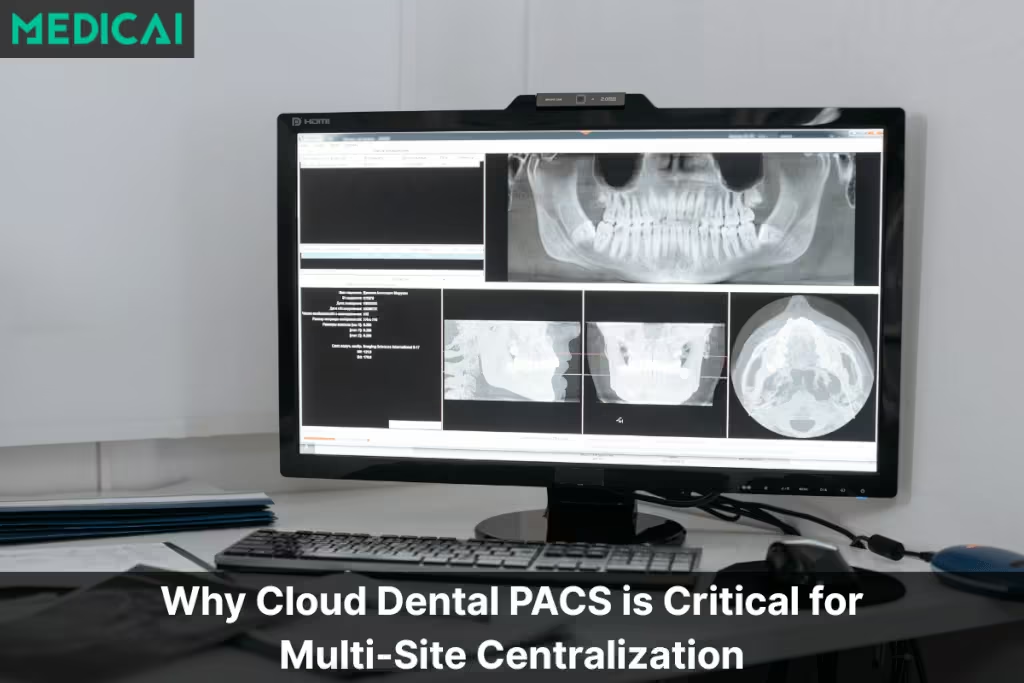
Dental imaging software is the technology stack that captures, stores, retrieves, and shares diagnostic dental images — intraoral X-rays, panoramic radiographs, CBCT volumes, intraoral camera images, and intraoral scanner data — across one or more dental practices. The category includes the imaging modalities themselves, the viewer software dentists use to review images, and increasingly, the cloud-based archive layer (cloud dental PACS) that replaces the local server in each clinic with a centralized archive.
Modern dental imaging software supports single-practice workflows, multi-site Dental Service Organization (DSO) consolidation, and image sharing among referring specialists, connecting general dentistry to oral surgery, orthodontics, and endodontics.

What Dental Imaging Software Does
Dental imaging software handles three operational functions: image acquisition from the practice’s imaging hardware (sensors, panoramic units, CBCT scanners, intraoral cameras, intraoral scanners), image viewing and annotation by the dentist on a chairside or workstation viewer, and image storage and retrieval across patient visits. The software category spans single-practice solutions running on a local server up through enterprise platforms serving hundreds of clinics through a centralized cloud archive.
Dental imaging modalities the software supports
Dental imaging software supports five primary modalities, each with distinct file formats, storage requirements, and viewer needs:
Intraoral X-ray sensors capture digital periapical and bitewing radiographs — the routine 2D X-rays taken at every cleaning or examination. File sizes are small (typically 1-3 MB per image), but volume is high (10-20 images per patient annually). Sensor brands include Dexis, Schick, Carestream, Planmeca, and Sirona. Historically, each manufacturer’s software wrote to proprietary formats, which is why modern dental imaging software increasingly normalizes acquisitions to the standard DICOM format.
Panoramic radiography units produce single-image, whole-mouth surveys used for orthodontic planning, third-molar evaluation, and TMJ assessment. Panoramic files are larger (5-15 MB) but less frequent (once every 3-5 years per patient). Modern panoramic units commonly include cephalometric attachments and increasingly bundle CBCT capability into the same unit.
Cone beam CT (CBCT) scanners produce 3D volumetric data sets used for implant planning, endodontic root canal evaluation, oral surgery, and orthodontic treatment planning. CBCT files are significantly larger (100-500 MB per scan) and require specialized viewer software that supports 3D rendering, MPR (multiplanar reconstruction), and measurement tools. Storage and bandwidth requirements for CBCT are an order of magnitude higher than 2D imaging, which is the operational driver behind cloud-native CBCT storage.
Intraoral cameras capture color photographs of teeth and soft tissue for patient education, treatment documentation, and insurance claim support. These produce small JPEG files (1-5 MB) but high volume during a single appointment. Intraoral camera images are typically integrated into the patient chart alongside X-ray images rather than residing in a separate archive.
Intraoral scanners (digital impressions) — iTero, TRIOS, Medit, Carestream CS — produce STL or PLY files representing the 3D surface scan of a patient’s teeth and arches. These files (20-100 MB) feed into orthodontic aligner planning, crown and bridge fabrication, and implant restoration workflows. Modern dental imaging software increasingly stores these alongside DICOM imaging in a unified archive.
The viewer software
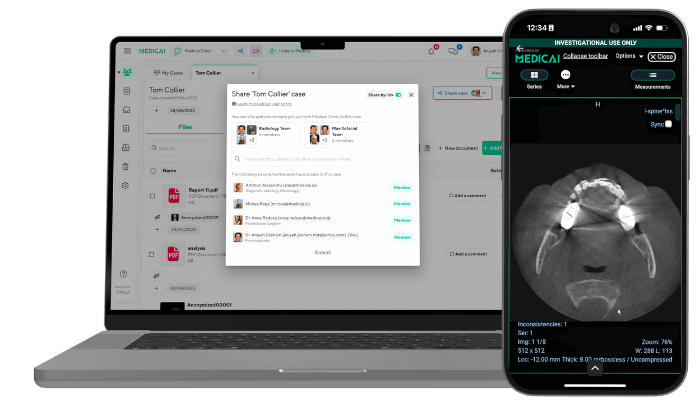
The viewer is what the dentist actually opens during patient appointments — the visual interface that displays 2D X-rays alongside CBCT slices, intraoral photographs, and treatment notes. Modern dental imaging viewers are increasingly browser-based (zero-footprint), eliminating the need for per-workstation software installation and enabling viewing from any authorized location. Browser-based viewers also unlock specialist consultation workflows — an oral surgeon at a different location can open the same CBCT scan that the general dentist captured, without VPN tunnels or improvised screen sharing.
Cloud vs on-premise dental imaging deployment
Dental imaging software runs on one of two architectures — either on a local server in each clinic or on a centralized cloud archive accessed over secure HTTPS. The choice has cascading consequences for cost structure, scalability, multi-site capability, IT overhead, and disaster recovery. For most dental practices in 2026, the question is no longer whether to consider cloud-based dental imaging but when to migrate — though specific operational realities still favor on-premise for some single-practice deployments.
| Dimension | On-premise dental imaging software | Cloud-based dental imaging software |
|---|---|---|
| Infrastructure | Local server in each clinic stores images, runs viewer software, and handles backups, with hardware refresh required every 5 to 7 years | Vendor-managed cloud archive stores images for all clinics centrally, with no local server and no hardware refresh cycle |
| Upfront cost | High capital expenditure: server hardware, viewer software licenses, IT setup per clinic | Low capital expenditure: subscription model with predictable monthly fees per clinic or per user |
| Multi-site access | Each clinic operates as an island, with staff unable to access another clinic’s imaging without VPN or manual file transfer | Centralized archive provides instant access across all clinics, with hygienists and associates floating freely between locations |
| Specialist consultation | Specialists travel to clinics or use screen-sharing improvisation to review CBCT scans and treatment plans | Specialists review studies remotely from anywhere in the network, with orthodontists planning aligners and oral surgeons planning implants without travel |
| Disaster recovery | Backup tapes or NAS devices, with operational discipline required to test restores and significant ongoing ransomware exposure | Geo-redundant cloud replication survives clinic-level fire, flood, or ransomware without dependency on local IT discipline |
| Best fit | Single-practice deployments with stable team, strong on-site IT, and no plans for multi-location expansion | Multi-site Dental Service Organizations, growing single practices with expansion plans, and practices using remote specialists |
The decision between on-premise and cloud-based dental imaging is no longer just an IT architecture choice — it’s a growth-strategy decision. A single-practice deployment with no expansion plans, stable IT staff, and minimal specialist consultation may run on-premise indefinitely without operational pain. The moment any of those assumptions change — opening a second location, adding a remote specialist, losing an IT generalist who knew how the backups worked — the cloud-native model becomes structurally advantageous.
For practices considering CBCT for the first time, the storage and bandwidth requirements of 3D imaging often make cloud-based dental imaging the default rather than the upgrade.
Dental imaging software for multi-site Dental Service Organizations (DSOs)
Multi-site Dental Service Organizations face dental imaging challenges that single-practice deployments don’t encounter. The same architectural choice — cloud vs on-premise — that’s a preference question for a single practice becomes a growth-blocker question for a 20-clinic DSO. The remainder of this section covers the specific operational realities DSO CIOs and Operations Directors face when scaling dental imaging across multiple locations, and why cloud-based dental PACS has become the foundational layer for DSO consolidation strategies.
The Hidden Cost of Decentralized Data
When every clinic operates as an island, your operational overhead explodes.
In a traditional decentralized model, each location relies on a local server to store X-rays and CBCT scans. This architecture creates three massive liabilities for a growing DSO:
- IT Maintenance Debt: You are managing 50 separate backups, 50 separate firewalls, and 50 potential hardware failure points.
- Staff Inflexibility: A hygienist or associate dentist cannot easily float between locations because they can’t access their patients’ imaging history at another clinic.
- Invisibility: Clinical Directors cannot audit quality of care or perform Remote Second Opinions without physically driving to the location or dealing with clunky VPNs.
To solve this, you need to stop thinking about “Storage” and start thinking about “Multi-site data management.”
The Cloud-Native Shift: Centralizing the Archive
The solution is to decouple the imaging data from the local hardware.
By implementing a Cloud PACS with a Centralized Archive, you create a “Hub and Spoke” model. The local clinics (Spokes) capture the images, and the data is immediately synced to a secure, central cloud repository (Hub).
Why This Matters for Scaling:
- Standardizing Dental Workflows: Whether a clinic uses Dexis, Schick, or Carestream sensors, the data is normalized into a single standard viewer. Your staff learns one interface, not five.
- Instant Onboarding: When you acquire a new practice, you simply install a lightweight gateway. Their legacy data is ingested into your central cloud, and they are part of your network on Day 1.
Unlocking New Revenue Streams: Teledentistry & Specialist Sharing
A centralized Cloud-native dental imaging stack doesn’t just save money on servers; it makes money by optimizing clinical utilization.
The Virtual Specialist
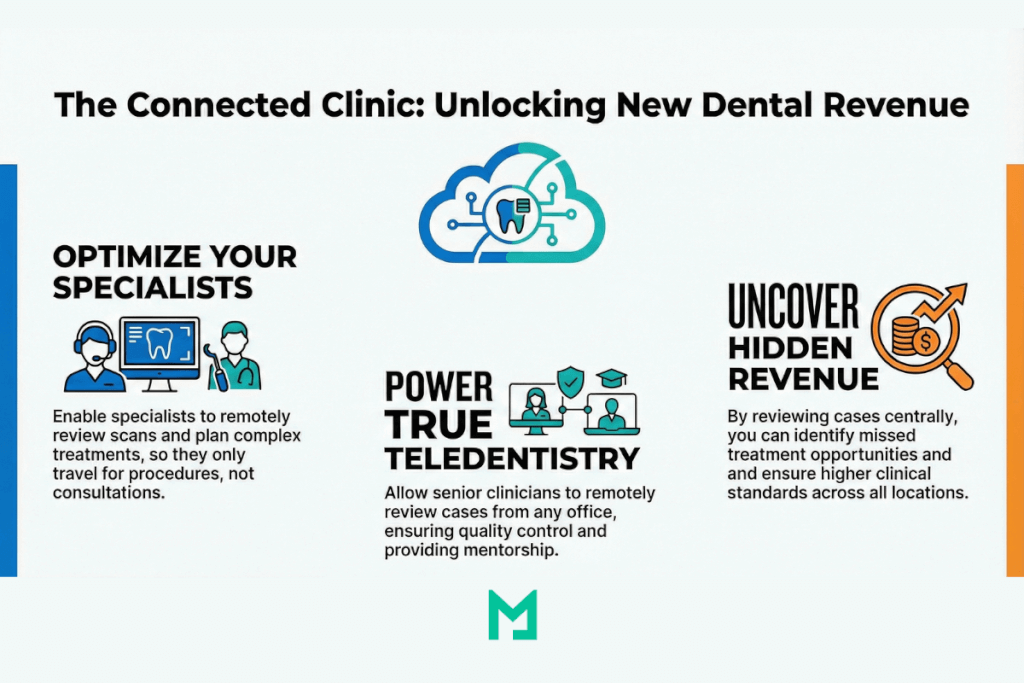
Many DSOs struggle to keep their in-house specialists (Oral Surgeons, Orthodontists) busy. With a Cloud PACS, a specialist can instantly review CBCT scans from any clinic in the network. They can plan implants or aligners remotely, ensuring that when they travel to the clinic, they are there to operate, not just to consult.
Teledentistry and Remote Grading
For hygiene checks or emergency triage, a centralized viewer enables true Teledentistry. A senior Clinical Director can review questionable cases from junior associates across the country, ensuring clinical standards are met and uncovering missed treatment opportunities (e.g., missed canals or periodontal disease).
Medicai: The Enterprise Layer for DSOs
Most dental software is built for a single practice. Medicai is built for the Enterprise.
We understand that DSOs rarely have a homogeneous environment. You likely have a mix of Dentrix, Eaglesoft, and Open Dental. You have a mix of sensor brands.
- The VNA Advantage: Medicai acts as a Vendor Neutral Archive (VNA). We sit above the PMS layer, ingesting imaging data from any source and presenting it in a unified web viewer.
- Elastic Scalability: Whether you have 10 locations or 1,000, our cloud-native architecture scales automatically. You never have to buy another hard drive.
- HIPAA & GDPR Compliance: We handle complex security, encryption, and redundancy, offloading that liability from your local IT team.
Build a Foundation for Growth
Dental imaging software is no longer just an IT infrastructure decision. The choice of platform — single-practice or multi-site, on-premise or cloud-based, vendor-locked or vendor-neutral — shapes how a dental practice operates today and how easily it can expand, integrate with referring specialists, adopt new modalities like CBCT, and respond to clinical workflow changes over the next 7 to 10 years.
For single-practice owners, the practical question is whether the current imaging setup supports the practice’s growth trajectory or constrains it. For DSO operations directors, the question is whether the imaging architecture can absorb new acquisitions without the per-clinic integration overhead that fragments the data layer. In both cases, cloud-native dental imaging software with vendor-neutral archive capability has become the structural answer — eliminating the local server dependency, standardizing the viewer experience, and providing the multi-site capability that growth strategies require.
Frequently asked questions about dental imaging software
These eight questions cover the queries dental practice owners, office managers, DSO operations directors, and dental IT teams most often search for when evaluating dental imaging software. Each answer is structured for direct citation in AI Overview and PAA boxes.
Dental imaging software is the technology stack that captures, stores, retrieves, and shares diagnostic dental images — intraoral X-rays, panoramic radiographs, CBCT volumes, intraoral camera photographs, and intraoral scanner data. The software runs on either a local server at each practice or a centralized cloud archive and provides the viewer that dentists use during patient appointments to review images.
Dental PACS (Picture Archiving and Communication System) is the storage and retrieval layer, specifically the archive component. Dental imaging software is the broader category that includes the PACS layer, plus the acquisition software at the imaging hardware, and the viewer software the dentist uses. In modern cloud-based systems, the PACS layer and the viewer often come from the same vendor as an integrated platform.
Five main modalities: intraoral X-ray sensors (digital periapical and bitewing radiographs), panoramic radiography (whole-mouth surveys), cone beam CT (CBCT, for 3D volumetric imaging used in implant and endodontic planning), intraoral cameras (color photographs for documentation), and intraoral scanners (3D digital impressions for orthodontics, crowns, and aligners).
Cloud-based fits practices planning to expand, using remote specialists, deploying CBCT, or seeking predictable subscription costs and elastic scalability. On-premise fits single-practice deployments with stable on-site IT, no multi-location plans, and minimal specialist consultation. The decision is increasingly a cloud default in 2026 because CBCT storage and multi-site access requirements favor cloud architecture.
Modern dental imaging software integrates with practice management platforms (Dentrix, Eaglesoft, Open Dental, Curve, Carestream Practice Management) via HL7 messaging or REST APIs. The integration synchronizes patient records, links imaging studies to specific appointments, and surfaces imaging in the chart view. Vendor-neutral architecture allows imaging software to integrate across multiple PMS systems simultaneously — important for DSOs running heterogeneous PMS environments.
Cone beam CT (CBCT) is a 3D volumetric imaging modality used for implant planning, endodontic root canal evaluation, oral surgery, and orthodontic treatment planning. Unlike regular dental X-rays (which are 2D), CBCT produces a 3D volumetric data set that can be viewed in multiple planes and measured precisely. CBCT files are 100-500 MB per scan compared to 1-3 MB for intraoral X-rays, which is why CBCT-capable practices often need cloud-based storage.
Cloud-based dental imaging software provides a centralized archive where all DSO locations capture and store imaging to a single cloud repository. This eliminates per-clinic data silos, allows associate dentists and hygienists to float between locations with full patient imaging histories, enables remote specialist review of CBCT scans across the network, and standardizes the viewer interface so staff learn one tool rather than five different vendor-specific viewers.
Dental imaging software pricing varies by deployment model and practice size. Cloud-based dental imaging typically runs $200-$800 per clinic per month for a small single-practice deployment, scaling to enterprise contracts for multi-site DSOs. On-premise deployments have higher upfront costs ($5,000-$25,000 in hardware and software) but lower ongoing fees. CBCT-capable software typically commands a premium across both deployment models.


Related Articles

Lets get in touch!
Learn more about how Medicai can help you strengthen your practice and improve your patients’ experience. Ready to start your Journey?
Book A Free Demo