What Is PACS in Healthcare: How Picture Archiving and Communication Systems Work

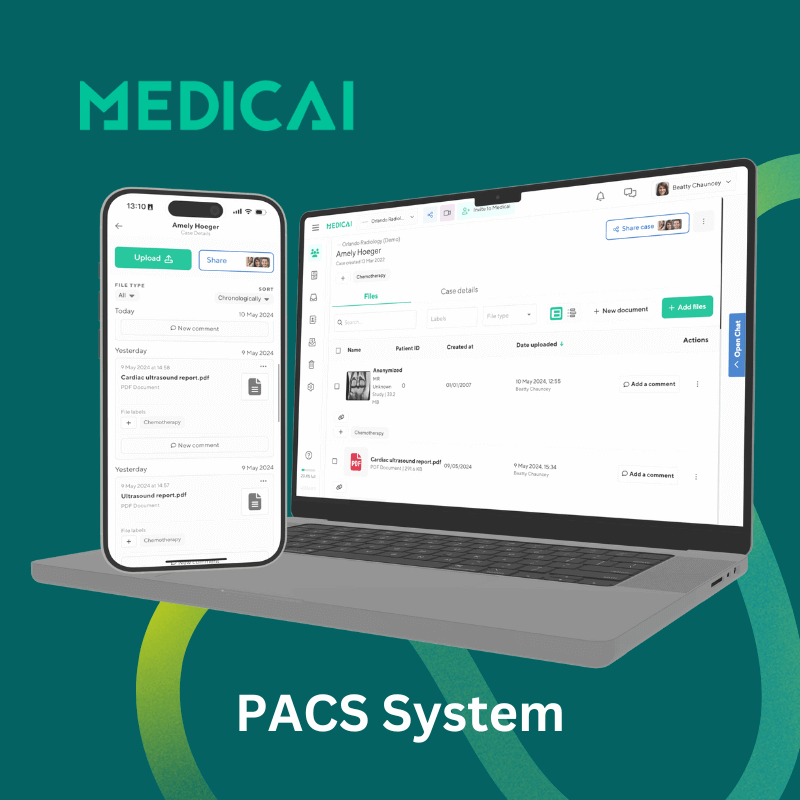
PACS (Picture Archiving and Communication System) is the medical imaging IT platform hospitals and radiology departments use to store, retrieve, and view diagnostic images such as X-rays, CT scans, MRIs, and ultrasounds. PACS replaces the film-and-light-box workflow of pre-digital radiology, enabling instant electronic access to imaging studies from any authorized workstation. In modern healthcare, PACS sits at the center of the radiology IT stack — integrating with the Radiology Information System (RIS), the Hospital Information System (HIS), and the Electronic Health Record (EHR).
As imaging technology advances, healthcare professionals face the challenge of managing and sharing vast amounts of data. The PACS system is a game-changer for handling diagnostic images, making it easy to save, find, and share images quickly and securely.
This guide defines PACS in healthcare, outlines its components, and explains why a hospital PACS system is essential. PACS architecture, security, and buying criteria are covered in our enterprise PACS guide.
Note on terminology: PACS in medical imaging is unrelated to PACs (premature atrial contractions) in cardiology. The two share the same acronym but refer to entirely different concepts. This guide covers Picture Archiving and Communication Systems used in radiology and healthcare IT. For cardiac PACS, remote consultation cardiology references.

What does PACS stand for in medical terms?
PACS stands for Picture Archiving and Communication System. The acronym refers to a digital platform used in hospitals and radiology departments to store, retrieve, and share medical imaging studies — replacing the physical film archives of pre-digital radiology. The FDA now classifies PACS software as MIMPS.
The four words in the acronym each describe one of the platform’s core functions:
- Picture — the diagnostic image (X-ray, CT scan, MRI, ultrasound, mammogram, nuclear medicine study, or PET) acquired from an imaging modality
- Archiving — long-term digital storage of these images, replacing physical film libraries
- Communication — the network protocols (primarily DICOM) that move images between scanners, storage, and viewers
- System — the integrated software, hardware, and network infrastructure that supports the above
PACS is most commonly used in radiology, but the same platform increasingly supports cardiology, ophthalmology, dermatology, pathology, and dental imaging — any clinical specialty that generates diagnostic images.
What is PACS in healthcare?
In healthcare, PACS is the imaging IT platform that handles the complete workflow of diagnostic medical images — from acquisition at the imaging modality (CT scanner, MRI machine, X-ray unit, ultrasound), through long-term storage, to retrieval on a radiologist’s reading workstation, and finally to distribution to referring clinicians through the electronic health record.
PACS plays three operational roles in modern healthcare delivery.
Clinical workflow backbone
PACS connects every imaging modality in a hospital — the CT scanner in the ED, the MRI machine in the outpatient imaging center, the X-ray unit on the orthopedic floor, the ultrasound in obstetrics — into a single accessible archive. A radiologist sitting at any authorized workstation can pull up any patient’s imaging study within seconds, regardless of the modality used to acquire it or where the patient was scanned.
EHR integration layer
PACS integrates with the EHR (Electronic Health Record) so that when a referring physician opens a patient’s chart, the imaging studies appear in context with the rest of the clinical record. This integration eliminates the older workflow in which physicians had to log in to separate radiology systems to view images.
Compliance and audit infrastructure
PACS handles the long-term storage and audit-logging requirements imposed by HIPAA, GDPR, and equivalent regulations for imaging data. Modern PACS deployments encrypt data in transit and at rest, log every study access for audit, and support the multi-year retention periods (typically 7+ years) required by regulatory frameworks.
Components of a PACS system
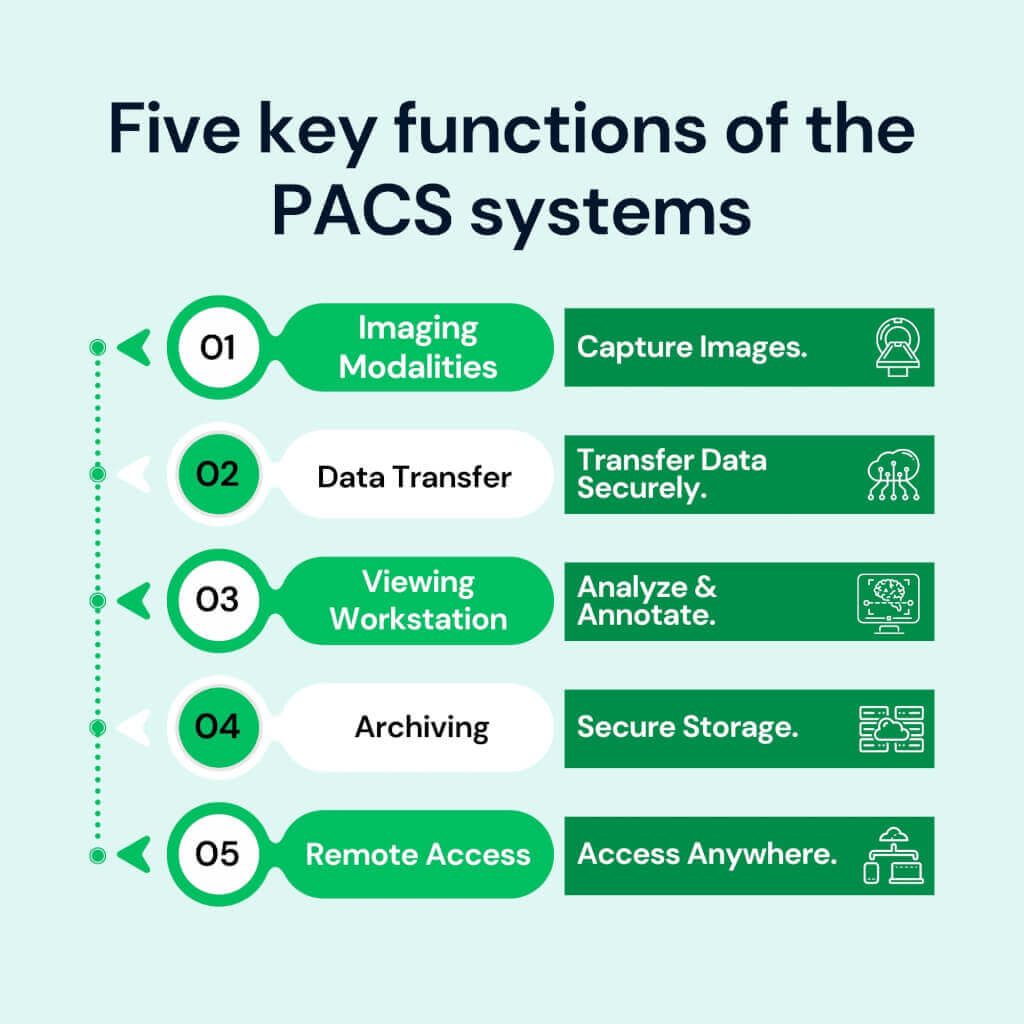
A PACS system consists of four interconnected components: imaging modalities that acquire the studies, network infrastructure that moves data between systems, viewing workstations where radiologists interpret studies, and archival storage that retains the imaging data long-term.
Imaging modalities
The devices that generate diagnostic images — CT scanners, MRI machines, X-ray units, ultrasound systems, mammography units, nuclear medicine cameras, and PET scanners. Each modality outputs images in DICOM (Digital Imaging and Communications in Medicine) format, the universal standard that ensures images can be read by any DICOM-compliant viewer regardless of manufacturer.
Network infrastructure
High-speed network connections that move imaging studies between modalities, the PACS archive, and viewing workstations. Modern PACS deployments use either classic DIMSE network protocols (running over dedicated TCP ports on hospital networks) or DICOMweb (the modern RESTful HTTP equivalent that enables browser-based viewing and cloud-native deployment).
Viewing workstations
The diagnostic workstations radiologists use to read studies. Workstations include the DICOM viewer software, calibrated diagnostic-grade monitors (typically 3MP or 5MP for radiology reading), and integration with reporting tools and worklists. Modern PACS increasingly supports zero-footprint web-based viewers that run in a browser without local software installation, enabling reading from any authorized location.
Archival storage
Long-term storage of imaging studies. Three architectures dominate: on-premise storage (dedicated servers within the hospital), cloud storage (imaging archived in HIPAA-compliant cloud infrastructure), and hybrid (recent studies on local storage for fast access; older studies on cloud for cost-effective long-term retention). The choice of architecture has high cost and operational implications across a 7-to-10-year contract horizon.
How a PACS system works: the lifecycle of a medical image
A medical image flows through a PACS system in four stages: an imaging order is placed in the RIS or EHR, the modality acquires the image using DICOM Modality Worklist to match it to the order, the modality sends the image to the PACS using DICOM Store, and the radiologist retrieves the image at the viewing workstation using DICOM Query/Retrieve.
Stage 1 — The order (HL7)
The workflow begins in the RIS (Radiology Information System) or EHR. A physician orders an imaging study — a chest CT, a knee MRI, and a screening mammogram. The order generates an HL7 ORM message containing patient demographics, the requested study, and a unique Accession Number that will follow the study across all downstream systems.
Stage 2 — The worklist (DICOM Modality Worklist)
The CT scanner, MRI machine, or X-ray unit queries the DICOM Modality Worklist (MWL) server before each scan. The technologist reviews the day’s scheduled patients in a worklist and selects the correct patient — ensuring the resulting images are tagged with the correct Accession Number and patient demographics, preventing the identity mismatches that plagued pre-MWL imaging workflows.
Stage 3 — The capture and send (DICOM Store)
The modality acquires the diagnostic images. As each image is generated, the modality sends it to the PACS server using the DICOM Store service class (C-STORE). The PACS server validates the incoming study, indexes it by patient and accession number, and writes it to archival storage. In modern cloud-native PACS deployments, this transmission may use DICOMweb STOW-RS over HTTPS rather than classic DIMSE C-STORE.
Stage 4 — The fetch (DICOM Query/Retrieve)
When the radiologist opens the study at a viewing workstation, the workstation sends DICOM C-FIND and C-MOVE commands (or DICOMweb QIDO-RS and WADO-RS equivalents) to the PACS server. The PACS retrieves the relevant pixel data and transmits it to the workstation, where the radiologist reviews the images, makes measurements, compares them with prior studies, and dictates the diagnostic report.
Types of PACS systems: on-premise, cloud, and hybrid
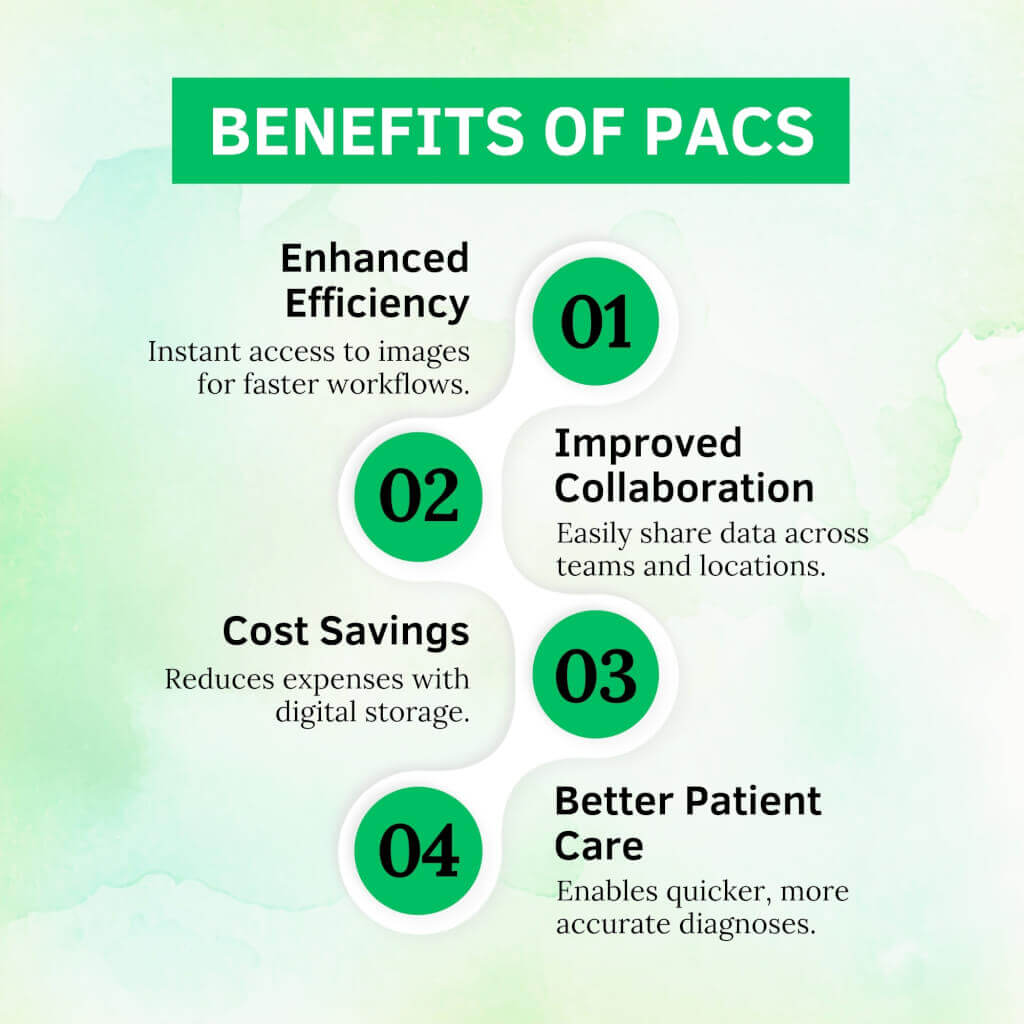
PACS systems are deployed in three models: on-premise, cloud-based, and hybrid. Each model has different cost structures, scalability profiles, and operational implications, and the choice constrains the next 7-to-10 years of imaging architecture.
| Dimension | On-premise PACS | Cloud PACS | Hybrid PACS |
|---|---|---|---|
| Infrastructure | Servers and storage in-house | Vendor-managed cloud | Local servers + cloud backup |
| Upfront cost | High | Low | Medium |
| Ongoing cost | IT staff + hardware refresh | Predictable monthly subscription | Both models combined |
| Scalability | Manual capacity planning | Elastic, on-demand | Cloud bursts when local fills |
| Remote access | VPN-dependent | Native, browser-based | Cloud layer enables remote |
| Data residency | Full on-site control | Vendor-controlled (contractual) | Mixed |
| Best fit | Large hospitals, strict residency | Imaging centers, specialty clinics | Hospitals transitioning to cloud |
On-premise PACS
Traditional PACS deployment with all servers, storage, and IT infrastructure inside the hospital. Provides full control over data residency and operates on the hospital’s internal network. The tradeoffs are high upfront capital cost (hardware, software, setup), ongoing IT staffing for maintenance, and physical hardware refresh cycles every 5–7 years.
Cloud PACS
PACS infrastructure hosted by a cloud vendor (AWS, Azure, or vendor-managed cloud), accessed through the browser without on-premise servers. Cloud PACS shifts capital expenditure to operating expenditure (monthly subscription), eliminates hardware refresh cycles, and enables remote access from any authorized location. The most common deployment model for imaging centers, specialty clinics, and growing radiology practices in 2026.
Cloud PACS shifts the cost model from a large upfront capital purchase to a predictable operating subscription, which is often the deciding factor between deployment types. For a full breakdown of what drives PACS cost and how to compare cloud against on-premise over a five-year total cost of ownership, see the guide to cloud PACS cost.
Hybrid PACS
Combines on-premise primary storage with cloud-based backup or burst capacity. Recent imaging studies remain on local servers for fast access; older studies and overflow capacity are moved to cloud storage. Hybrid models suit hospitals transitioning from full on-premise to cloud-native architectures without a forklift migration.
For a deeper comparison of cloud and on-premise PACS, see cloud vs on-premise PACS. For vendor evaluation across architectures, see cloud PACS vendors.
PACS integration with RIS, HIS, EHR, and VNA
PACS doesn’t operate in isolation. It integrates with four other systems in the healthcare IT stack — the Radiology Information System (RIS), the Hospital Information System (HIS), the Electronic Health Record (EHR), and the Vendor-Neutral Archive (VNA) — to deliver the complete imaging workflow.
PACS and RIS
The RIS handles radiology-specific administration: scheduling, technologist worklist management, radiologist worklist, and report generation. PACS handles the imaging itself. The two integrate so closely that many vendors offer combined PACS/RIS suites, yet architecturally they remain separate systems. For a more detailed comparison, see RIS vs. PACS.
PACS and HIS
The HIS manages hospital-wide administrative workflows — patient registration, billing, bed management, and master patient index. PACS integrates with the HIS to ensure imaging data is associated with the correct patient record and that imaging billing flows correctly through the hospital’s revenue cycle.
PACS and EHR
EHR integration is what makes imaging visible to non-radiologist clinicians. When a primary care physician, surgeon, or emergency physician opens a patient’s chart in Epic, Cerner, or another EHR, the imaging studies appear in context — typically through a launch-in-context link that opens the PACS viewer pre-populated to the relevant patient. This integration is the difference between PACS as a radiology-only tool and PACS as a hospital-wide imaging platform.
PACS and VNA
The Vendor-Neutral Archive sits beneath the PACS as the long-term storage layer. PACS handles active reading workflow; VNA handles vendor-independent long-term archive. Most modern hospitals operate both, with PACS as the active diagnostic tool and VNA as the durable archive that outlives any single PACS contract. For more, see VNA vs PACS.
PACS and DICOM: how they relate
DICOM is the international standard that defines how medical images are formatted, transmitted, and stored. PACS is the software platform that uses DICOM to handle the complete imaging workflow. Every PACS speaks DICOM; not every DICOM-compliant system is a PACS.
The relationship is layered: DICOM is the protocol and data format; PACS is the application that uses DICOM to deliver clinical functionality. A modality like a CT scanner outputs DICOM files. A DICOM viewer reads DICOM files. A PACS server stores, indexes, and retrieves DICOM files at scale across an entire hospital or health system. The PACS adds workflow, storage management, security, and integration that a standalone DICOM viewer doesn’t provide.
For a direct comparison, see PACS vs DICOM.
Frequently Asked Questions about PACS
What does PACS stand for?
PACS stands for Picture Archiving and Communication System. It’s the medical imaging IT platform that hospitals and radiology departments use to store, retrieve, and share diagnostic images like X-rays, CT scans, MRIs, and ultrasounds — replacing the physical film archives of pre-digital radiology.
What is PACS in healthcare?
In healthcare, PACS is the imaging IT platform that manages the complete workflow of diagnostic medical images — from acquisition at the imaging modality, through long-term storage, to retrieval on a radiologist’s workstation, and finally to distribution through the electronic health record.
What is a PACS system used for?
A PACS system captures diagnostic medical images from imaging modalities (CT, MRI, X-ray, ultrasound), stores them in long-term digital archives, retrieves them at radiologist workstations for interpretation, and distributes them to referring clinicians through the electronic health record.
What is the difference between PACS and a medical record?
A medical record (EHR) is the complete clinical record — diagnoses, medications, lab results, notes, and imaging references. PACS is a specialized imaging platform that stores imaging studies. EHR holds the textual record; PACS holds the pixel data. The two integrate so that imaging appears in context within the patient’s full record.
What’s the difference between PACS and RIS?
PACS handles imaging data — storage, retrieval, and viewing of diagnostic images. RIS (Radiology Information System) handles radiology administration — scheduling, worklists, reporting, and billing. PACS is the radiologist’s diagnostic tool; RIS is the department’s workflow system. The two integrate but serve different functions.
What’s the difference between PACS and a VNA?
PACS is the active reading platform that radiologists use day-to-day. A VNA (Vendor-Neutral Archive) is the long-term archive layer beneath the PACS, storing imaging in a vendor-independent format so the data outlives any single PACS contract. Most hospitals operate both a PACS for active workflows and a VNA for long-term archiving.
What’s the difference between PACS and DICOM?
DICOM is the international standard defining how medical images are formatted, transmitted, and stored. PACS is the software platform that uses DICOM to deliver clinical functionality. Every PACS speaks DICOM, but a PACS adds workflow, storage management, security, and integration that the DICOM standard alone doesn’t provide.
Is PACS the same as PAC (premature atrial contraction)?
No. PACS in medical imaging is unrelated to PACs (premature atrial contractions) in cardiology — the two share the same acronym but refer to entirely different concepts. PACS is the Picture Archiving and Communication System (an imaging IT system). PACs are abnormal heartbeats originating in the atria.
Where PACS is heading
Three trends are reshaping PACS through 2027 and beyond. Cloud-native architecture is moving from a differentiator to a baseline expectation — even legacy on-premise PACS leaders are migrating toward cloud-extension architectures, and new deployments increasingly start cloud-first. AI integration is becoming a native PACS capability rather than a partnership extension, with platforms shipping native AI orchestration for triage, detection, reporting, and workflow optimization. And the boundary between PACS and Vendor-Neutral Archive is dissolving as cloud-native platforms deliver both active reading and long-term archive through a single architecture.
For organizations evaluating PACS in 2026 and 2027, the practical implication is that today’s PACS selection constrains the next 7-to-10 years of imaging architecture. The questions worth asking are not just ‘which PACS has the highest KLAS ranking’ — they’re ‘which PACS fits where this radiology department will be three contract cycles from now.’
For deeper context, see the PACS architecture guide and the PACS workflow guide — the architecture and workflow companion hubs in this PACS cluster.


Related Articles

Lets get in touch!
Learn more about how Medicai can help you strengthen your practice and improve your patients’ experience. Ready to start your Journey?
Book A Free Demo