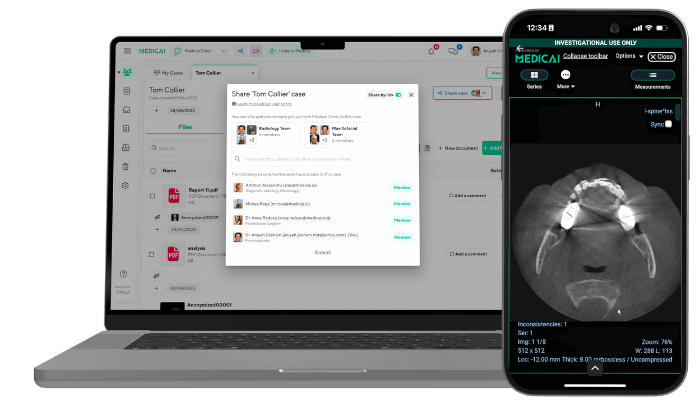
Best Radiology Software in 2026: A Category-by-Category Guide

“Radiology software” is not one product. It is a stack of specialized tools that, together, move a medical image from the scanner to a signed report and then to the referring clinician. When people search for the best radiology software, they are usually looking for one specific layer of that stack: a cloud PACS to store and view studies, a dictation or voice recognition system to write reports, a workflow tool to manage the worklist, an AI tool to flag findings, or a viewer to open DICOM files.
This guide organizes the best radiology software by category, explains what each category does, and names the leading products in each, so you can find the right tool for the specific job you are trying to solve rather than comparing products that do entirely different things. Each category links to a deeper guide for that layer.
What Counts as Radiology Software?
Radiology software is any application used to acquire, store, view, interpret, report, or distribute medical imaging. In a modern radiology practice, a handful of categories cover almost everything a team uses day-to-day:
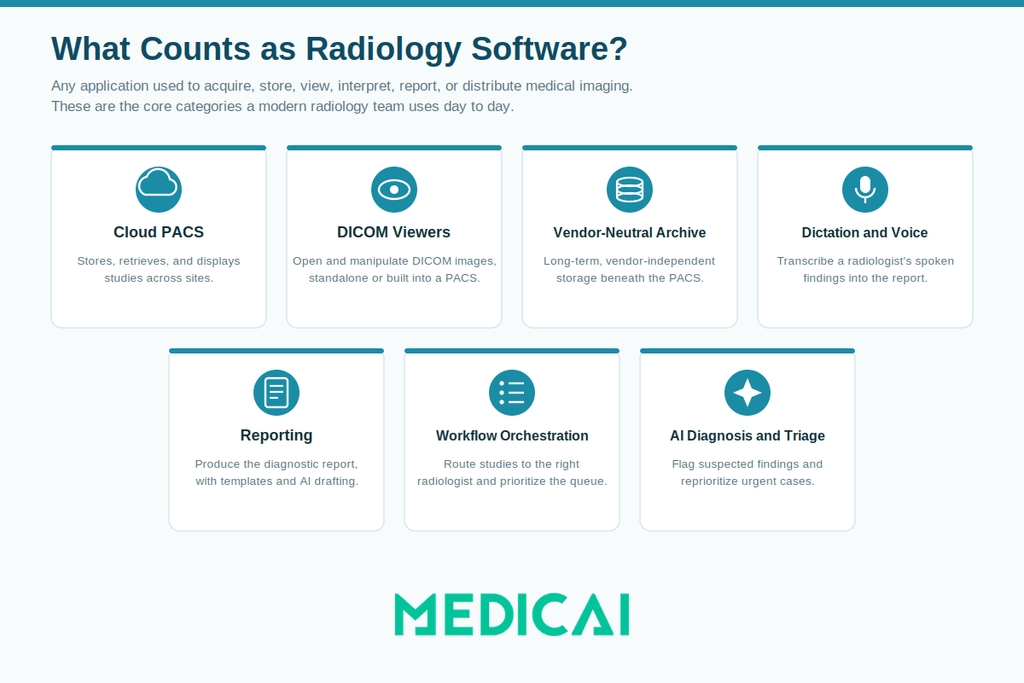
- Cloud PACS (Picture Archiving and Communication System): stores, retrieves, and displays imaging studies across sites.
- DICOM viewers: open and manipulate DICOM images, sometimes standalone, sometimes built into a PACS.
- Vendor-neutral archives (VNA): store imaging long-term in a standard, vendor-independent format beneath the PACS.
- Dictation and voice recognition: transcribe a radiologist’s spoken findings into the report.
- Reporting and structured reporting: produce the diagnostic report itself, increasingly with templates and AI drafting.
- Workflow and worklist orchestration: route studies to the right radiologist and prioritize the queue.
- AI diagnosis and triage: flag suspected findings and reprioritize urgent cases.
Teleradiology sits across several of these: it is a service model for remote reading, delivered on top of PACS, workflow, and reporting software. Most practices do not buy a single “radiology software.” They assemble a stack from these categories, so the best choice depends entirely on which layer you are solving for.
How We Selected These Tools
We grouped products by category and the jobs they do, then included the platforms most widely adopted in US and international radiology practices, as well as notable newer entrants in fast-moving categories such as AI. Within each category, we favored tools with broad modality support, standards-based interoperability (DICOM, HL7, FHIR), and a clear fit for a defined practice type, from single imaging centers to multi-site enterprises. Where an independent benchmark exists, such as the KLAS Best in KLAS rankings, we note it.
Disclosure: Medicai, which publishes this guide, is a cloud imaging platform and is listed below in the categories where it competes (cloud PACS, DICOM viewing, VNA, and image sharing). We have noted that plainly rather than presenting Medicai as a neutral third-party pick.
A note on pricing: as of 2026, most enterprise radiology software is sold on a quote basis, with pricing tied to study volume, number of sites, modules, and contract length, and is not published publicly. Where a product offers transparent or entry-level pricing, confirm the current figure on the vendor’s own site, since these change frequently. Treat any price you are quoted as specific to your volume and configuration.
Best Cloud PACS Software
A cloud PACS is the core of most radiology software stacks: it stores every study, displays it through a viewer, and makes imaging accessible across locations without on-premise servers. It is the layer most practices mean when they say they need “radiology software.” For the full breakdown, see our guide to cloud PACS vendors.
Leading options include Medicai, a cloud-native PACS with a zero-footprint web and mobile viewer, image sharing, and API-first integration, aimed at multi-site practices and imaging centers that want to avoid VPNs and local installs; Sectra (Sectra One Cloud), an enterprise PACS repeatedly ranked at the top of KLAS user-satisfaction surveys; Intelerad (which now includes Ambra Health) and Fujifilm Synapse, established enterprise and VNA-first platforms; Merge by Merative (formerly IBM Watson Health imaging); and PostDICOM, a cloud PACS and viewer option in the small-to-mid segment. If you are evaluating Medicai specifically for a commercial deployment, see the Medicai radiology solution page.
Best DICOM Viewers
A DICOM viewer opens and manipulates medical images. Some are standalone; others are the front end of a PACS. Viewers matter most when you need to open a study without a full PACS, or when reading ergonomics and speed are the priority. See our guide to the best DICOM viewers for the full comparison.
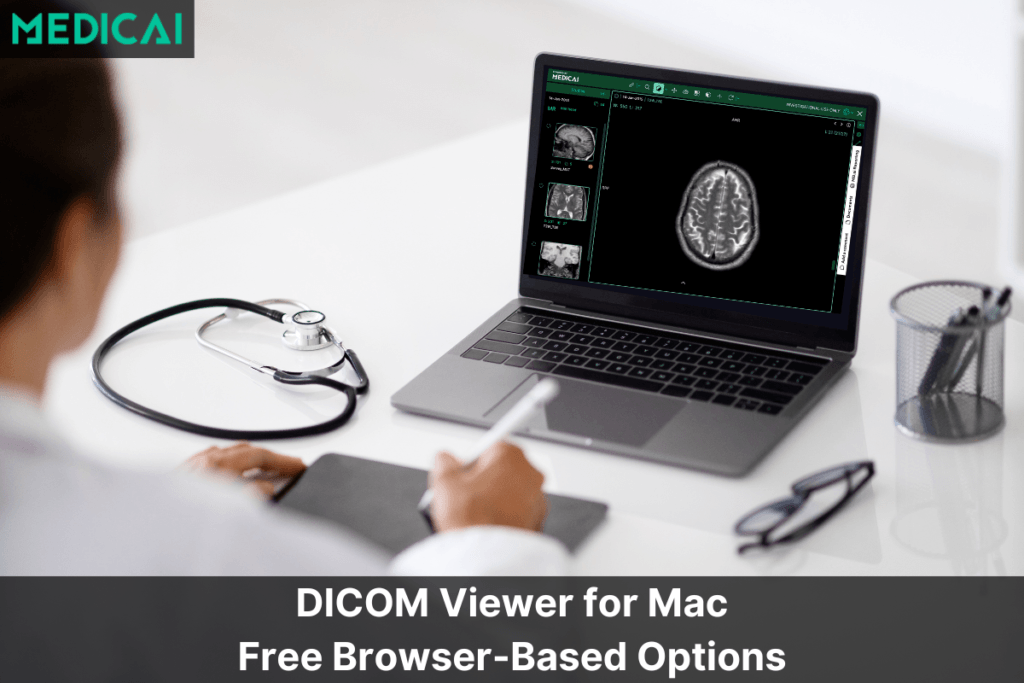
Common choices include the Medicai online web viewer (browser-based, no install); OsiriX (macOS, with an FDA-cleared MD edition for diagnostic use); MedDream by Softneta (web-based, FDA-cleared); RadiAnt (a fast Windows viewer popular for its speed); Weasis and Horos (free, open-source options, Horos for macOS); and Imaios IDV and PostDICOM for web-based review. The right viewer depends on your operating system, whether you need diagnostic (FDA-cleared) versus review-only use, and whether it must integrate with your PACS.
Best Vendor-Neutral Archives (VNA)
A VNA stores imaging long-term in standard DICOM format, independent of any single PACS vendor, so you can change your PACS without a costly data migration. It is the layer enterprises add when they run multiple PACS or plan a vendor change. See our guide to the best vendor-neutral archives.
Notable options include AGFA HealthCare Enterprise Imaging, recognized as a recent Best in KLAS VNA winner; Hyland (Acuo VNA), a long-established enterprise archive; the enterprise-imaging VNAs from Sectra, Fujifilm, Philips, and GE HealthCare; Mach7; Merge by Merative; and Medicai, whose cloud architecture separates the standards-based data layer from the viewing and workflow layer. The key evaluation points are true DICOM-native storage, DICOMweb access, and a clean migration path.
Best Radiology Dictation and Voice Recognition Software
Dictation and voice recognition software, trained on radiology vocabulary, transcribes a radiologist’s spoken findings into report text in real time. It is one of the highest-impact tools for reporting speed. See our guide to radiology voice recognition and dictation software.
The leading systems are Nuance PowerScribe One (Microsoft), the de facto US enterprise standard and the successor to the now-retiring PowerScribe 360; Solventum M*Modal Fluency for Imaging (formerly 3M, following the 2024 Solventum spinoff), the main enterprise alternative; and Nuance Dragon Medical One (Microsoft), a cross-specialty clinical voice recognition engine used alongside them. Newer AI-first tools such as Rad AI use voice as the edit-and-correction layer over AI-drafted content rather than as the primary input.
Best Radiology Reporting and Structured Reporting Software
Reporting software increasingly produces the diagnostic report itself, using structured templates and AI-generated draft text that the radiologist reviews and signs. See our guide to structured radiology reporting.
Options overlap with the dictation category: Nuance PowerScribe One and Solventum M*Modal both include structured reporting; Smart Reporting focuses specifically on structured, template-driven reports; and Rad AI leads the AI-drafting approach, generating impression and report text from the radiologist’s findings. Structured reporting improves consistency and downstream data usability, at the cost of more upfront template setup.
Best Radiology Workflow and Worklist Orchestration Software
Workflow software manages the worklist: which study goes to which radiologist, in what order, across which sites. It is what keeps a distributed reading operation balanced and on time. See our guide to radiology workflow software.
Leading platforms include the Blackford Platform (workflow and AI orchestration), Siemens Healthineers teamplay, and intelligent worklist routing built into the major enterprise PACS. Some AI vendors, notably Aidoc, also provide workflow orchestration alongside their detection algorithms. The value of this layer grows with the number of sites and radiologists you coordinate.
Best AI Diagnosis and Triage Software
AI diagnosis software analyzes studies to flag suspected findings and reprioritize urgent cases, working alongside the radiologist rather than replacing the read. See our guide to AI diagnosis vendors.
Widely deployed options include Aidoc (broad triage across modalities), Viz.ai (stroke and cardiovascular pathways), Lunit and Annalise.ai (chest and mammography detection), Qure.ai (chest X-ray and CT, including global and resource-limited settings), RapidAI (neurovascular), and Rad AI (reporting-focused AI). When evaluating AI, confirm the specific FDA clearance for each intended use, since clearances are narrow and product-specific, and check how the tool integrates with your PACS and worklist.
Where Teleradiology Fits
Teleradiology is a remote-reading service model rather than a single software category. Teleradiology providers deliver reads on top of PACS, workflow, and reporting software, and practices adopting teleradiology need an underlying imaging platform that supports secure, multi-site access and fast turnaround times. If your question is about the reading service and providers rather than the software layer, that is a distinct evaluation from the software categories above.
How to Choose the Best Radiology Software for Your Practice
Because radiology software spans several categories, the best choice begins with identifying which layer you are actually addressing. A useful sequence:
- Start with the core platform. For most practices, the cloud PACS (and its viewer) is the anchor decision; the other layers integrate around it.
- Check interoperability. Confirm DICOM, HL7, and FHIR support and, for storage, a true VNA and DICOMweb access, so you are not locked in.
- Match the tool to practice size. A single imaging center, a multi-site group, and a hospital enterprise have very different needs; a tool that fits one may be overbuilt or underpowered for another.
- Verify regulatory fit. For diagnostic viewing and AI, confirm FDA clearance for the specific intended use; for data handling, confirm HIPAA-ready and, where relevant, GDPR-aligned practices.
- Get a configuration-specific quote. Since pricing is quote-based, compare total cost for your actual study volume, site count, and modules, not headline figures.
Frequently Asked Questions
Radiology software is any application used to acquire, store, view, interpret, report on, or distribute medical images. It is not a single product but a stack of categories — cloud PACS, DICOM viewers, vendor-neutral archives, dictation and reporting tools, workflow orchestration, and AI — that together move an image from the scanner to a signed report and out to the referring clinician.
There is no single best radiology software because the categories serve different purposes. The best cloud PACS, the best dictation system, and the best AI triage tool are different products. Identify the layer you are solving for first: for a core imaging platform, cloud PACS options such as Medicai, Sectra, and Intelerad lead; for dictation, Nuance PowerScribe One and Solventum M*Modal; for AI triage, Aidoc, Viz.ai, and others depending on the pathway.
As of 2026, most enterprise radiology software is priced on a quote basis tied to study volume, number of sites, modules, and contract length, and vendors generally do not publish list prices. Cloud PACS is typically subscription-based, which lowers upfront cost compared with on-premise systems. Get a quote for your specific configuration, and confirm what is included (technical scan handling, viewer, storage, support) before comparing.
PACS is a category of radiology software: a system that stores and displays medical images. “Radiology software” is the broader term that encompasses PACS, dictation, reporting, workflow, AI, viewers, and archives. A PACS is usually the core of a radiology software stack, with the other categories integrating around it.
Free and open-source options are available primarily in the DICOM viewer category, such as Weasis and Horos, and are useful for review, research, or education. Full enterprise categories like cloud PACS, VNA, and AI triage are commercial products. Confirm whether a free viewer is cleared for diagnostic use before relying on it clinically.
Conclusion
The best radiology software is the one that fits the specific layer of your workflow you need to improve, and integrates cleanly with the rest of your stack. Start with your core platform, usually a cloud PACS, confirm interoperability and regulatory fit, and add the dictation, reporting, workflow, or AI tools that match your practice size and reading volume. Use the category guides linked above to go deeper on whichever layer you are evaluating next.


Related Articles
Lets get in touch!
Learn more about how Medicai can help you strengthen your practice and improve your patients’ experience. Ready to start your Journey?
Book A Free Demo