DICOM vs PACS: Benefits and Differences in Medical Imaging
DICOM vs PACS is simple: DICOM is the imaging standard and file format that moves studies between systems, and PACS is the system that stores, organizes, and displays those studies.
Imagine a specialist viewing a patient’s MRI scan, captured in a Chicago hospital, in a clinic in Minneapolis. Once, it was a dream; now, it’s reality. And all credit goes to DICOM and PACS.
DICOM is the universal standard for formatting and transmitting medical images, while PACS is the system that stores and organizes them. DICOM ensures compatibility and interoperability between devices, letting different modalities communicate seamlessly. PACS is the repository that archives these images and provides access when needed.
This blog will discuss the critical differences between DICOM and PACS and how they complement each other, transforming medical imaging workflows.
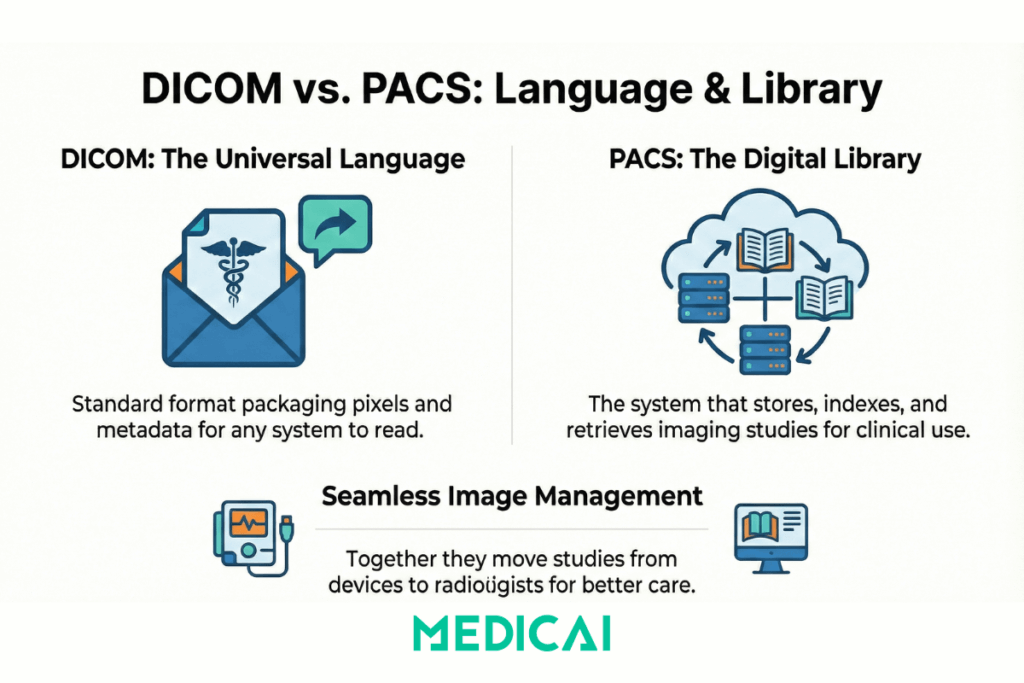
DICOM vs PACS: Key Differences at a Glance
- DICOM role: a file format and network standard that packages pixels plus metadata and moves studies between systems.
- PACS role: the system that stores, indexes, retrieves, and displays those studies for clinical use.
- DICOM output: a DICOM object that any compliant system can read.
- PACS output: searchable studies, priors, routing, and access controls inside an imaging archive.
Think of it like this: DICOM is the language, PACS is the library. They work together to enable seamless medical image management—from the imaging device to the radiologist’s screen—improving efficiency, collaboration, and patient care.

DICOM vs PACS: How Do They Differ?
DICOM and PACS are two vital technologies in the medical field, with distinct roles. While DICOM focuses on standardizing the communication and formatting of medical images, PACS serves as the central hub for storing, organizing, and accessing these images.
Let’s explore the key differences between DICOM and PACS, as well as their unique contributions to the healthcare ecosystem.
Definition and Scope
DICOM is the medical imaging standard that defines how images and related metadata are formatted, identified, and transmitted between systems. DICOM makes studies readable across scanners, viewers, and archives from different manufacturers by using a shared “language” for pixel data plus patient and study information.
Key Characteristics of DICOM
- Standardizes how imaging data is formatted and exchanged
- Carries metadata such as patient, study, and acquisition details
- Enables cross-vendor interoperability across modalities, viewers, and archives

PACS is the medical imaging system that stores, indexes, retrieves, and displays imaging studies, most commonly DICOM studies. PACS turns DICOM studies into a searchable, accessible imaging archive so clinicians can find priors, compare exams over time, and share studies securely across locations.
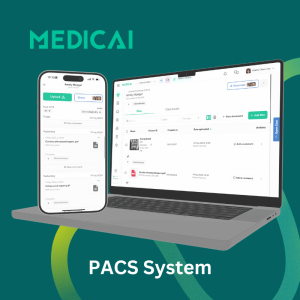
Key Characteristics of PACS
- Organizes and manages large volumes of imaging studies
- Provides access, retrieval, and viewing workflows for clinical teams
- Centralizes archiving with security controls and long-term retention
DICOM defines how imaging data is packaged and moved, and PACS defines where that data lives and how users find and access it.
Role In Imaging Workflow
DICOM and PACS are complementary in medical imaging workflow.
DICOM’s Role In Imaging Workflow
DICOM ensures that imaging devices produce data in a standardized format, helping preserve the integrity of the image and its associated metadata.
Also, DICOM facilitates the transmission of imaging data across different devices and systems.
PACS’s Role In Imaging Workflow
PACS is a medical image storage and archive hub for imaging workflows. Once DICOM images are formatted and transmitted, PACS stores them in an orderly manner.
PACS enables healthcare providers to retrieve, compare, and analyze images easily. For instance, a radiologist can quickly access a patient’s current and past MRI scans to monitor changes over time.
Data Handling And Management
DICOM focuses on encoding and transmitting imaging data. It ensures that images retain their original quality, even when transmitted through different systems.
PACS specializes in storing and managing imaging data, making it easy for healthcare providers to access studies using patient ID, imaging type, or study date. It also offers secure long-term storage for future reference, whether in a cloud-based or on-premises PACS.
Interoperability and Integration
DICOM and PACS help with interoperability in unique ways.
DICOM guarantees compatibility across imaging devices and systems. It acts as a universal translator, allowing devices from different manufacturers to share data without compatibility issues.
PACS enhances interoperability by integrating with other healthcare IT systems. These systems include-
- RIS (Radiology Information System)
- HIS ( Hospital Information System)
- EHR (Electronic Health Record)
Storage and Accessibility
A significant difference between DICOM and PACS lies in their approaches to storage and accessibility.
DICOM doesn’t store imaging data itself. Instead, it ensures image transmission from one system to another in a format that retains its quality and metadata.
PACS, on the other hand, serves as the central hub for storing and accessing imaging data. It offers functionalities for:
- Long-term Storage: Secure storage that keeps images accessible for years.
- Centralized Access: Healthcare providers can retrieve imaging data from PACS regardless of their physical location with their credentials.
- Advanced Retrieval: helps users search specific studies using detailed criteria, such as patient name, imaging modality, or study date.
PACS server vs DICOM server
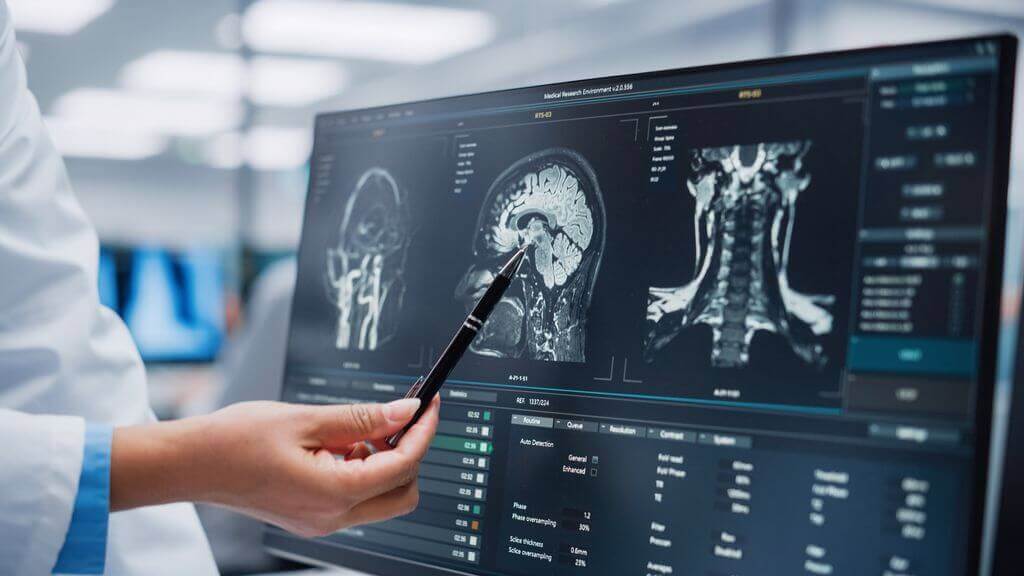
PACS server vs DICOM server differs by scope; a DICOM server provides DICOM network services for storing and exchanging DICOM objects, and a PACS server provides an imaging archive plus indexing, access, and workflow layers on top.
DICOM server definition
A DICOM server is a server application that implements DICOM services such as Store, Query, Retrieve, and Modality Worklist, so modalities and other systems can send, find, and pull DICOM studies.
PACS server definition
PACS server is the server-side core of a PACS that stores studies and metadata, indexes them for fast search, enforces user access and audit controls, and serves studies to viewers and integrated systems.
Comparison, same criteria, two servers
- Primary job
DICOM server, accept and provide DICOM transactions
PACS server, run the archive, plus search, retrieval, user access, and viewer delivery - Typical interfaces
DICOM server, DICOM networking services like C-STORE, C-FIND, C-MOVE, MWL
PACS server, DICOM plus integrations to RIS and EHR workflows, plus viewer backends and APIs where available - Output users feel
DICOM server, successful send and successful retrieval between systems
PACS server, searchable timelines, priors availability, controlled sharing, and stable access across sites
How DICOM and PACS Work Together?
DICOM and PACS play complementary roles in the medical imaging workflow. Their collaboration offers seamless workflows that transform raw imaging data into actionable diagnostic tools.
Here’s how they work together.
Step 1: Image Capture
To capture diagnostic images, DICOM and PACS work with imaging devices such as CT scanners, MRIs, and X-ray systems. Each produces a unique data type: MRIs create cross-sectional scans, and X-rays provide digital images.
These images come in high-resolution formats, ensuring their diagnostic value.
Step 2: DICOM Formatting
After the image is captured, DICOM standards encode it. DICOM formats images in a universal language to ensure compatibility across various systems and devices.
The encoding includes the images itself and crucial metadata, such as:
- Patient information (name, ID, date of birth)
- Imaging parameters (scan settings, modality types)
- Study details (date, physician notes)
Step 3: Transmission to PACS
After image formatting, DICOM securely transmits imaging data to PACS, maintaining its integrity. It also complies with regulations like HIPAA.
DICOM’s standardized communication protocol helps transmit data from one device to another without any compatibility issues.
Step 4: PACS Storage and Organization
Upon receiving the DICOM-formatted data, PACS stores it in a centralized repository.
The storage includes the image and its metadata, making the data searchable and easily retrievable.
PACS organizes imaging studies based on patient ID, study type, and date. Thus, healthcare providers can efficiently find specific data.
Step 5: Data Retrieval and Analysis
When healthcare providers need imaging data, they can access stored images in PACS via workstations or connected systems. PACS provides advanced image viewing, comparison, and analysis tools, such as zooming, annotation, and 3D reconstruction.
Benefits Of DICOM And PACS Integration
Integrating DICOM and PACS creates a smoother process, boosts efficiency, and helps patients receive better care. Here are the key benefits offered by DICOM and PACS.
- Improved Data Accessibility: PACS centralizes imaging data, while DICOM ensures consistent formatting for remote access.
- Streamlined Diagnoses: DICOM ensures consistent image formatting, reducing the risk of transmission errors, while PACS provides tools for comparison and analysis.
- Enhanced Patient Care: The DICOM and PACS combination reduces delays in accessing imaging data and supports timely treatment decisions.
- Efficient Collaboration: PACS, powered by DICOM, helps multidisciplinary teams or specialists to collaborate effectively by providing centralized access to imaging data.
- Regulatory Compliance and Security: DICOM ensures secure data transmission, while PACS adds another layer of protection through secure storage and access control.
Can PACS Work Without DICOM?
PACS can technically work without DICOM, but its functionality will be significantly limited. It is primarily designed to rely on DICOM to manage medical imaging data.

Let’s look at the limitations PACS may face without DICOM.
- Image Format and Standards: Without DICOM, PACS may require non-standard formats, which can cause compatibility issues.
- Interoperability Issues: DICOM enables integration between imaging devices and systems such as RIS and HIS. Without it, PACS will struggle with fragmented workflows and poor connectivity.
- Data Sharing: DICOM facilitates secure, seamless image sharing. PACS alone may not fulfill it efficiently.
- Vendor Lock-In: Non-DICOM PACS may rely on proprietary protocols, creating dependence on specific vendors and complicating data migration.
Are DICOM and PACS Used Only In Radiology?
DICOM and PACS are primarily used in radiology. However, their application extends to multiple medical specialties.
- Cardiology: DICOM helps manage echocardiograms and angiograms, and PACS stores and organizes these studies.
- Oncology: DICOM and PACS help track tumor progression through sequential imaging studies.
- Pathology: DICOM standards support the management of digital pathology slides, while PACS provides storage and retrieval solutions.
Types of PACS Systems
Each type of PACS serves different operational needs and budgets, but all rely on DICOM standards to function effectively.
On-Premise PACS
Installed locally within a hospital or clinic’s IT infrastructure. Offers high control and customization but requires significant maintenance and upfront costs.
Cloud-Based PACS
Hosted on the cloud, cloud-based PACS allows remote access to images anytime, anywhere. Ideal for scalability, collaboration, and reduced IT burden.
Hybrid PACS
Combines on-premise and cloud features, offering flexibility in data storage and access while ensuring critical data remains on-site.
Vendor-Neutral Archive (VNA) Integrated PACS
VNA-integrated PACS supports the storage and access of medical images from multiple vendors, promoting interoperability and long-term data management.
Differences Between PACS, RIS, CIS, and DICOM
Let’s explore the differences among various healthcare IT systems to better understand the roles of DICOM and PACS.
| Aspect | PACS | RIS | CIS | DICOM |
|---|---|---|---|---|
| Full Name | Picture Archiving and Communication System | Radiology Information System | Clinical Information System | Digital Imaging and Communications in Medicine |
| Primary Purpose | Stores and manages medical images | Manages radiology workflow and patient data | Oversees clinical data across departments | Standardizes imaging data storage and transmission |
| Data Managed | Medical images (X-rays, MRIs, CTs) | Scheduling, billing, and reports | Patient records, lab results, medical history | Imaging data and metadata |
| Key Features | Centralized storage, image retrieval, system integration | Exam scheduling, billing, report generation | Interdepartmental data sharing, decision support | Ensures interoperability, secure data exchange |
| User Base | Radiologists, technicians, IT staff | Radiologists, admins | Physicians, nurses, admins | Device manufacturers, IT developers, healthcare IT |
| Interoperability | High; integrates with RIS and other systems | Moderate; integrates with PACS and CIS | High; connects with various systems like EHRs | Very high; works across all imaging systems |
| Scope | Radiology departments | Radiology departments | All clinical departments | Universal imaging facilities |
| Compliance | Follows HIPAA for image storage | Adheres to patient data regulations | Ensures the security of patient data | Meets NEMA and imaging standards |
Where Medicai fits
Medicai enhances DICOM applications with secure, real-time transmission and integrates with existing PACS systems that use cloud-based storage. We assure accessibility to imaging data anytime, anywhere, without compatibility issues.
Medicai securely links medical systems to gather imaging data from PACS, RIS, and HIS, improving patient care.
Medicai complements PACS storage with scalable, HIPAA-compliant cloud solutions. We reduce dependence on physical servers and ensure imaging data is always accessible.
Medicai’s integration of DICOM and PACS streamlines imaging workflows with seamless data exchange and remote access. It benefits telemedicine and multisite healthcare networks.
Conclusion
DICOM and PACS are both vital for the medical imaging workflow. While DICOM ensures consistent formation and transmission of imaging data, PACS provides storage, organization, and accessibility to the data.
Medicai takes this combo a step further by integrating cloud-based solutions. We provide real-time collaboration, remote access, and enhanced data security.
With Medicai, you’re always ahead of the digital healthcare world.


Related Articles



Lets get in touch!
Learn more about how Medicai can help you strengthen your practice and improve your patients’ experience. Ready to start your Journey?
Book A Free Demo