Medical Image Management: How to Build a Strategy and Choose Software

Medical image management is how a healthcare organization stores, organizes, shares, secures, and eventually retires its medical images, such as X-rays, CT scans, MRI scans, and ultrasound images. It covers both the software, such as a PACS or vendor neutral archive, and the policies around it. A clear strategy keeps images available to clinicians when they need them, keeps storage costs predictable, and keeps the organization compliant.
This guide explains what medical image management includes and the main types of software. It then walks through seven steps to build a strategy, provides criteria for choosing software, and covers the challenges most organizations face.

What is medical image management?
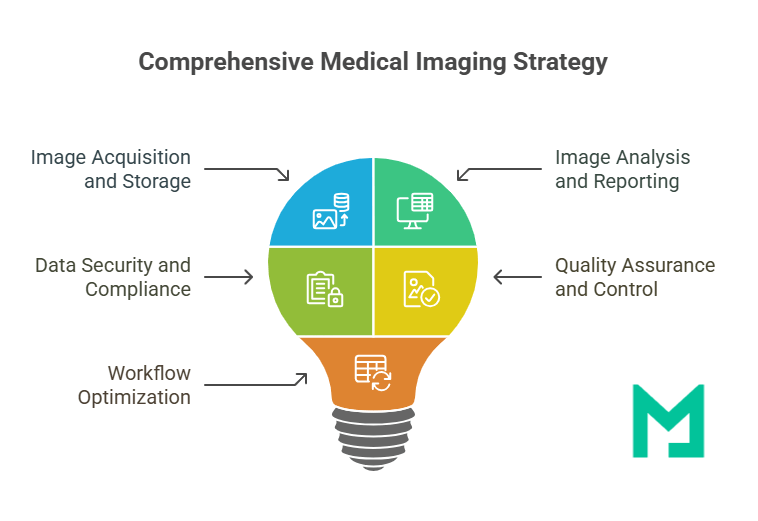
Medical image management is the set of systems and policies that control a medical image through its whole life. Images are stored in DICOM, the international standard for medical images and related information, so each stage can work with images from any modality or vendor. The lifecycle has six stages:
- Acquire. Modalities such as CT, MRI, X-ray, and ultrasound create the images. See our overview of imaging modalities.
- Store. Images are archived in a PACS, a vendor neutral archive (VNA), or cloud storage.
- Access. Radiologists and clinicians view images and reports, often in a web viewer.
- Share. Images move between departments, facilities, referring physicians, and patients.
- Retain. Images are kept for the period set by law and policy.
- Dispose. Images past their retention period are securely deleted in accordance with policy.
A medical image management strategy defines which systems handle each stage, who is responsible, and how the organization measures its effectiveness. For how the systems fit together in larger organizations, see enterprise imaging architecture.
Why medical image management matters
Medical image management matters because images are large, clinically critical, and legally protected. Weak management shows up as slow reads, repeat scans, compliance gaps, and rising storage bills.
Data volume and complexity
Every CT, MRI, and ultrasound study adds large files to the archive, and multi-site organizations collect them across many systems. Without a plan for where images live and how they move, networks slow down, retrieval takes longer, and radiologists wait on priors they need for comparison.
Patient safety and outcomes
Missing or hard-to-find images can lead to delayed treatment, repeated exams, and extra radiation exposure. Clinicians need the current study and relevant priors in one place, with the report attached, to make a safe decision.
Compliance and data security
Medical images are protected health information. In the US, the HIPAA Security Rule requires administrative, physical, and technical safeguards for electronic protected health information. HHS’s Office for Civil Rights can impose civil money penalties for violations. In the EU, GDPR Article 9 treats data concerning health as a special category. For how the two regimes differ, see HIPAA vs. GDPR.
Operational and financial efficiency
Separate departmental archives, duplicate storage, and manual image transfers all add cost. Centralizing storage and automating routing and sharing reduce infrastructure and staff time and make storage growth easier to forecast. For how to model those costs, see our cloud PACS cost guide.
Types of medical image management software
Medical image management software is a family of systems, not one product. Most organizations combine several of the types below, and many platforms bundle more than one.
| Software type | What it does | Who uses it | When you need it | Learn more |
|---|---|---|---|---|
| PACS (picture archiving and communication system) | Stores images, routes them to reading worklists, and displays them for diagnosis | Radiologists, specialists | Any organization that reads imaging | What is PACS |
| VNA (vendor neutral archive) | Consolidates images from multiple PACS and departments into one standards-based archive | Imaging IT, health systems | Multiple PACS, departments, or sites, or a planned PACS replacement | VNA in radiology |
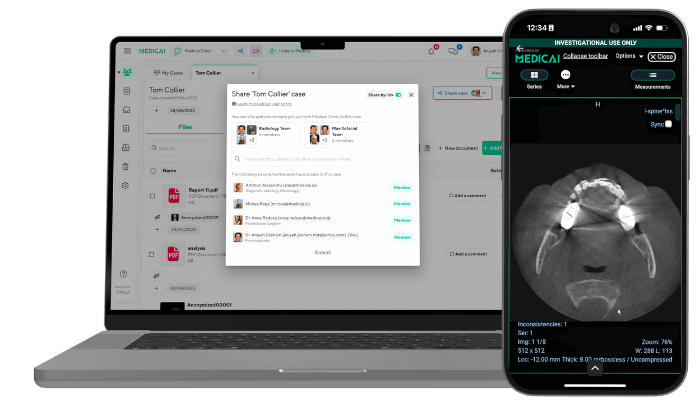
| Web or universal viewer | Displays images in a browser without installing software | Referring physicians, specialists, care teams | Clinicians outside radiology need to see images | Medicai DICOM Viewer |
| Image exchange and sharing | Sends and receives studies between facilities, referring physicians, and outside providers | Imaging centers, hospitals, referral networks | Studies regularly move in or out of your organization | Medical image sharing platforms |
| Patient portal | Lets patients view, download, and share their own images and reports | Patients, front desk staff | You receive patient requests for copies, or want to stop burning CDs | Medicai Patient Imaging Portal |
Deployment models. Each type can run on-premises, in the cloud, or in a hybrid setup:
- On-premises: local servers you buy and maintain.
- Cloud: hosted by a vendor or a public cloud provider and paid for via subscription. A cloud service provider that stores images on your behalf is a HIPAA business associate and must sign a business associate agreement.
- Hybrid: combines a local cache for speed with cloud storage for scale.
For a comparison of cloud vendors, see the best cloud PACS vendors.
How to create a medical image management strategy
A medical image management strategy can be built in seven steps. Together, they cover the current state, the target systems, the rules, and how you will run them.
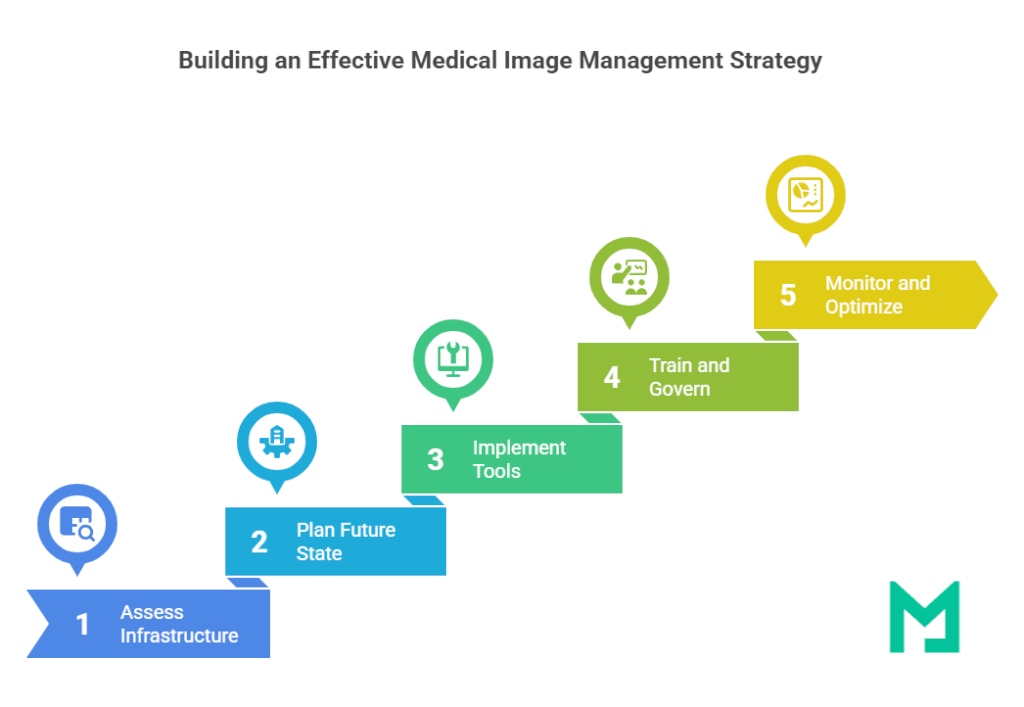
- Assess your current state. List every modality, PACS, archive, viewer, and sharing method in use, and where each stores images. Note gaps in bandwidth, interoperability, security, and storage capacity. Record baseline measures such as report turnaround time, time to retrieve priors, and storage growth per year.
- Define goals and requirements. Agree on what the strategy must achieve, such as faster access to priors, fewer repeat scans, lower storage cost, or easier sharing with referrers. Translate each goal into requirements the systems must meet, and set a budget and timeline.
- Choose your systems and deployment model. Decide which software types you need (see the table above) and whether each runs on-premises, in the cloud, or in a hybrid environment. Map how they will connect to your EHR and RIS, usually through HL7 or FHIR interfaces. See FHIR vs. HL7.
- Set retention and lifecycle rules. Decide how long each image type is kept, where older studies are stored, and how they are disposed of. HIPAA does not set a retention period. State laws generally govern how long medical records are kept, and some image types are subject to federal rules. Mammography facilities, for example, must keep original mammograms and reports for at least 5 years, or at least 10 years if the patient has no further mammograms at the facility, or longer if state law requires it (21 CFR 900.12). Confirm your state’s requirements with counsel.
- Plan data migration and exit terms. Migrating years of studies from a legacy PACS is often the longest part of a new strategy. Ask how data will be exported, in what format, by whom, and at what cost, both for migration now and for leaving a future vendor. Systems that store standard DICOM objects retrievable through DICOMweb make both easier.
- Implement security, integration, and protocols. Configure encryption, role-based access, and audit logging to meet the HIPAA Security Rule, and sign business associate agreements with any vendor that handles images. Set up backups you can restore from. HHS notes that a data backup plan is a Security Rule requirement and recommends considering offline backups against ransomware. Work with radiologists and technologists to standardize imaging protocols and naming across sites.
- Train, govern, and monitor. Train radiologists, clinicians, and IT staff by role. Set up a governance group with members from IT, radiology, and compliance to own policies. Track the baseline measures from step 1, review them regularly, and adjust workflows based on staff feedback.
How to choose medical image management software
Choosing medical image management software comes down to eight criteria. Use the questions below in demos and requests for proposal, and get the answers in writing.
| Criterion | Why it matters | Question to ask the vendor |
|---|---|---|
| Standards support | Standards let images and results move between systems without custom work | Do you support DICOM, DICOMweb, HL7 v2, and FHIR ImagingStudy? Do you support IHE XDS-I.b for cross-site sharing? |
| Deployment model | Decides who runs the servers, how you scale, and how upgrades work | Is it cloud-native, vendor-hosted, or on-premises? Is a local cache required or optional? |
| Storage scalability and cost | Image volume grows every year | How is storage priced as volume grows? Are there data egress fees? |
| Security and compliance | Images are protected health information | Will you sign a business associate agreement? How is data encrypted at rest and in transit? What audit logs are available? |
| Sharing and patient access | Referrers and patients expect digital access | How do referring physicians and patients view, download, and share images? |
| Integration with EHR, RIS, and AI | Integration determines how much manual work remains | Which EHRs and RIS do you integrate with today? How do AI results appear in the viewer? |
| Migration and exit | Determines the cost of switching in and out | Who migrates our existing studies, in what format, and at what cost? How do we export everything if we leave? |
| Pricing model | Determines how cost grows with your volume | Is pricing per study, per user, or by storage? What is the five-year total cost at our projected volume? |

Common challenges and solutions
Most medical image management projects run into the same four challenges. Each one has a known fix.
Interoperability
Challenge: Proprietary formats and closed systems make it hard to share images between departments, sites, and vendors.
Solution: Store images in standard DICOM format, require standards-based interfaces (DICOMweb, HL7, FHIR), and consider a vendor-neutral archive to consolidate studies from multiple PACS.
Bandwidth and infrastructure limits
Challenge: Large studies strain networks and local storage, and slow down retrieval of priors.
Solution: Use scalable cloud or hybrid storage, cache recent studies close to readers, and upgrade network links at high-volume sites. See how PACS architecture choices affect speed.
Staff adoption
Challenge: Radiologists and clinicians resist new tools that change familiar workflows.
Solution: Involve end users in the selection process, train by role, and demonstrate time savings early, such as faster access to priors or fewer CD imports. Keep a named contact for questions after go-live.
Regulatory compliance and legal risk
Challenge: Images spread across many systems are hard to secure and audit consistently.
Solution: Apply a single set of access controls, encryption, and audit logging across all systems. Sign business associate agreements with every vendor that handles images, and review access logs on a schedule. When AI tools are added, confirm how they handle and store images. See how AI fits into the radiology workflow.
Example: consolidating departmental archives
The following is an illustrative scenario, not a specific customer. It shows how the seven steps work together.
A mid-size hospital runs CT, MRI, and mammography. Each department uses its own archive, referring physicians receive images on CDs, and radiologists often cannot find priors from other departments.
- Assess: the team finds an aging PACS, limited storage headroom, and no EHR image links.
- Define goals: faster access to priors, fewer repeat exams, and digital sharing with referrers.
- Choose systems: a cloud PACS with a VNA layer for all departments, a web viewer for referring physicians, and a patient portal.
- Set retention rules: retention schedules by image type and state law, with mammography records kept to MQSA requirements.
- Plan migration: historical studies are migrated in phases, oldest last, with a tested export path in the contract.
- Implement: access roles, audit logging, backups, and a signed business associate agreement.
- Train and monitor: role-based training, a governance group, and monthly tracking of retrieval time and repeat-exam rates against the baseline.
Frequently Asked Questions
Medical image management is the set of systems and policies a healthcare organization uses to store, organize, share, secure, retain, and dispose of medical images such as X-rays, CT and MRI scans, and ultrasound. It usually combines a PACS, an archive such as a VNA, viewers, sharing tools, and patient portals, governed by retention and security policies.
A PACS stores, routes, and displays images for diagnostic reading, usually for one department or organization. A vendor neutral archive (VNA) consolidates images from multiple PACS and departments into one standards-based archive, which makes it easier to share images across systems and to replace a PACS without migrating everything again.
It depends on the image type and location. HIPAA does not set a medical record retention period; state laws generally govern how long records are kept. Some image types have federal rules: under MQSA, mammography facilities must keep original mammograms and reports for at least 5 years, at least 10 years if no further mammograms are done at the facility, or longer if state law requires.
Yes. HIPAA allows cloud storage of medical images when safeguards are in place. A cloud service provider that stores or processes images on an organization’s behalf is a HIPAA business associate and must sign a business associate agreement. The organization still needs to apply the HIPAA Security Rule’s administrative, physical, and technical safeguards.
Look for DICOM and DICOMweb support, HL7 and FHIR integration with your EHR and RIS, a zero-footprint web viewer, secure sharing with referring physicians and patients, encryption and audit logging, a signed business associate agreement, scalable storage with clear pricing, and a documented way to export all data if you change vendors.
Medicai brings a cloud PACS, a vendor neutral archive, a web DICOM viewer, image exchange, and a patient portal into one platform on Microsoft Azure, so organizations can put a medical image management strategy into practice without on-site servers. Explore Medicai Cloud PACS or book a demo.

Related Articles



Lets get in touch!
Learn more about how Medicai can help you strengthen your practice and improve your patients’ experience. Ready to start your Journey?
Book A Free Demo