PACS System Radiology: Workflow, Benefits, and Challenges
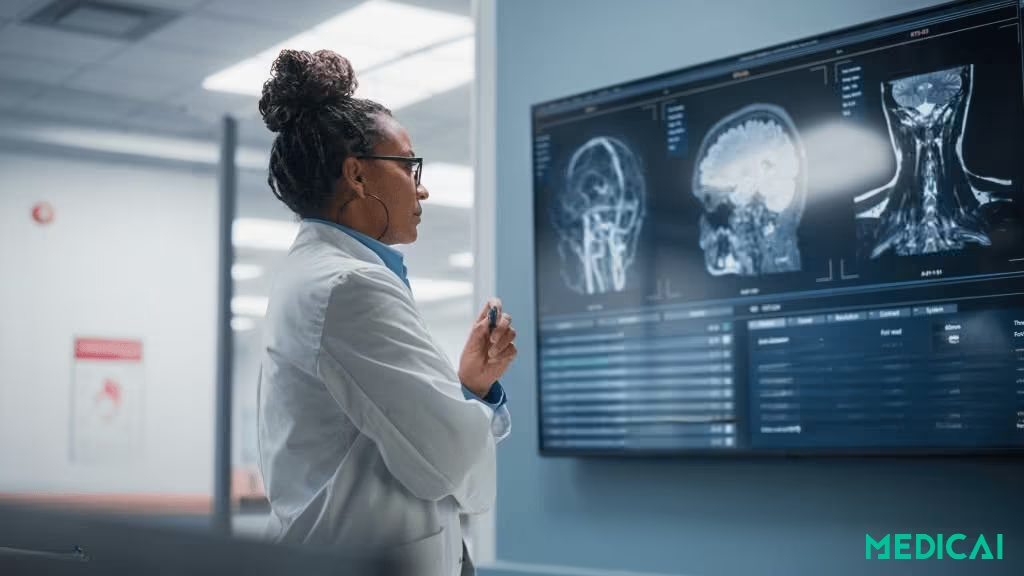
A PACS (Picture Archiving and Communication System) system in radiology is the digital backbone for medical imaging, securely storing, retrieving, managing, and distributing DICOM (Digital Imaging and Communications in Medicine) studies such as X-rays, CT, and MRI across radiology and clinical teams.
It replaces outdated film processes with instant, secure, and seamless access, helping radiologists diagnose more quickly and collaborate more effectively.
Discover how the PACS system radiology works, its benefits, challenges, and innovations shaping the future of medical imaging.

PACS Architecture & Key Components
A Picture Archiving and Communication System (PACS) is a digital platform used to store, retrieve, and securely share medical images. Developed in the 1980s, PACS emerged as a solution to the limitations of film-based imaging.
The main purpose of PACS is to simplify access to medical images. It allows clinicians to view X-rays, CT scans, MRIs, ultrasounds, and more—instantly and in high resolution.
Four functional layers in a PACS environment:
- Imaging modalities, such as CT, MRI, ultrasound, and X-ray, that generate DICOM images
- Secure network, LAN or WAN paths that transmit studies between modalities, archives, and viewers
- Archives and servers, storage tiers for recent and historical studies, on-prem, cloud, or hybrid
- Workstations and viewers, diagnostic viewing and reporting tools used by radiologists and clinicians
Key Components of PACS
Behind every PACS system lies a carefully designed architecture that ensures medical images move seamlessly from capture to diagnosis.

Imaging Modalities
At the start of every PACS workflow are imaging modalities—the machines that generate diagnostic images. These include CT, MRI, ultrasound, PET, and traditional X-ray.
Each modality produces images in DICOM format, ensuring standardization across systems. Without DICOM, sharing and interpreting images between different hospitals or software would be nearly impossible.
Acquisition Interfaces and Gateways
Once captured, images flow into PACS through acquisition interfaces. These act as translators, making sure data from different machines is properly formatted and transmitted.
Gateways are particularly important in hospitals that use equipment from multiple vendors, as they bridge compatibility gaps and ensure smooth data flow.
Storage and Archival Tiers
The heart of PACS lies in its archive system. Medical imaging data is enormous and keeps growing year after year, so PACS uses tiered storage:
- Online storage: Fast, immediate access for recent studies.
- Nearline storage: Slightly slower but cost-effective for studies that are weeks or months old.
- Offline storage: Long-term archives, often on cloud servers or external drives, used for compliance and research.
This layered approach balances speed, cost, and regulatory requirements.
Network and Data Transport
A strong network backbone connects all parts of PACS. High-bandwidth, secure connections allow images to travel quickly from imaging devices to storage servers and viewers.
For larger hospitals or teleradiology, wide-area networks (WANs) and secure VPNs make remote collaboration possible. Network reliability is vital; any lag can delay diagnoses.
PACS network security relies on encrypted transport, authenticated access, and audit logging, because PACS traffic carries PHI (protected health information) end-to-end.
Workstations and Viewing Software
Radiologists rely on viewers or workstations to interpret images. They come equipped with advanced tools for zooming, 3D reconstruction, annotations, and side-by-side comparisons of past and current studies.
Common PACS viewer tools radiologists use in daily reads
- Window and level, contrast tuning per tissue type
- Pan and zoom, rapid inspection of regions of interest
- Measurements, linear, area, and angle tools for follow-up comparability
- MPR and 3D reconstructions, cross-sectional navigation, and planning
- Side-by-side priors, trend detection across time
Cloud-based PACS has expanded this capability, allowing doctors to log in from laptops or tablets without being tied to a hospital workstation.
Integration with Hospital Systems
A true PACS doesn’t work in isolation. It integrates with:
- RIS (Radiology Information Systems): Manages scheduling, reporting, and workflow.
- HIS/EHR (Hospital/Electronic Health Records): Ensures imaging data connects with patient records.
- IHE Profiles: Provide standardized ways for systems to “talk” to one another.
Scope boundaries that prevent workflow confusion
- PACS, stores and distributes images and priors, plus viewer access
- RIS, manages imaging orders, scheduling, and billing context tied to the accession
- EHR, provides the longitudinal patient chart that links reports and imaging results to the rest of the care
Platforms like Medicai take this further by offering seamless integration with PACS and RIS/EHR while ensuring compliance with HIPAA and GDPR.”
Standards That Make It Work
Two universal standards keep PACS interoperable:
- DICOM: The imaging standard that packages pixels plus study metadata and moves studies between systems.
- HL7: The messaging standard that moves orders, patient demographics, and report status between RIS, PACS, and EHR.
Together, DICOM and HL7 create a common language that allows hospitals, vendors, and specialists to share information without barriers.
Workflow of a PACS System Radiology
Let’s see how the PACS system operates to transfer medical images from capture to diagnosis.
Step 1: Image Acquisition
The workflow begins with various imaging modalities, including CT, MRI, ultrasound, and X-ray. These devices generate images in the standard DICOM format, which includes both the image data and important metadata (patient ID, modality type, exam date, etc.).
Step 2: Secure Transmission
Once created, the images are sent via a hospital network or a secure gateway to the PACS server. This transmission must be fast and reliable, as delays can affect reporting times. Encryption ensures that patient data remains protected during transfer.
Step 3: Archiving and Storage
Images are stored in a PACS archive in different tiers based on usage. Recent studies are stored online for quick access, while older ones are archived in nearline or offline storage. Some hospitals utilize cloud PACS for scalable, cost-effective storage.
Step 4: Retrieval and Access
Clinicians and radiologists use viewing workstations or web-based PACS viewers to access images by patient information, modality type, or exam date. This instant retrieval of prior exam marks a significant improvement over film-based archives.

Step 5: Image Review and Interpretation
Radiologists use viewer software to analyze images, which features include zoom, contrast adjustment, 3D reconstruction, and side-by-side comparisons, for precise interpretation. Annotations and measurements are saved in PACS for future reference.
Step 6: Reporting and Integration
Findings are compiled into a radiology report, which integrates with PACS, RIS, and EHR. It provides instant access to images and diagnostic results for treating physicians.
Step 7: Sharing and Collaboration
If needed, PACS enables the secure sharing of images and reports across departments or with external specialists. This is particularly valuable for teleradiology, where experts in different locations can collaborate in real time to deliver faster, more accurate care.
Medicai’s cloud-native PACS makes this process seamless, enabling radiologists to securely share cases across locations without workflow disruption.

Importance of PACS in Radiology
PACS has become a cornerstone of patient care and hospital efficiency by digitizing and streamlining workflows.
Faster Image Retrieval & Workflow Efficiency
One of the most immediate benefits of PACS is speed. Instead of digging through physical archives, clinicians can access digital images in seconds. This reduces diagnostic delays, enables same-day reporting, and improves overall clinical workflow.
Remote Access & Teleradiology
PACS makes radiology location-independent. Specialists can review scans from anywhere, including at home, another city, or even another country. This is crucial for hospitals in rural or underserved areas, where access to sub-specialist expertise may be limited.
With teleradiology, a neurologist in New York can review scans from a trauma case in a small Midwest hospital within minutes.
Cost Savings and Resource Optimization
Film-based imaging required expensive materials, storage rooms, and courier services. PACS eliminates these costs while freeing up physical space. Digital storage is far more scalable and often cheaper in the long run, especially with cloud solutions.
Hospitals also reduce administrative overhead by eliminating hours spent managing physical film libraries.
With cloud-ready options like Medicai, facilities gain both affordability and scalability without compromising security
Improved Diagnostic Accuracy and Consistency
PACS provides precision. Tools like Zoom, window leveling, side-by-side comparison, and 3D reconstructions help radiologists see details that film simply couldn’t reveal.
Consistent digital archives also allow radiologists to easily compare historical and current studies, making patterns or changes in disease more visible.
Education & Training in Medical Schools
In teaching hospitals, PACS doubles as a learning resource. Medical students and residents can review diverse imaging cases on demand, giving them broader exposure to real-world conditions.
Annotated cases stored in PACS become valuable training material, improving the quality of radiology education without risking patient privacy.
Research & Population Health Studies
With vast amounts of imaging data archived digitally, PACS supports research at a scale film never could. Researchers can analyze imaging trends across thousands of patients, enabling studies in oncology, cardiology, or neurology.
This data is also crucial for AI development, where algorithms need large, diverse datasets to learn from.
How does AI integrate into PACS workflows today?
- Worklist triage, AI flags suspected urgent findings so radiologists read time-sensitive studies first
- Hanging protocol assistance, AI helps select layouts and priors that match the exam type
- Structured outputs, AI can prefill measurements or labels that the radiologist verifies before sign-off
Risks, Limitations, and Disadvantages of PACS in Radiology
While PACS has reshaped radiology, it comes with its own set of hurdles.
Scalability, Storage Growth, and Network Bottlenecks
Medical imaging data is massive and growing fast. A single CT or MRI study can generate hundreds of megabytes, and with thousands of scans daily, storage demands escalate quickly.
Hospitals can struggle with overwhelmed servers, slow retrieval times, and clogged networks if they lack proper planning.
Scalability is especially challenging for multi-hospital systems, where images must be transferred quickly over wide-area networks.
Security, Privacy, and Regulatory Concerns
PACS handles sensitive patient data, making cybersecurity a top priority. Risks like unauthorized access and ransomware can expose personal health information (PHI).
To comply with regulations like HIPAA and GDPR, systems must implement secure logins, audit trails, encryption, and strict access controls. Breaches can harm patients and result in significant fines and reputational damage.
Vendor Lock-In and Interoperability Issues
Many hospitals struggle with vendor lock-in, where PACS providers make it difficult to migrate data or integrate with third-party tools. Proprietary formats and limited interoperability with RIS/EHR systems create silos, forcing organizations to remain with a single vendor even when better options exist.
This restricts flexibility and can slow innovation.
Legacy System Integration
Older hospitals often rely on outdated IT infrastructure or legacy PACS versions. Integrating these with newer cloud-based or AI-enhanced systems can be technically complex and expensive.
Compatibility issues, such as inconsistent DICOM implementations, can result in lost metadata, incomplete studies, or broken workflows if not properly addressed.
Disaster Recovery and Backup Strategies
PACS systems contain decades of imaging history, which is essential for compliance. However, server failures, natural disasters, or ransomware attacks can threaten this data.
Without solid backup and disaster recovery strategies, such as redundant storage and off-site replication, hospitals risk severe data loss that could disrupt clinical operations.
Cost and Resource Burden
Implementing PACS isn’t cheap. Costs include hardware, licenses, cloud subscriptions, IT staff, maintenance, and ongoing upgrades. Smaller hospitals or clinics may struggle with this financial burden.
Even after adoption, continuous monitoring and scaling require skilled personnel and dedicated budgets, which can stretch already limited healthcare resources.
Conclusion
PACS has transformed radiology from film-heavy, time-consuming workflows into a fast, digital, and collaborative process. By centralizing image storage, enabling remote access, and supporting integration with hospital systems, PACS improves efficiency and patient care.
As cloud, AI, and interoperability redefine imaging, platforms like Medicai empower radiologists with secure, scalable, and future-ready solutions that keep patients at the center of care.


Related Articles



Lets get in touch!
Learn more about how Medicai can help you strengthen your practice and improve your patients’ experience. Ready to start your Journey?
Book A Free Demo